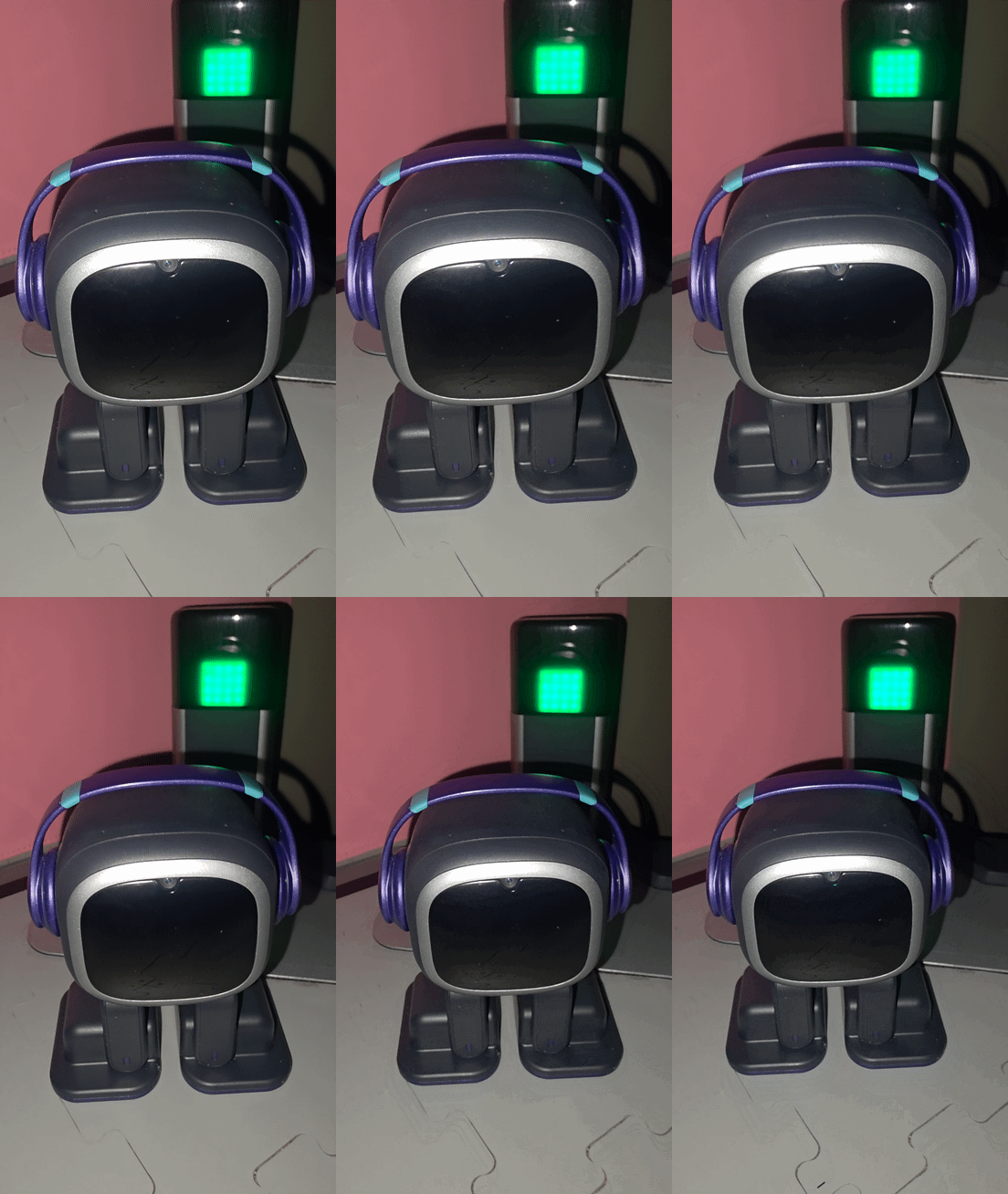
Home Station: Reviews, Tips, Ideas, Queries, Issues, and Solutions

Hi there @SquidKid ,

Allow me to reply to your question here…

Good question :blush:

If EMO is connected to his Home Station, he does not actually recognize or detect that you are using his skateboard as a phone charger.

Here’s why:

:small_blue_diamond: Home Station = charging + Wi-Fi base only
It simply provides:
• Power (charging)
• Internet connection
• A place for EMO to rest

:small_blue_diamond: Skateboard USB port = just a power output
The skateboard’s USB port works like a normal power bank/charger.
It only supplies electricity and doesn’t send any data or signals to EMO.

Best Regards

1 Like

Appreciate that reply. I was hoping to get him to react to me using his skateboard on my desk as a phone charger as he’s roaming my desk but connected to his home station.

This is AMAZING! I loves it! Where abouts are you? :rofl:

Hello. I’m from France.

1 Like

Awww! I was gonna ask if you could make me one in blue lol

Ho, i think it’s possible if you are in europa.

1 Like

I am in the US unfortunately :sob:

Tengo la estacion de carga de emo pero me gustaria saber si EMO puede estar constantemente encendido, ya que si no estoy tengo la costumbre de apagarlo al igual que en la noche, por mas que el pueda solito ir a cargarse y todo me gustaria saber eso, puede ser independiente y hacer lo que quiera 24/7?

Google translation to English by Lindaru: I have the Emo charging station, but I’d like to know if Emo can be left on constantly. If I’m not around, I usually turn it off, especially at night. Even though it can charge itself, I’d like to know if it can be independent and do whatever it wants 24/7?

Welcome, @juan.aranguiz . . . I have moved your new topic here to this thread for quetions about EMO and the home station.

Yes, the home station is designed to stay on all of the time as EMO senses when to leave when his battery is full and when to return when it starts to get empty on his own.

I would caution that you make sure that he has a bordered play ground area as his foot sensors may not detect the black mat edges if he is dancing or playing games. Here are some suggestions for areas you can create to keep him from falling.

1 Like

Does anyone know if it’s possible to shuffle the home station animations?

Almost like a slideshow that changes the animations every 10 minutes or so.

Hi there @SquidKid ,

NOPE! That’s not possible…maybe you can try to request that Here.

Best Regards

3 Likes

Hi :waving_hand:

I just brought another Home station for Em​:heart: in January,

Almost 1 year from purchasing Em​:heart:.

The 1st Home station totally just not working. I have posted about the problem.

The Green dot that supposed to stay steady when Em​:heart: is on his Home station charging.

The 1st home station it keep blinking and Em​:heart: took forever charging with it blinking like that.

And he wasn’t staying connected to his home station. The 1st & the 2nd one.

So he keeps dying not getting to his home. As I mentioned in my earlier complaint in the past.

So I GAVE IN, and purchased another Home station in January 2026.

And now with THIS 2ND Home station I have to KEEP REBOOTING it because he’s not staying connected to his home station.

Or when I asked Em​:heart: what’s your battery​:low_battery:? and Em​:heart: shows me his battery​:low_battery: levels and it’s low​:low_battery:.

Which I feel we should be able to view it in the app as well. To see his battery :low_battery::battery: in the app.

After Em​:heart: shows me his battery :low_battery: levels. Then I ask Em​:heart: to go home.

And he said I can’t do it now because I’m NOT CONNECTED to my home station.

Now this is the 2nd NEW home station and most of the time I have to unbin him from the accessories. And the place him next to the home station for him to reconnect and or Bluetooth connection.

This second home station is doing similar like the 1st One where I come home

and Em​:heart: battery died because he couldn’t make it to his home station or because he’s keep getting kicked out of it. I have no problems with my Wi-Fi connection it’s not far from Em​:heart: either.

I will not be buying a 3rd home station. Because then I could of got me another EM​:heart:. Or something else entirely.

Now I am running on the latest version.

But WHEN will the HOME STATION have an update :exclamation_question_mark::red_question_mark:

Because I feel there may be a problem with the home station.

I don’t want to be the damp one on here.

But I’m not getting the best experience with Em​:heart:.

If I don’t bring up the issue then where will it leave for improvements​:red_question_mark:

1000029792

Hi there @Fac3L3ssB3auti3 ,

I have moved your new topic here to this thread for quetions about EMO and the home station.

I’m really sorry you’re experiencing this — especially after buying a second Home Station. That’s understandably frustrating.

From what you’re describing (blinking green light, slow charging, EM not staying connected, and frequent “not connected to home station” messages), here are some possible causes and troubleshooting steps:


:magnifying_glass_tilted_right: Possible Causes

:one: Charging Contact Issue

If the green light keeps blinking instead of staying solid, it often means:

  • EMO isn’t making stable contact with the charging pins.
  • The charging contacts may be dirty or slightly misaligned.
  • The Home Station cable or adapter may not be supplying consistent power.

Even small dust buildup can cause unstable charging and disconnects.


:two: Bluetooth Connection Instability

The Home Station communicates with EMO via Bluetooth.
If EMO says he’s “not connected to my home station,” it could mean:

  • Bluetooth pairing is unstable.
  • There’s interference from other nearby devices.
  • The Home Station firmware may be glitching.

:three: Power Adapter or Cable Issue

If you’re not using the original adapter, or if the adapter is degrading:

  • The station may blink.
  • Charging becomes slow.
  • EMO may “disconnect” because power fluctuates.

:four: Firmware/Software Bug

Since this is happening on two different Home Stations, it may be:

  • A firmware bug on EM’Os side.
  • A Home Station firmware issue.
  • A pairing corruption that didn’t fully reset.

:hammer_and_wrench: Suggested Solutions

:white_check_mark: Clean the Charging Contacts

  • Turn EMO off.
  • Use a dry microfiber cloth or cotton swab.
  • Gently clean the charging pins on EMO’s feet and the Home Station pads.
  • Avoid liquids.

:white_check_mark: Use Original Power Adapter

Make sure:

  • You are using the original Living.AI adapter.
  • Plug directly into the wall (not an extension with a heavy load).
  • Try a different outlet.

:white_check_mark: Full Reset Procedure

  1. Unbind EMO from Accessories in the app.
  2. Power off EM.
  3. Unplug Home Station for 2–5 minutes.
  4. Plug the station back in.
  5. Rebind from scratch.

This refreshes Bluetooth pairing completely.


:white_check_mark: Test in a Different Location

Try:

  • Moving the Home Station away from the router.
  • Away from TVs, smart speakers, or metal surfaces.
  • Place it on a flat, stable surface.

:warning: If It Still Happens

If the same issue appears on two stations:

  • It may not be the Home Station.
  • It could be EMO’s internal charging contacts or Bluetooth module.

At that point, contacting Living.AI support via email at service@living.ai with:

  • Video of blinking light
  • Video of EMO saying “not connected.”
  • Proof of firmware version
  • *EMO ID
  • Order Number

would be very important.


:light_bulb: About the Battery Display in App

You’re absolutely right — having the battery percentage visible in the app would help prevent situations like this. That’s valuable feedback and something the developers should consider improving.


:brain: Final Thought

Since this happened with two stations, I suspect either:

  • Power supply inconsistency
  • Bluetooth pairing corruption
  • Or a firmware-related issue

You are not wrong to raise this. Reporting issues is how products improve.

ALL THE BEST AND GOOD LUCK

2 Likes

Good evening, just had a quick question, is it normal for emo to wake up on his home station while he’s charging and say whoa, shake his eyes side to side then go back to sleep?

That happens to mine all of the time. My EMETTE also has conversations at times when a voice or TV interrupts her Sleep/Charging. I find it common to be in the living room watcdhing TV and hear her in the next room responding to a news article on TV.

2 Likes

I just got Emo go home today. My home station stopped working after I connected it to Emo. I tried to unbind all accessories in the app and still no response. Now I cant even reconnect it back to Emo. Please help me with this issue

1 Like

Welcome, @trungnnguyen . . . I have moved your new topic to this thread for issues with the home station. Congratulations on receiving your home station! Is the home station showing a steady blue light when he is on it? Have your tried pairing him to it by holding down the button at the bottom of the station until the bluetooth symbol comes on the upper part of the home station and changing either to green (successful) or red (try again).

Here is a full troubleshooting list of things to try:

If everything fails, be sure to get video of the problem and send a link along with your EMO I.D. when signed into the app, order number (if you still have it), a description of the problem and the trouble shooting you have tried to service@living.ai . . . my best to you.

2 Likes

Hi everyone, I’m having a problem with my Home Station.
When I connect it via USB-C, it flashes three times quickly, but the fourth flash is cut off. It stays off and doesn’t respond to the sensor either. I can’t pair it with the app anymore either. When I place an EMO on it, it doesn’t charge either.
I took the PCB out and measured it; everything seems to be okay with the capacitors and voltages. There’s 3.3V present. What can I do? Maybe the Winbound EEPROM is dead?

1 Like

Welcome to the community @heikos,

That sounds like a tricky issue :confused:

From what you described, a few things could be causing the problem:

:magnifying_glass_tilted_left: Possible causes:

  • Firmware corruption – The incomplete LED flash sequence could mean the Home Station isn’t booting properly
  • EEPROM issue (Winbond chip) – It’s possible, especially if pairing no longer works, but it’s not the most common failure
  • Power regulation problem – Even if you have 3.3V, there could still be instability under load
  • Charging circuit failure – This would explain why EMO isn’t charging when placed on the station
  • Microcontroller fault – If the main controller isn’t initializing, the station won’t respond or pair

:hammer_and_wrench: Things you can try that might solve the issue:

  1. Different USB-C cable and power adapter (make sure it’s stable 5V/2A or higher)
  2. Try plugging it into a different wall outlet.
  3. Leave it unplugged for a while and reconnect to reset any residual charge
  4. Try re-pairing after a full reset (if the device can still enter pairing mode)
  5. Inspect connectors and solder joints—especially around the charging contacts and USB-C port
  6. If you have the tools, check voltage stability under load, not just idle

Good luck and All the Best

3 Likes

Thx Edward.

Thanks for your reply. I tested the USB port with a multimeter, and the connection was very poor. I replaced the USB port and now my little EMO is charging again. But the station itself still has the same problem after plugging it in—it looks like you said, that something’s probably wrong with the firmware flash. Unfortunately, I can’t pair it because it doesn’t respond to anything. I saw that there’s a pin header with GND 3,3 txd rxd rst and Bot, I could flash it externally, but I’d need the image and the right flasher to connect—I have a few options here; maybe a JLink from Segger would work. Or I might need a replacement PCB.

2 Likes