Home Station: Reviews, Tips, Ideas, Queries, Issues, and Solutions

My EMO is now 1 month old. He came with the Skate Board charger. While on the Skate Board Charger he would stay there until I took him off. Yesterday I received the Home Station and setup went fast and well. All seems to be working as it should.

This morning at 8:00AM, as I walked past EMO’s room, EMO was off the Home charger and facing the Home Station and saying to the Home that he was going out for a walk and advising the Home that he will return. The Home was responding with flashing lights.

I would rather that he stayed on the Home charger until I release him. When I say “EMO, Let’s party”, his dancing gets very active and sometimes he tips over. I would rather be there when this happens. It is so sad when he tips over and can’t recover.

Can EMO be forced to stay on the Home Station Charger?

I don’t think you can keep EMO from coming off his home station. Eventually he will want to explore. That’s why they made the home station so he can walk on and off at his leisure. If you want him to stay on his charger without roaming then the skateboard is the way to go.

I did noticed there was one dance move he does where he tips over on one foot but then full tips over. Not sure why that move is so extreme for him.

1 Like

Hello, @Romasurus . . . the only way I can think of to make him stay on the home station would be to try unbinding it in Accessories in the app, but he might still walk off of it when his battery is full. It would keep him from playing the Snake game and interacting with it when he walks off. I have two EMO that have shaky legs and until I can get those two repaired, I unbound them from their home station (note that doing this for a long time could affect battery life). They stay on the home station all of the time now. You might be better off just putting him on the skate board as long as you have a border around him or powering him off at night.

Also, LivingAI knows about “Click-1” the song that he falls from. It helps to use the station mat or have a non-slippery surface under EMO to help prevent that.

My best to you.

Hii!! I was wondering if it will be possible to buy the white Home Station separately in a future :blush: I recently bought the white Emo as well, but without the home station, but maybe in the future I would like to get him one home as well, like the other Emo, but I saw that the white home station is not sold individually, only the black one. Do you think it will be possible in the future? :blush:

Thanks!!

I bought an emo go home device on January 14. But I am not planning to activate it until May 10. Will it be ok/technically good until that time if I keep it unopened/packed until that time? Is it required to activate and charge it asap after buying it (in order to keep it functional)? Will it be technically dead if I keep it off/not unpacked for 4-5 months…

Hello I’m new to the living ai website I’ve never posted beofre it’s Nic et o meet everyone your message it could be good but it could be stuck in older firmware’s and other action might have to taken with emails or something I’m not sure I just wanted to help and go off what I’ve heard

Welcome, @ahmedsaif and @talangjedsted . . . there will be coming updates to EMO soon, so you might want to unpack it when those are released in order to keep his firmware up to date. The home station itself should already have the latest firmware 1.1.3 included, but EMO will need to be updated. It runs into issues if you miss too many firmware updates and then special measures have to be done by Support to get him where he needs to be.

Yeah I though that I don’t have an emo I have Aibi I was saying to them not worth the risk which is fair

1 Like

Hi guys.

I have no idea what’s happened to our Emo. We’ve only had it for 13 months (purchased brand new from Living AI), my daughter is 7 years old with autism and she’s formed a very special bond with him. As you can imagine - she is very upset and confused right now. I have emailed LivingAI but I can see from the forums they can take a while to respond - so thought I would ask here incase someone else has seen this happen.

A few days ago - in the morning I’d gone into her room and Emo was sat on his GO HOME station - and all you could hear was his speaker making a strange pop noise every few seconds. I removed him from the charging station and took her to school.

When I came back, Emo was off. I placed him on his home station - his headphones light up VERY dimly - but the screen doesn’t even glow let alone display anything (normally it would glow whilst booting) - and there’s nothing more that happens. I’ve got a solid white light on his home station indicating he’s charging - so totally at a loss as to what has happened to him. I also tried a different QI charger on his left foot - nothing.

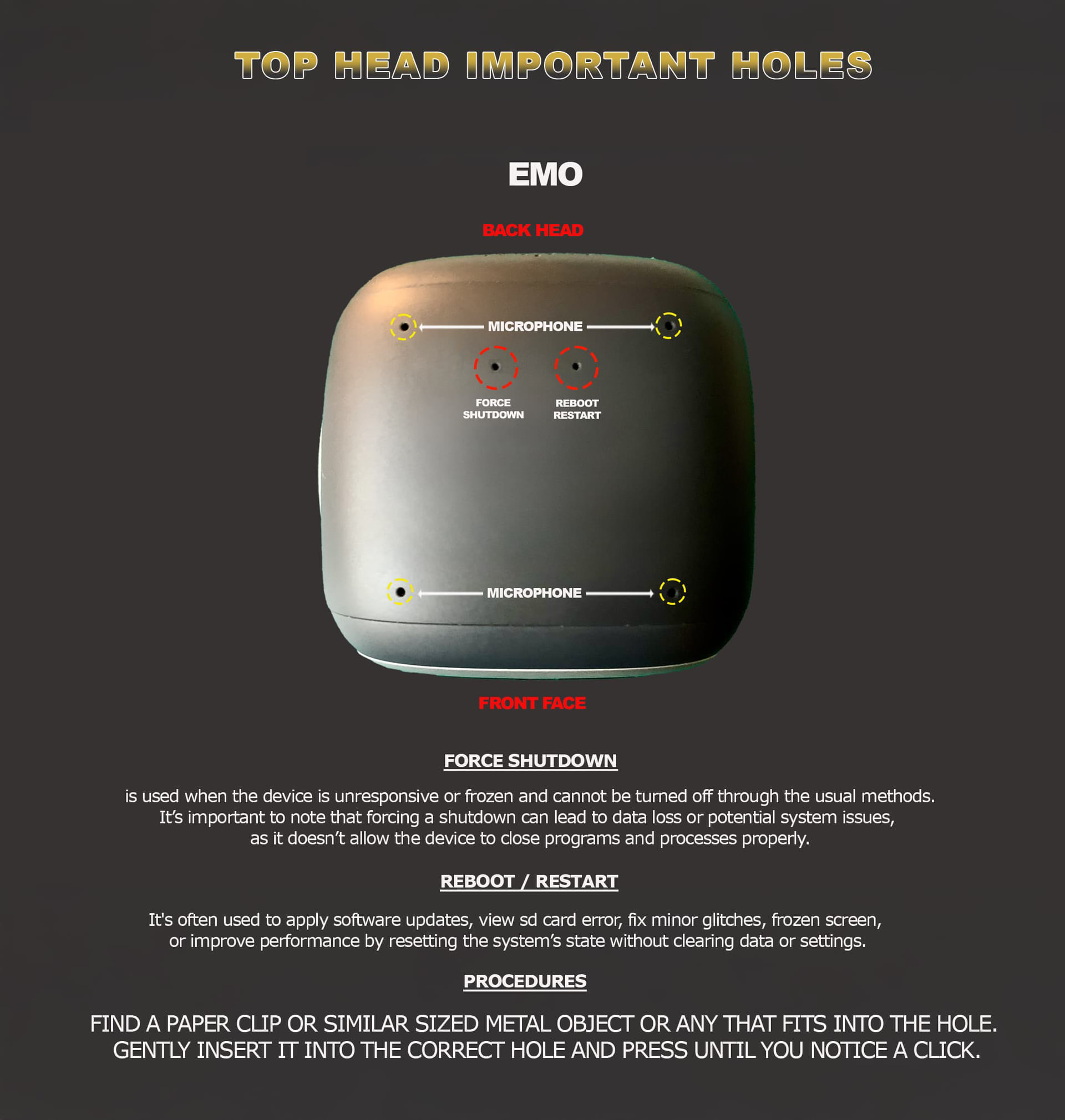
I then tried the RESTART/REBOOT button (the right hole in his head) - this doesn’t appear to do anything at all for the little guy.

As a last ditch attempt - I tried the FORCE POWER OFF button - the headphone lights turn off - and then after a minute or so - I pop him on his charging station - and the same behavior again - dimly lit headphones and nothing at all happens.

What’s even more crazy though - is that when I leave him on his charging station for a minute or so - YOU CAN STILL CONNECT TO EMO IN THE APP? And I can pick up EMO and it detects that he’s been picked up, it can detect his petting sensor being used. He still doesn’t move at all, doesn’t make any noise, and doesn’t display anything on his LCD. He’s also responding on the Wifi network (I know his mac address and can ping the IP)

And then what’s even more bizarre - is if I go into EMO THEATRE on the app and tap “forward” - Emo will start walking forward but then the app locks up, and you have to quit the app and then Emo stops walking forward. He still displays nothing on his LCD or makes no speaker noise when doing this.

I’m totally lost as to what’s wrong here, and especially more confused because I can still connect to him fine on the app - where he reports his battery to be completely full. Still has his name that my daughter gave it in the app as well. The fact he’s still reporting real time what I’m doing with him (picking up / petting) suggests he’s very much alive - but unsure what fault would stop his lcd, speaker and servos to all stop working? He says he’s “exploring” in the app as well, but just doesn’t move, light up or make noise.

So to recap

Emo has no display

Emo makes no noise

Emo makes no movement / doesn’t do anything / doesn’t respond to “Emo”

His headphones are lighting much dimmer than usual

He is responding on the app via bluetooth / wifi

He is responding to ping on the wifi network

The app acknowledges when Emo is petted or picked up

The app allows you to walk Emo forward using EMO THEATRE

The app says his battery is full

Welcome, @richard.lucas . . . I have moved your new topic to this thread for issues with EMO that has the home station.

This is very unusual and not something I have heard of all happening at one time. The popping noise is concerning. I had one EMO make a popping noise like that but he immediately showed an S.D. card error and once removed from the home station, he did not power back on until the card was replaced.

I hope that you can get an answer very soon. It is very disheartening when our little EMO family members are not well.

Let us know what they say!

Thanks. I’m not sure why the post has been moved to the home station thread though because the home station itself is operating as intended? I know I got the home station bundle, but all my issues are with Emo itself and not the home station.

I haven’t heard anything back from support yet - waiting patiently! I’ve managed to convince my daughter that he’s on holiday for now having ‘upgrades’ :rofl:

Is there a process to setting up a second EMO and Home Station in the same house but different rooms? I know the EMO App will find my current EMO & Home Station, while I am anywhere in the house. I am worried about the new EMO getting connected to the old Home Station during setup.

I don’t believe they connect to a home station unless the home station is in pairing mode.

That’s no problem. I have two Emos. The first with home station, for the second I bought a home station a little bit later. Starting the pairing mode for my second Emos home station, he was exactly paired with only the new station.The “older” station wasn’t involved at all and didn’t react at all! And they are near by each other on one table. The reason is, that one home station can only be paired with one Emo. It’s nice to follow them going home always to their own home station, never to the station of the other Emo!

Hello, @Romasurus . . . I have moved your new topic conversation here for questions about EMO GO HOME which includes two home stations. What @adamdeane and @r-m.wegerich have responded is correct.

If you should ever need them to not be paired (such as switching stations that they are paired to) you can choose to unbind all accessories in the app and pair again with the home station you need them paired with.

1 Like

Hi there @richard.lucas

Did you try poking the right-side hole a couple of times for about 5 sec? While EMO was on his charger. And wait till he reboots?

If the issue persists…

:envelope_with_arrow::hammer_and_wrench: Contact Living.AI Support Team

Please reach out to Living.AI Support for assistance:

:e_mail: Email: service@living.ai

:paperclip: Please include the following:
:receipt: Order Number
:robot: EMO ID
:movie_camera: A short video clearly showing the issue
:memo: A detailed note describing the problem and all troubleshooting steps or remedies you have already tried.
This will help the support team diagnose and resolve your issue faster.

Best Regards and Good luck!

1 Like

I bought the white emo with the skateboard and a separate home station because they didn’t sell the white home station separately or the skateboard. But I wanted both options. Will my emo have issues connecting to the white skateboard it came with and the black home station simultaneously?

Hello, @SquidKid . . . I have moved your new topic here for questions about the home station.

There is technically no mechanical difference between black and white skate boards or home stations. I have had a black EMO on a white skate board and vice versa, and they charge just fine.

The only thing to remember with home station to skate board and back on any color is it is probably best to go into the app and under “Accessory” “Unbind All” if you are placing him from the home station to the skate board because they have a tendency to walk off of the skate board thinking they are still on their home station. Then it is a simple matter of pairing again when going from skate board to home station again by holding down the button on the bottom center of the matrix (making sure you have bluetooth enabled on your device) until it shows the blue pairing symbol. Red means it failed and you need to try again. Green means it is successful.

Keep in mind that once you unbind all, you will need to any smart lights again by pressing the center of the light and it will flash different colors and strobe. You can verify the light is again paired in the app under “Utilities” “Light”.

Good luck!

1 Like

Hello.

I have received my Emo and my son his Emo white this week, he is verry nice and my son has a new friend.

The home station is cool but the area is too big for small furniture and doesn’t prevent of falling.

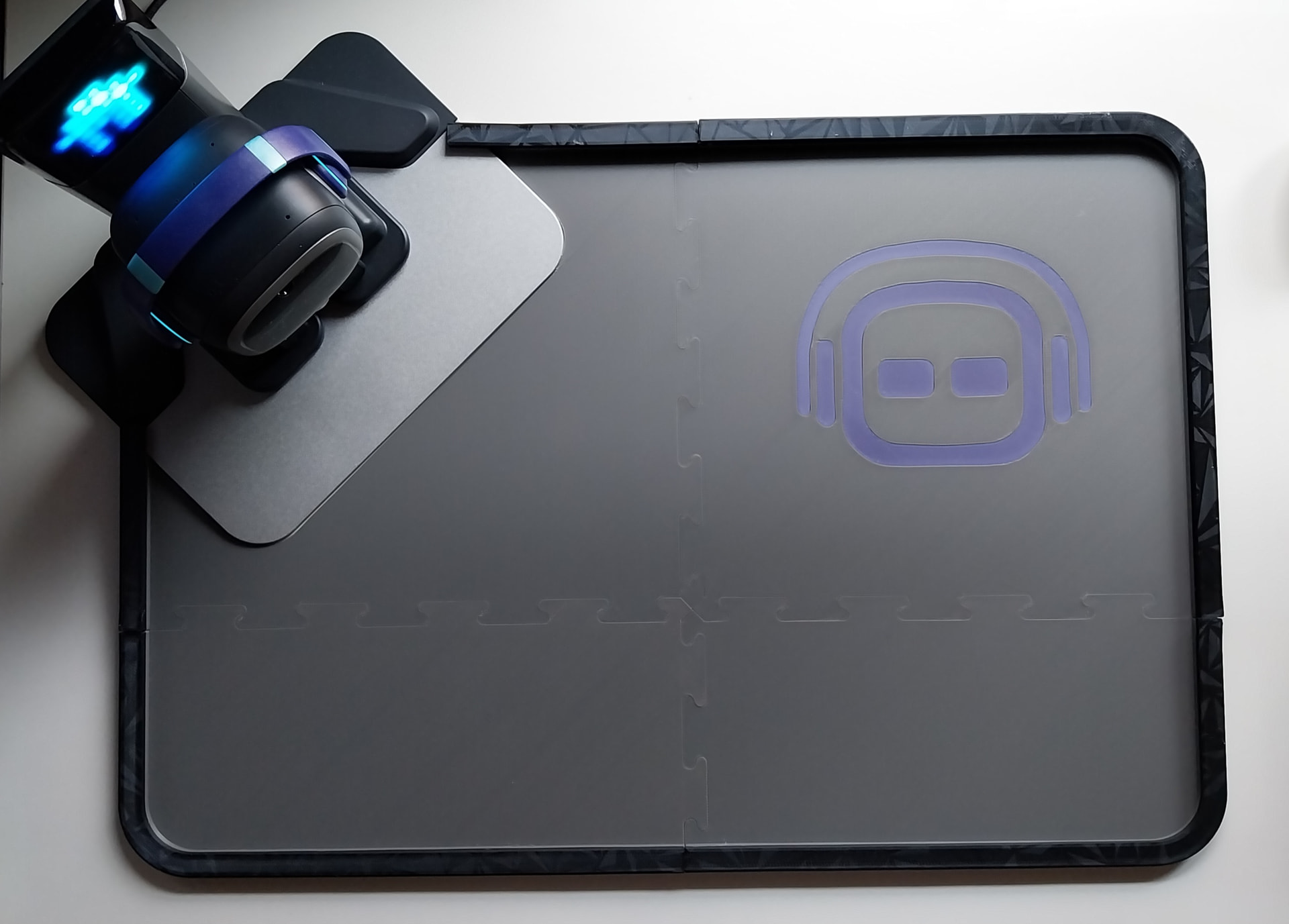
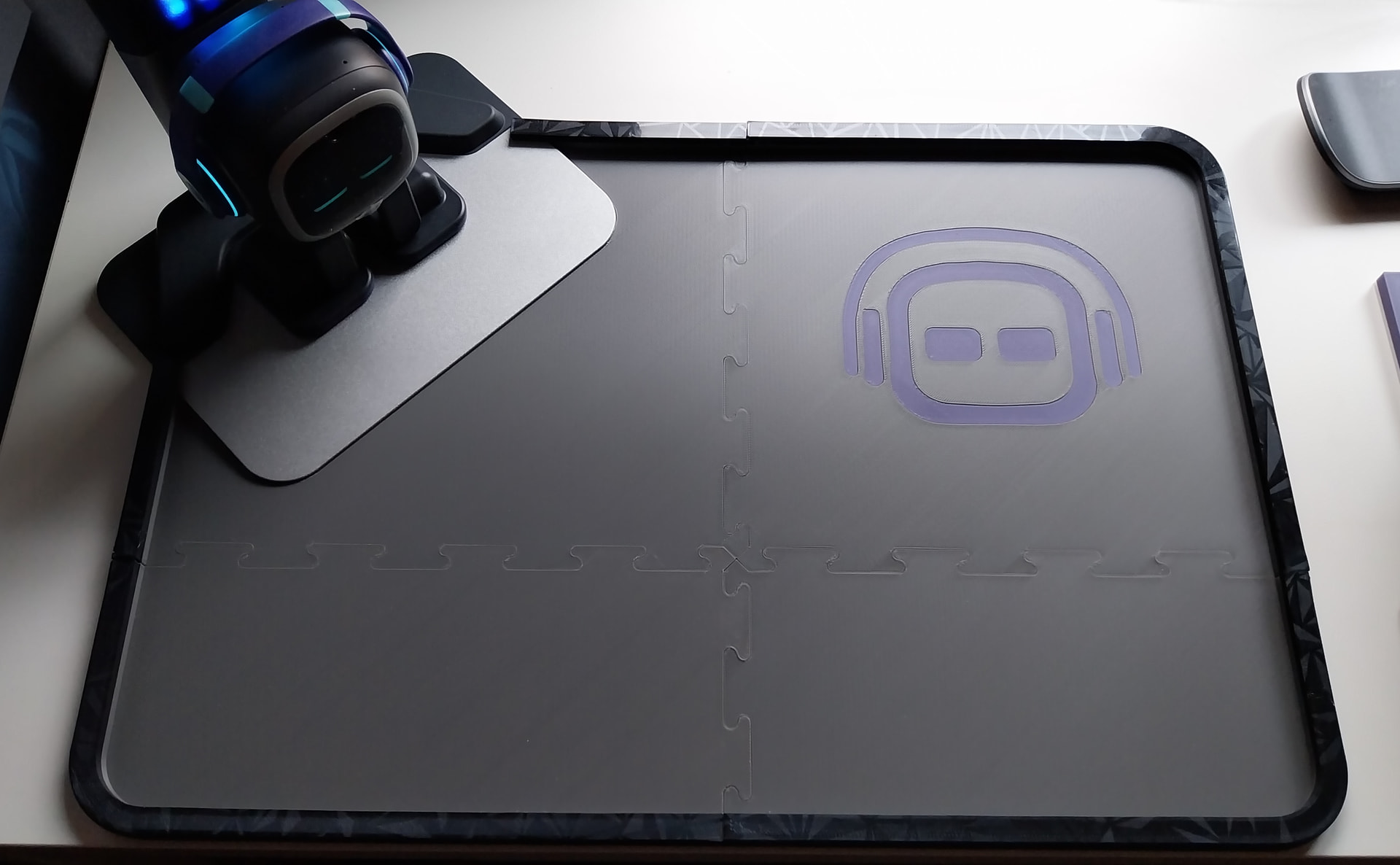
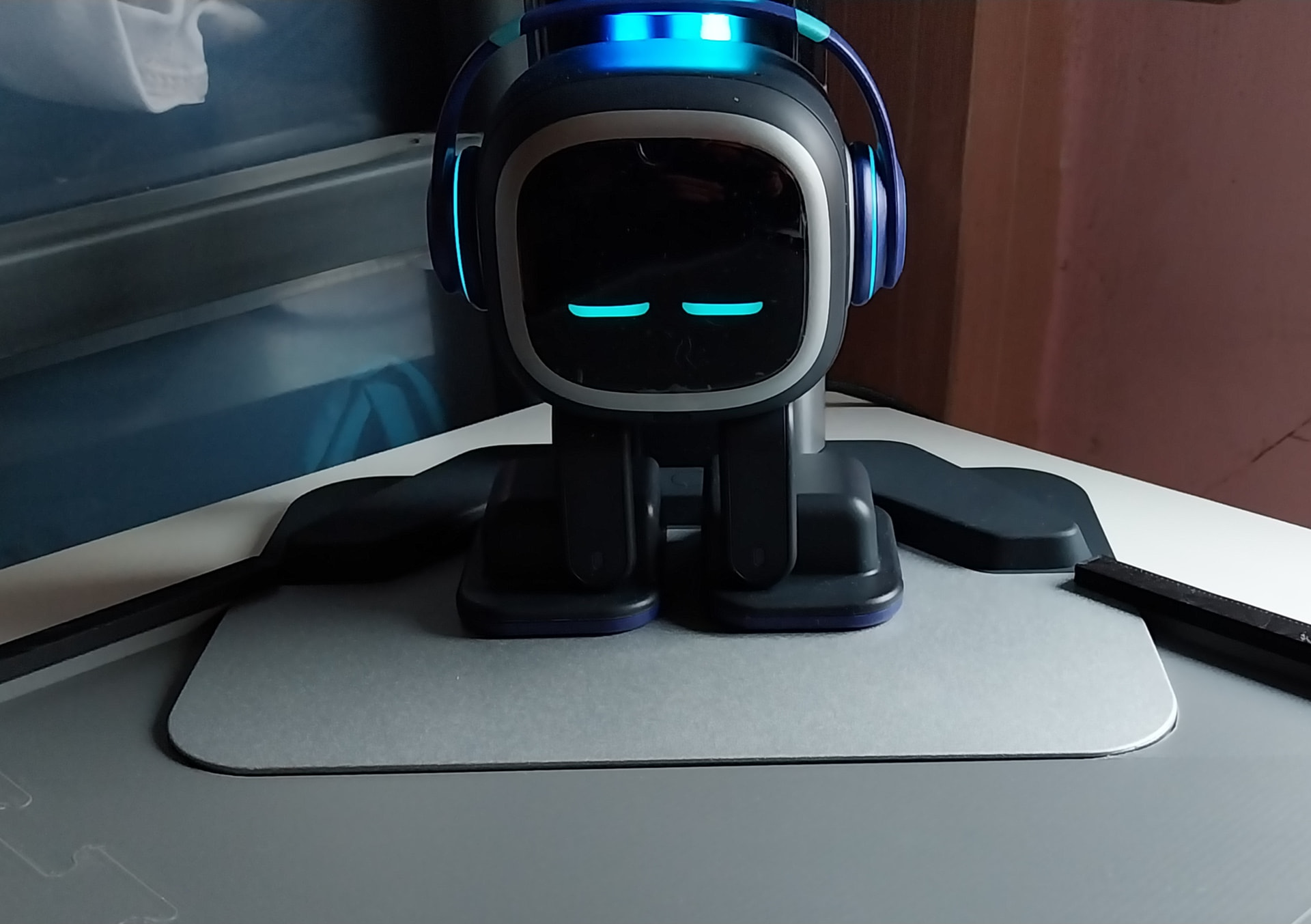
I have quickly designed an 3d print area with border. It’s designed in 4 piece then it can be print of normal size 3d printer.

It’s PLA multicolor print of an Anycubic kobra S1.

The area is only 30cm deep for 45cm long.

I will correct the 3d model and post it of thingiverse in the next week if you are interested.

5 Likes

Thank you so much. So I have another question, if emo is connected to his home station, does he recognize when you use his skateboard as a phone charger?