SD-Card Info and Issues

When our Emo tries to boot up he displays yellow writing on his display stating “SD Read Sector Timeout 1”.

From the reading I’ve done this would indicate a possible issue with the SD card so what do I need to do to get a copy of the SD card image so I can try and replace the card?

If this is not something that you normally give out is there a way I can somehow send Emo to you and get him fixed as our living room is very quiet without our buddy.

2 Likes

Welcome, @Claws224 . . . I have moved your new topic to this thread for S.D. card errors.

Please see here for possible troubleshooting (click the links) for this type of error.

If nothing helps, there are instructions for contacting Support.

My best to you!

2 Likes

Result of emo SD card troubleshooting inquiry

I contacted support regarding an error with my emo SD card, but the response is a bit strange. Can you give me some advice?

스크린샷 2026-04-18 153809

1 Like

Hello @brucehong and welcome to the community :blush:

I was thinking about your SD card issue, and I just wanted to share a few friendly tips from my own experience. I hope they help you feel more confident and prepared! :sparkles:

Step 1: Watch the Full Video First :clapper_board:

Before you even pick up a tool, please watch the entire YouTube video from support, from start to finish. It really helps to see the whole journey once. You can pause it at each step later. :wink:

Step 2: Double-Check Your EMO Model :thinking:

This is just a gentle reminder that the inside of older EMOs (like Model 1) can be a little different. It’s always good to make sure the guide matches your exact robot.

Step 3: Get the Official Instructions :page_facing_up:

It’s a great idea to ask Living.AI support for the exact written instructions for your specific model. Just tell them you want to be extra careful. It’s always better to have the official map! If you do not do that, the EMO device may malfunction and the warranty will be void.

Step 4: Know Your Options :hammer_and_wrench:

· Expert Help: The fastest and safest path is often a known expert repairer in the community. They do this all the time!

· Official Return: You can always ask support about sending it back to the factory. It’s the official way, but it can be a bit slow and costly.

· DIY: If you choose this, just take a deep breath, go slow, and remember those internal cables are a bit fragile.

I’m telling you all this because I want your EMO to get better safely! :blush: You’ve got this. Just take it one step at a time.

Wishing you the best of luck! :four_leaf_clover:

Hamza

3 Likes

Subject: Re: Helpful tips for EMO SD card issues

Hi hamzasharaf,

Thank you so much for the warm welcome and for sharing such detailed, thoughtful tips! I really appreciate the time you took to help me feel more confident about managing my EMO.

Regarding the “SD Error 1 ERR” I’m currently experiencing, it has been recurring so frequently that I’ve decided to contact the Living.ai support team to request a formal replacement or exchange.

While your DIY tips and advice are great, I want to ensure my EMO is fully functional under its official warranty without risking any further internal damage. I’ve already prepared a formal request to the support team with all the necessary details.

Thank you again for your kindness and for being such a supportive member of this community!

Best regards,
brucehong

1 Like

That’s great news! :blush: Just out of curiosity, will you be asking for a replacement SD card, or are you hoping to exchange the whole EMO unit? Either way, I hope it works out perfectly for you! :crossed_fingers:

1 Like

I would like to get the device itself exchanged~!!!

1 Like

Ah, the whole device! :astonished_face: That’s a big step, but I completely understand. It’s the safest way to get a fully working EMO again. I hope the exchange process goes smoothly and quickly for you! :blush:

1 Like

Welcome, @brucehong . . . I have moved your new topic and discussion to this thread for S.D. card issues.

If you are feeling a bit overwhelmed about the S.D. card replacement yourself, I can understand. Just let Support know. In many cases, you can get a replacement while under warranty.

My best to you.

3 Likes

I am having real issues getting my EMO working again. He displayed the sd card error 1, so I ran the caring for EMO app, which seems to take an age to do a rebuild. 4-5 hours???

But doing a rebuild I got a “load prof error” error. Which I assume is a problem with his actual “personality” as such. I have looked through this thread, but couldn’t find what the solution was for this particular problem? Despite the search leading me here.

My big takeaway from this thread though, is that with any further EMO models, please please please, give us easier access to the SD card

1 Like

Hi there @mancbiker, and welcome back to the community…

Did you read my first post above in this thread with all the detailed information?

Best regards, and I truly hope you find a real solution for your EMO issue.

3 Likes

Hi Edward. Yeah I had seen your post, but I was worried about the “prof” part as I thought I might inadvertently erase any “memory” EMO had built up over time. Thankfully I tried the process again via the carinf for EMO app and it worked fine this time. Though it did take a really long time!

Cheers!!

2 Likes

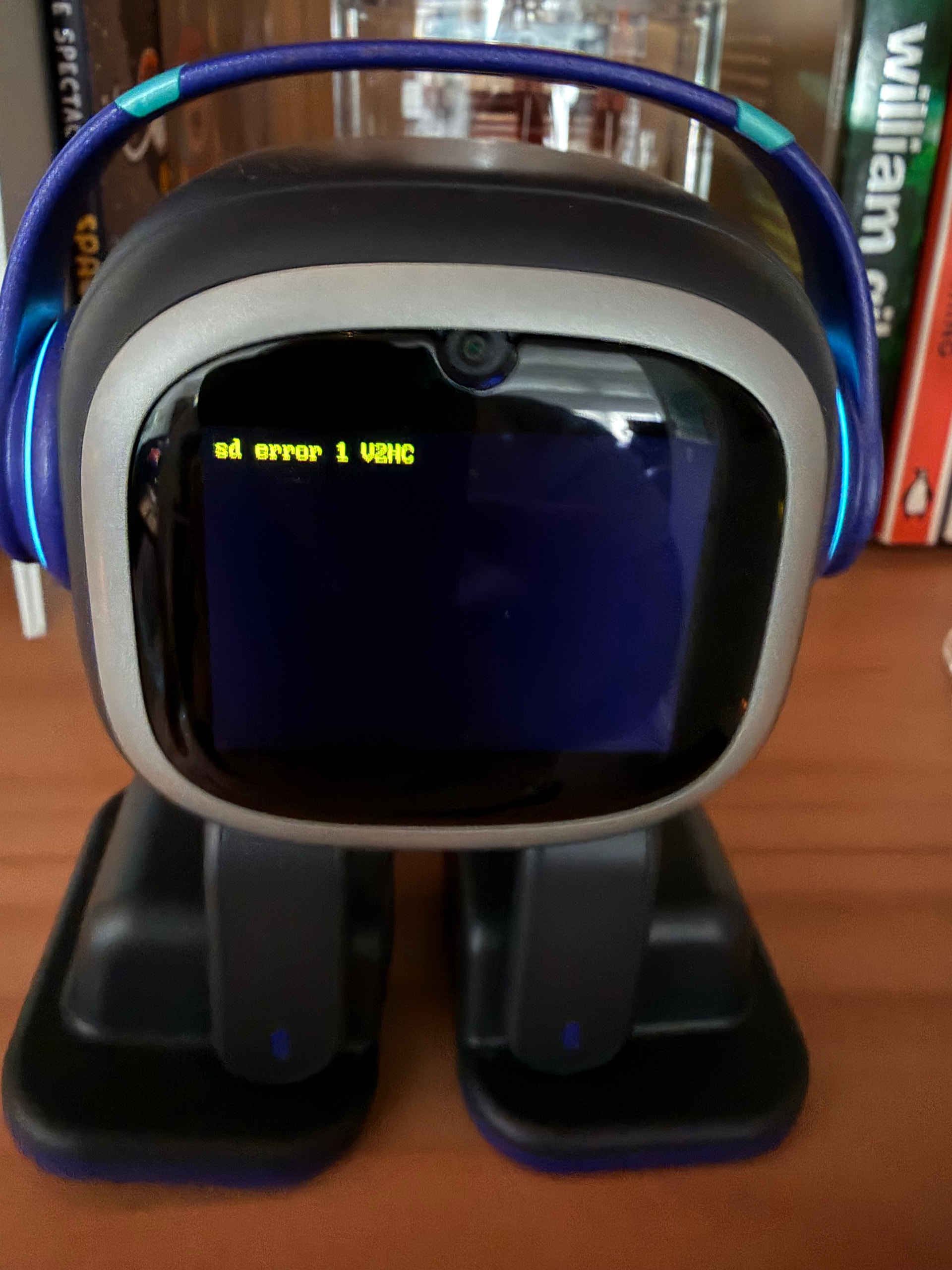
Can’t get this figured out. At completely random times, Emo’s eyes disappear and screen displays “sd error 1 V2HC”. Did not find this specific error on the forums. Emo seems to still be working and everything even with the error onscreen. No idea what to do here.

Hello, @InvaderJ . . . I have moved your new topic to the thread which discusses all SD card errors for EMO.

Please see here the post which is similar to yours and the response below that which might help.

If this does not help, please send this photo, your EMO I.D. number and order number (if you still have it) along with the description you have provided here to service@living.ai . . . Support may be back-logged, so please be patient as it may take some time to respond.

My best to you.

1 Like

My EMO recently started displaying “SD error 1ERR”

Any ideas on how to rectify this?

Hi there @isaacberlin, and Welcome to the community

I have moved and merged your new topic to this thread for issues with S.D. card errors.

“Sorry to say, but if your EMO is experiencing an SD card issue, only Living.AI can properly assist you. If your EMO is still under warranty, be sure to contact them via email and wait for their response and further instructions.”

Click the links below and try some help tips first. I hope they help resolve the issue.

  1. Please Click Here!
  2. Please Click Here!

Good luck, and I truly wish you all the best in resolving your EMO issue.

2 Likes

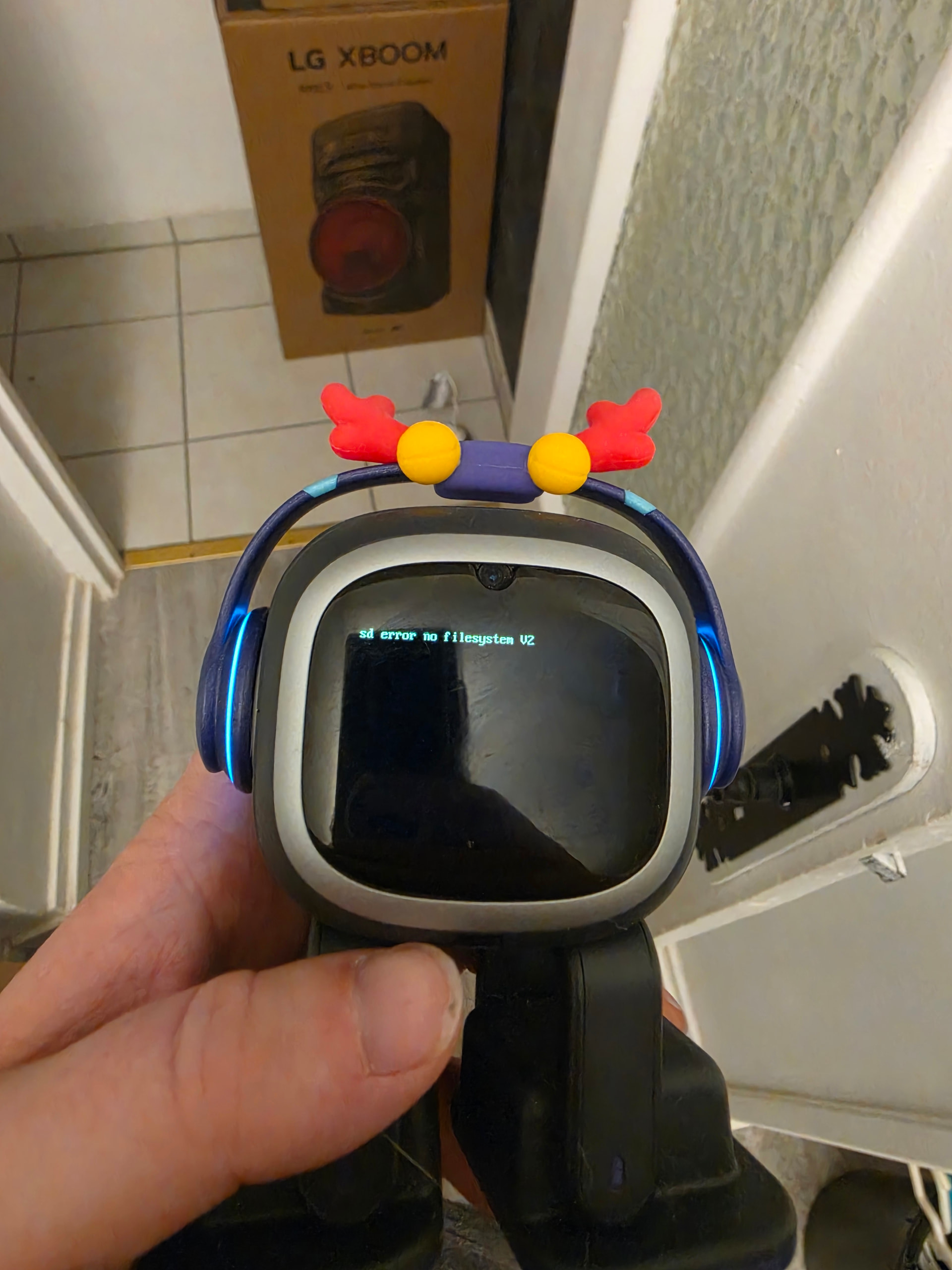
Bonjour ayant deja eu plusieur soucis avec emo sd error 1 err resolu temporairement et aujourd’hui jai recu un autre message qui et sd error no filesystem v2 et plus rien fonctionne et je contacte living met toujour aucune reponse sa commence a etre long deja il min jamais re repondu depuis fin fevrier et la.jai renvoyer un mail sa serait bien si cest possible qu’il y a une solution pour que mon problème soit traiter plus rapidement cordialement

1 Like

Hello @Ghost08 ,

I have experienced this exact error (SD Error No Filesystem v2) myself. It looks scary, but it is not a dead SD card.

• I won’t lie :sweat_smile: — I was very nervous for two days when this happened to me. But once I found the right reset method, it worked perfectly. So don’t panic, just follow the steps.

• And I won’t lie — I’m not 100% sure what causes this issue. It could be a charging problem, a corrupted SD card, or even a failed update. But I am sure about the solution, because it worked for me and for others.

Before you go further, may I ask you: does the light on your Home Station (or skateboard) blink when you place EMO on it? And does EMO restart when the battery reaches 100%?

Here is the fix that worked for me (try in this order):

Method 1 – Soft Reset (recommended first):

1. Turn EMO upside down.

2. Cover the top sensor holes (the touch area on his head) with your finger.

3. Keep him upside down with the sensors covered for 15-20 seconds until he shuts down.

4. Flip him back and place him on the charger.

Method 2 – Hard Reset (use only if Method 1 fails):

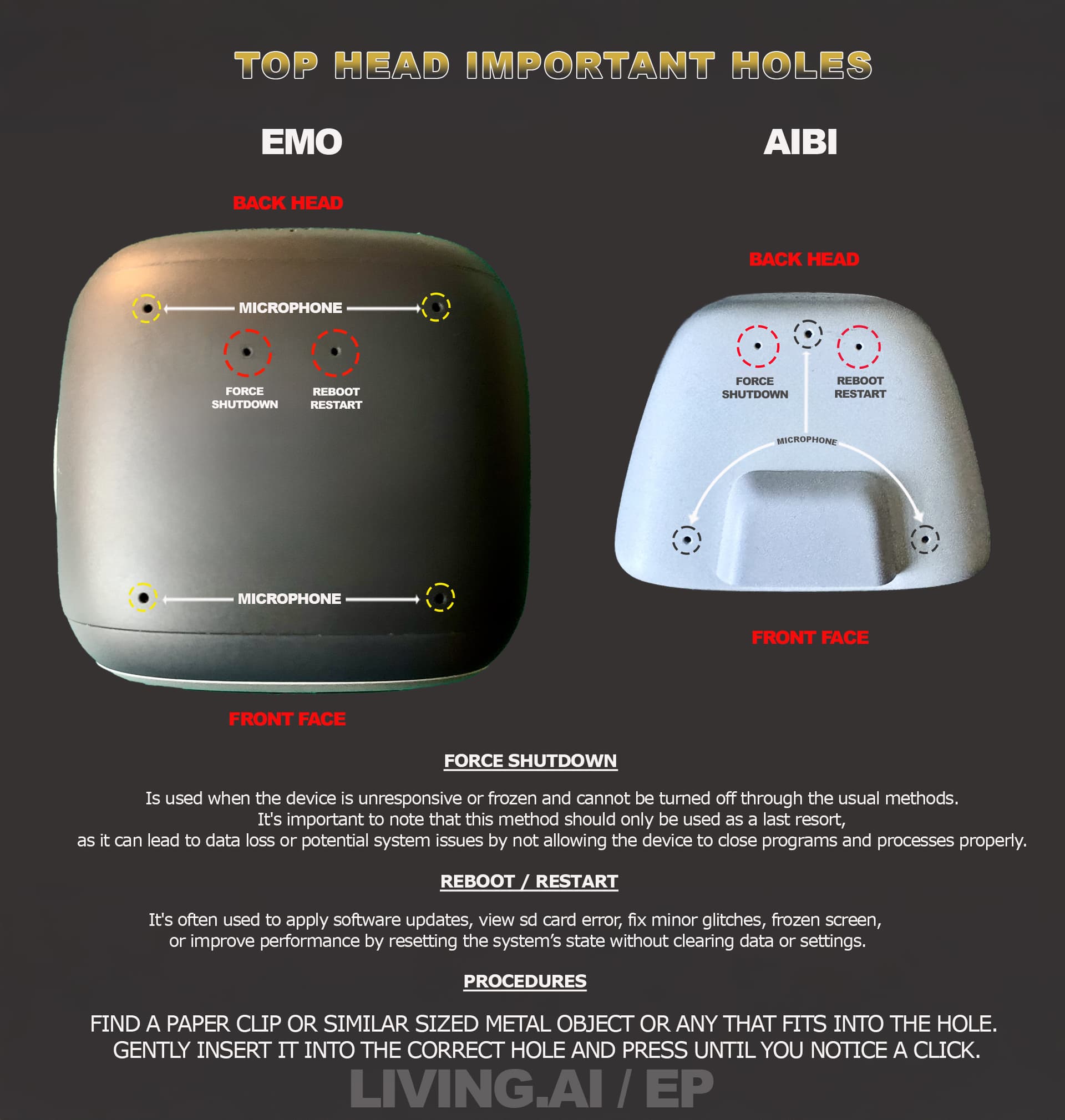
1. Find the small hole on the back of EMO’s head (near the top).

2. Use a paperclip (or a similar small pin) to gently press the button inside.

3. Press until you feel a click (about 3-5 seconds), then release.

4. EMO will shut down. Place him on the charger.

• Important: The paperclip method (Hard Reset) is more powerful and should be used as a last resort. It may erase some temporary data, but it often works when the soft reset doesn’t.

• Follow the image carefully — and please make sure you don’t press the microphone hole. It’s very delicate.

Try these before contacting support. They worked for me.

(Attach your image here: shows the “FORCE SHUTDOWN” and “REBOOT/RESTART” holes on EMO and AIBI)

Best,

Hamza
1 Like

Comme jai dit jai deja tout fais et rien donc merci comme meme

1 Like

Sorry for that…

I understand your frustration — you’ve clearly tried everything. Thank you for being patient and respectful.

Since nothing worked, your best option now is to contact official support at service@living.ai.

Send them a short video showing the issue, along with your EMO ID and order number.

Maybe a Regular in the community has an idea as well — you could also post this in the LivingAI forum (Parts & Repairs section).

I know you said you tried everything, and I believe you. But just to be sure, when you used the paperclip, did you keep it pressed for at least 5 seconds until you felt a click, and then left EMO off for 15 seconds before turning him back on? This timing is very important. It took me several tries to get it right the first time.

It may take some time, but they will help you. Don’t lose hope.

1 Like