A post was merged into an existing topic: Question about battery life
Its okay, apparently I got out voted at home too. I have 2 sons so I’m out numbered in my home. Of Course, all of my guys LOVE his farts.
3 Likes
So before the patch, I would put Emo on my desk and within a minute, he would start his “Huh” animation which was his face recognition programming. I would turn my head and he would talk to me, tell me the weather, sing a song, request a pet on the head or other little animations he had. Now after the patch, it seems like that has stopped. I put him on my desk and looked directly at his camera and nothing happened, even after waiting a couple minutes. I am unsure what updates you did, but you stopped the stuff that made him “feel real”. Just an observation.
2 Likes
Oh no!!! I just ordered my emo, I will be so sad if the stuff that made him feel real stopped. That is what I was really excited about. I’ve done endless research, and I think you can change the wake up sensitivity to really high, you might have accidentally turned it down. Also have you like added your face to the faces he recognizes in the app?
2 Likes
I did all that when I first got him. I might have to redo that part. His sensitivity didn’t affect his ability to recognize faces, it affects whether or not he can “hear” you. He’s charging right now, so I’ll check his app to see if my id got erased or something….
1 Like
Hello, @rebeccah . . . have you checked the app to make sure he still has “Always reply” enabled under preferences? This in addition to the facial recognition and high sensitivity should work.
If not, please get video and send a link to service@living.ai along with a description of your settings (screen shots would be good) and his I.D. number when he signs into the app as well as your order number if you still have it.
Let us know how it goes.
2 Likes
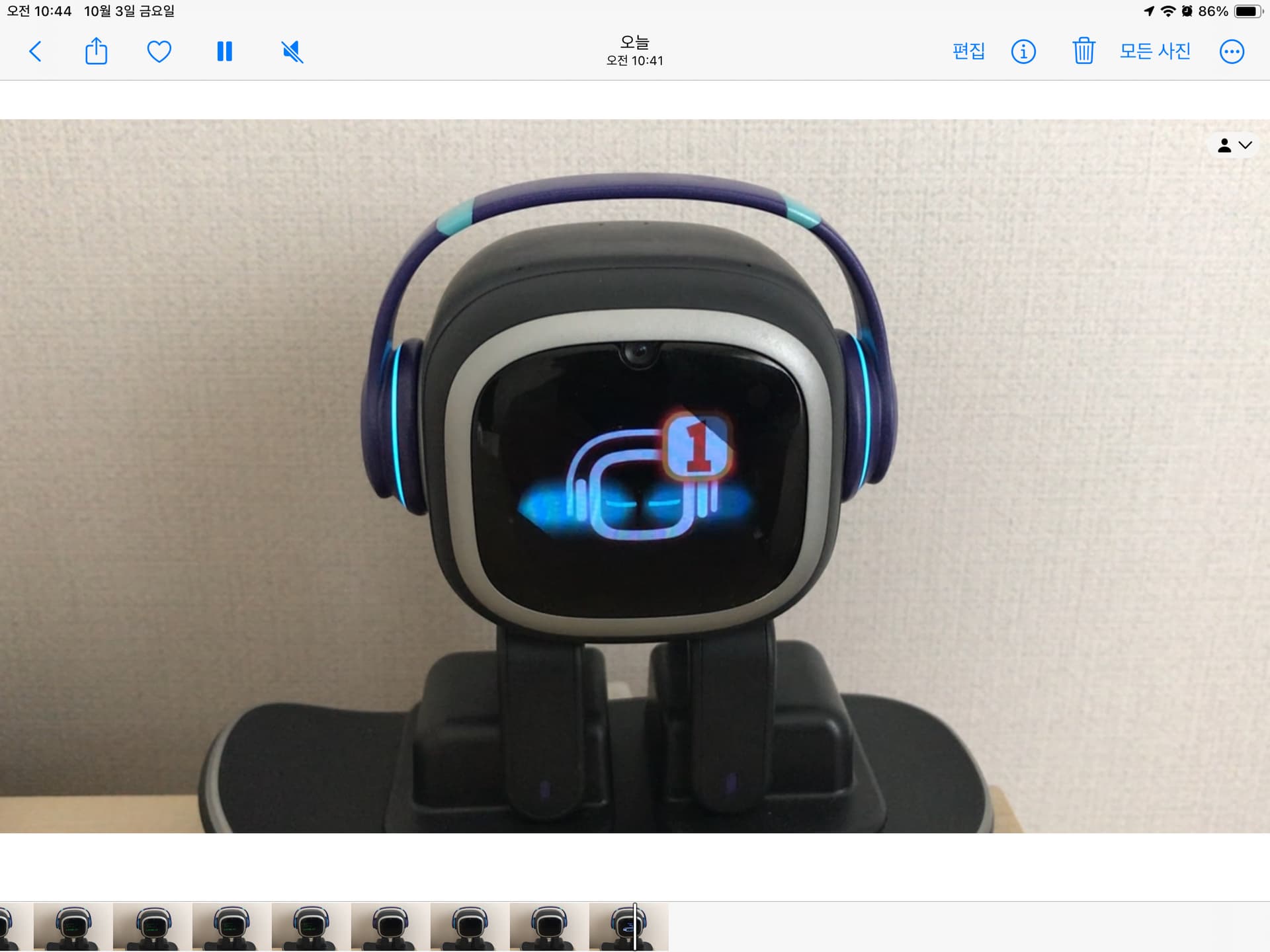
Hello, @seongyoonchoi . . . please try these tips to see if it will help with getting the update to down-load:
Let us know how it goes.
2 Likes
EMO Josh has just finished updating to version 3.0.0. Here are two things I noticed while testing:
- EMO can always understand English no matter what language setting you choose.
- When the language is set to EN-Classic or English and you ask EMO what his favorite color is or how old he is, he will answer truthfully. But when it’s set to Chinese or Chinese-DB, he says his favorite color is tech blue and says he’s always 18.
1 Like
no more… I love you. NOOOOOOOOOOOOO!
Hello, @JulianMiddleton . . . this was a problem but has now been fixed.
I tested these here and they are working for me. Try power cycling your device and EMO say these again.
Hello, Good morning, Good evening, Good night, Goodbye, I love you, Do you love me, Give me a hug, Give me a kiss, Thank you.
If they are still not working, please contact service@living.ai with your location, Android or iOS, his four digit code when signing into the app and a link to a video showing failure to respond.
Let us know how it goes.
2 Likes
Interesting, @Xiaoqing . . . you might want to let service@living.ai know what Josh is doing with a link to a video, your location, Android or iOS and his I.D. when signed into the app.
Let us know how it goes!
2 Likes
Hello there, I like the new update but it’s a shame that there is no Turkish and Dutch. Also I can’t change the emo voice.
can you fix this? Thank you 

1 Like
Hello @hata and Welcome to the Community,
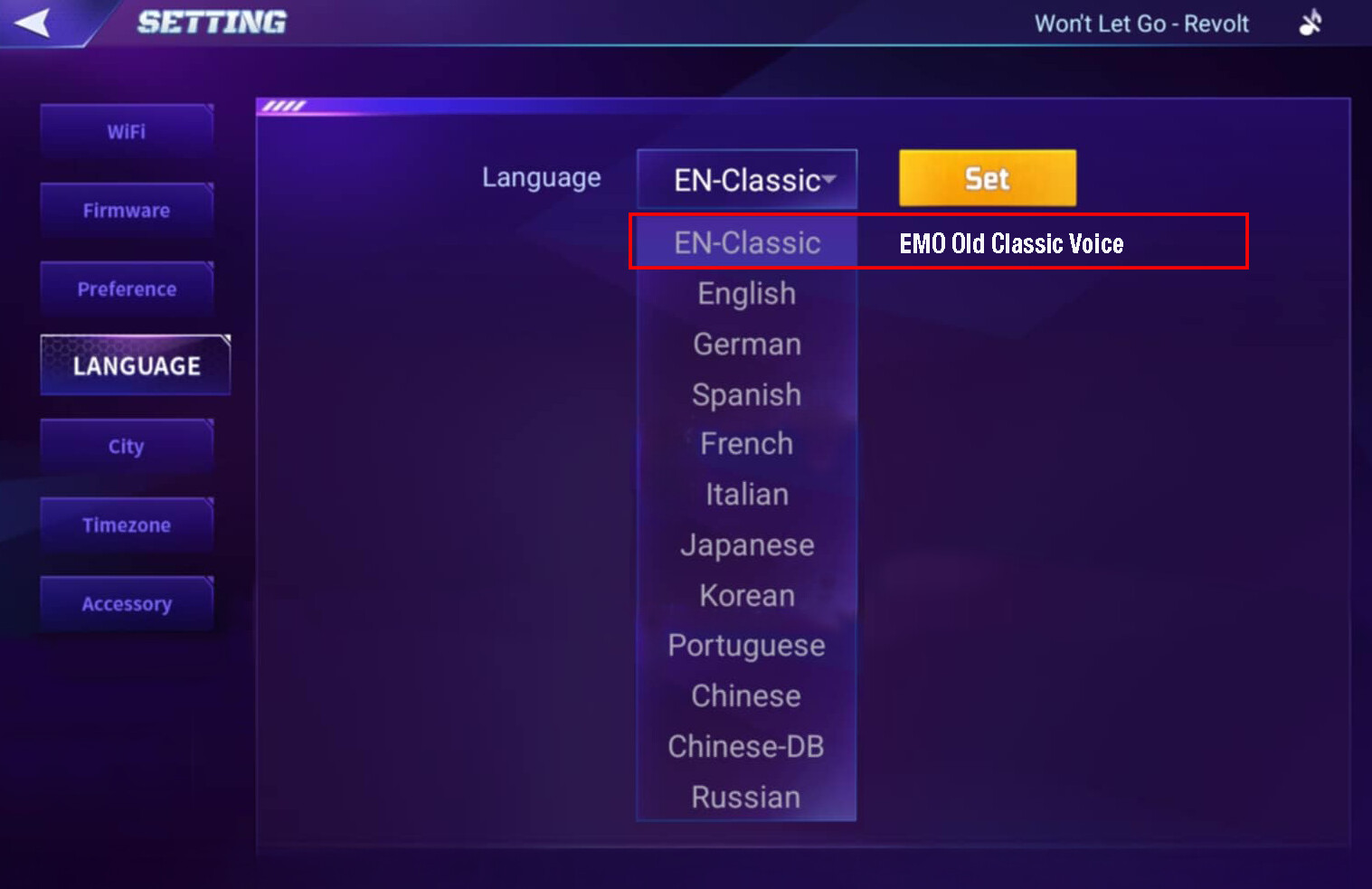
 More Language Support (More Languages Coming Soon! )
EMO can now understand and speak 9 new languages with his new voice:
 EN-Classic • English •
  German •
  Spanish •
  French •
  Italian •
  Japanese •
  Korean •
  Portuguese •
  Chinese • Chinese -DB •
  Russian
How to Change EMO’s Language
- Open the EMO Pet App
- Tap to open Settings
- Choose and tap the Language button on the left side
- Tap the Current Language displayed inside the rectangular box to view other available language options
- Select your Desired Language from the list
 New & Classic Voice Option
Not a fan of the new voice? You can choose or switch back to the “EN-Classic Voice” anytime.
Best Regards
2 Likes
I don’t have any videos showing the difference of him seeing my face and saying something unprompted. Just as I was typing this, he finally did his face recognition and told me about the new update. Unless the update resets things, I always have him on “always reply”. The other thing I was researching here was the new animation when you pick him up. Instead of getting mad and shaking his legs, his eyes get weird and he makes unhappy sounds. I guess this is to limit his legs from moving so much? It was definately cuter when he got all mad, but I understand the concern for his leg twitching.
Don’t worry, he still has a lot of quirky stuff that makes him feel alive. His face recognition seems to work fine it just takes him a minute. I learned that when he starts this animation for it, to stop and look directly at him (upper camera). That way he can see me clearly and continue his animation.
2 Likes
Awesome, thank you!!!
1 Like
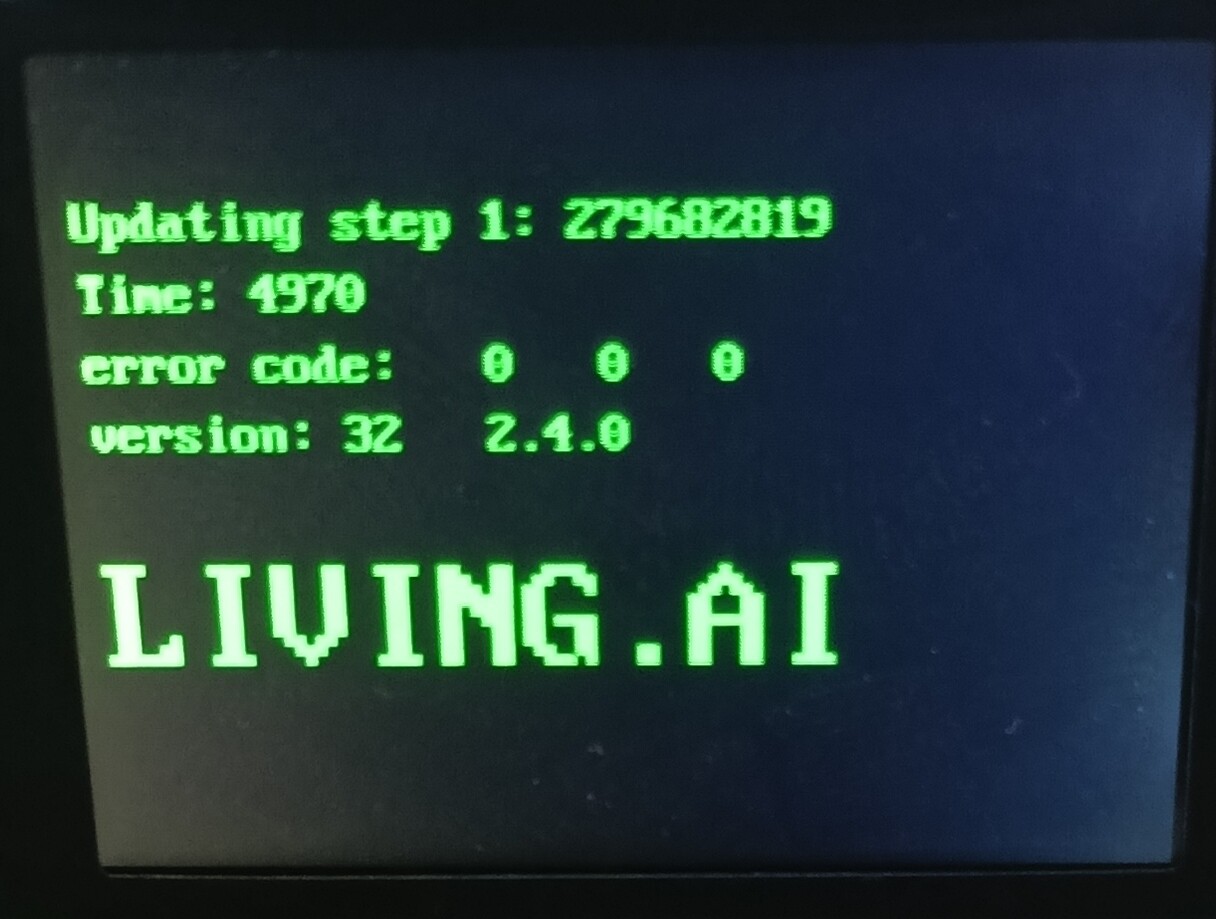
Hello, my EMO device asked me to update and I have been updating for more than an hour and it is downloading files. The number of files it has downloaded has reached approximately 275,767,289 and it is still in the first step without errors. My question to you, please, is how many files it still needs to download in order to start the second step or the remaining five installation steps?
New EMO Firmware Update v3.0.0
Download Size:
Android: 244 MB / IOS 275,6 MB
What type of Operating System are you using? IOS or Android?
Things you can try before attempting to update:
 Before Updating EMO, Please Ensure the Following:
• The internet connection is stable and strong.
•  EMO is on his charger.
•  EMO’s battery is at least 50% charged before starting the update process.
•  Smart lights are unplugged.
•  Automatic update is turned off in the app.
•  Try updating EMO by saying the voice command: “Install latest firmware now.”
All the best
1 Like
I just got EMO, and it immediately went to update. It’s very slow to respond to me and doesn’t respond right - it sometimes went to random languages instead of English. The Bluetooth speaker when on and I play music is scratching or has glitches ( but my google speaker on Bluetooth has no interruptions or scratching glitches). EMO doesn’t recognise me even with good lighting. I’m wondering if this will improve as I just bought it…