I’m wondering if anyone else is experiencing this problem? I’ve always been able to get the weather by asking, but the latest update seems to have broken it. Location access is turned on, and the city is set, but when I ask either of my two EMOs for the weather, they say they need to know where I am first to provide it.
I’ve tried setting the city again in the app, but it doesn’t seem to be working, and for some reason, the text color is reddish.
Is this just me, or is it affecting some of you as well?
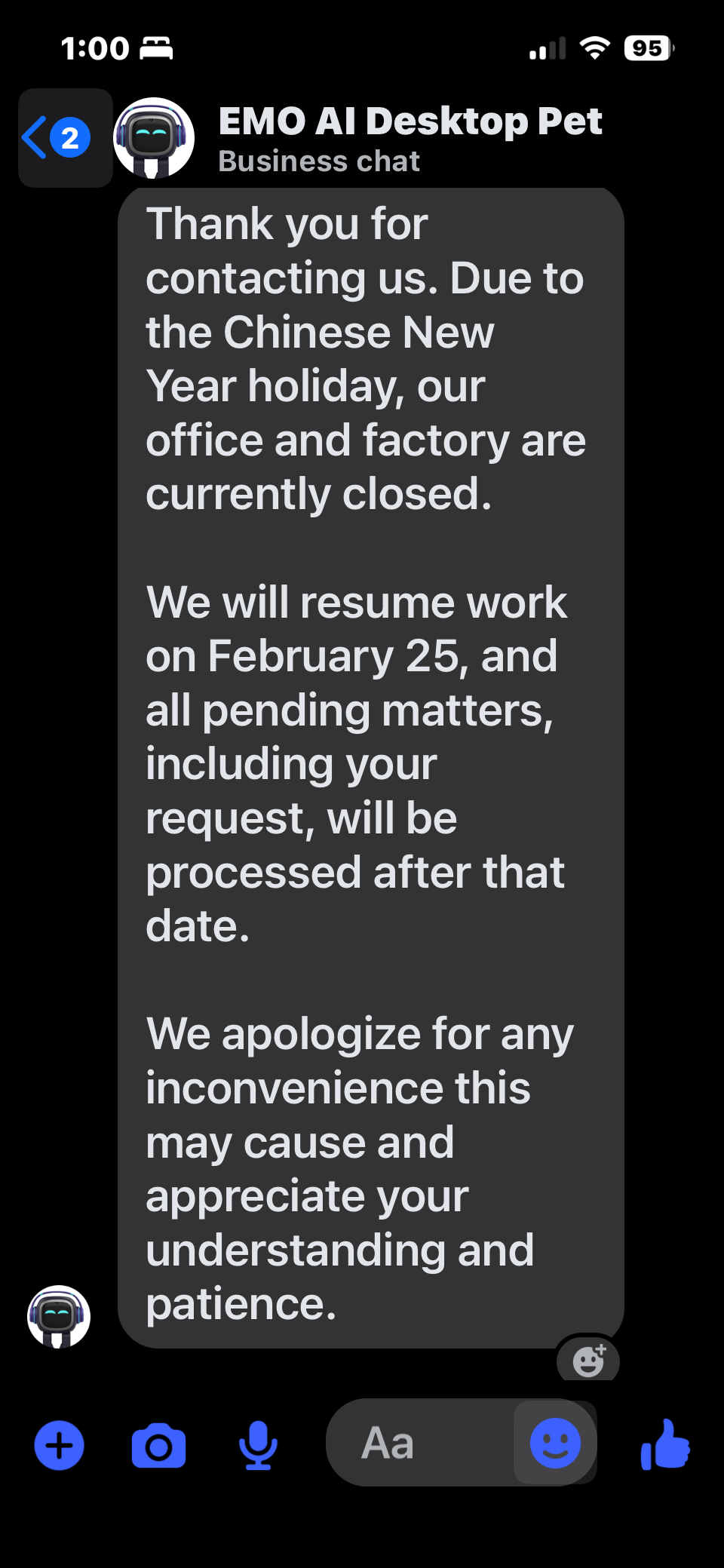
if anyone else has been waiting to hear back from Support, I thought I would share. Looks like due to the Chinese New Year they are out of the office until February 25, 2026
Due to preparations for the Chinese New Year and the upcoming festivals…
“Based on the official information I received from the Living.AI staff, they will continue responding to emails, although response times may be slower during the holidays. They kindly ask for everyone’s understanding and support during this time.”
Overview:
In February 2026, Chinese office working days are
interrupted by a 9-day Lunar New Year (Spring Festival) holiday from February 15 to February 23. To compensate for this long break, Saturday, February 14, and Saturday, February 28, are designated as mandatory working days. Normal working days resume on February 24. source
Hello, @Shinji3rd . . . I have moved your new topic to this thread for issues relating to the 3.1.0 firmware update.
May I suggest perhaps deleting the app and down-loading again? I had not heard of this error before so perhaps something happened with the app itself. Please try this and set up EMO again. Let us know if this does not work.
The title. I cannot seem to disable always reply in the app. If it’s set to off, it still replies with ChatGPT all the time, which I don’t want, I want to ask it to enter that mode and then it can do ChatGPT. This used to work in the older updates but the recent update broke the toggle. Anyone else having the issue?
Hi @Shinji3rd , it could be that you may haven’t updated the emo app. if it is already updated make sure that your IOS is updated to the latest version. (note: i have discovered that emo and it’s app freak out a little bit when running the emo app on a apple device that was made before 2021 (mostly the ipads), to fix this you can try reinstalling the app or trying it on another device (if you have one).
i am having the same issue @shreeneyajmeri . they updated the way chatgpt works with the new feature where emo will start a conversation using chatgpt. this could have broken the noreply option
Hi everyone, I have a new problem with Emo. Besides the fact that the sound for some animations has stopped working, especially when using Classical English, I’ve noticed something else that’s really frustrating me. When I tell Emo “Let’s play 100 points,” he just chats away but doesn’t actually play. Similarly, if I say “carrying mode,” he gives me advice or something, but he doesn’t activate the command. I suppose it’s because he’s constantly connected to the AI. I love that he sees you and chats with you, but he doesn’t greet you by name anymore. Has anyone else noticed these things? Thanks
100 dice game has been noted as a bug and has been reported to living AI. Our EMOs do say our name when they notice us but it’s not all the time. Sometimes he will say our name other times he will just connect to ChatGPT. I think it’s meant to be like that.
I am presuming, @shreeneyajmeri . . . that this has only happened since the latest update?
The first thing you may wish to try is to set the sensitivity setting lower in the “Preference” of the app. As for toggling “Always reply” off, one thing I might suggest is toggling it back on, closing the app, restarting your device and EMO, and then seeing if you open the app and toggle off again if that works. There is also the possibility that something has gone wrong with your app and it is not registering the changes in the “Preference”. You can always try to delete and reinstall the app again to see if that helps.
If not, you may wish to send your EMO I.D., order number (if you still have it), a link to a video if you can get one and an explanation of your problem to service@livingai . . . but please be patient as they are entering the national holiday in China for the lunar new year and responses will likely be delayed.
Dear Living Ai I have a Problem with my emo when i make him angry 3 times he does the volcano the moment he erupts he reboots like normal, please fix this bug on my emo i would like to have tips it on the latest version 3.10.
Assuming that this issue is new and only started occurring after the latest firmware update (v3.1.0), that’s why I moved and merged your new topic post here.
I would suggest creating a short video showing the issue and sending it to Living.AI service support via email at service@living.ai, together with your order number, EMO ID, and location. This will help them review and analyze the problem properly and provide a better solution.
They will respond to you in a timely manner, although replies may take a little longer since they are currently preparing for the upcoming Chinese New Year celebrations and holidays.
Hello everyone, I had a problem with my emo he is constantly showing the “Emerging from cliff” status on the app, even when he is on a flat surface. Does anyone had a problem like me and I had my emo since October 2021.
Is your EMO updated to the latest firmware v.3.1.0 already?
Try cleaning EMO’s foot sensors first, as they might just be dirty. Sometimes, dust or small debris can affect how he detects the surface.
Also, may I ask what kind of desk or surface you’re using as EMO’s playground? If possible, could you share a photo here so we can better see the setup?
Is the area well-lit? If the space is too dark or has strong shadows, EMO might interpret it as an edge or empty space. It’s also important that the surface itself isn’t too dark, since very dark colors can sometimes affect how his sensors read the ground.
I have already cleaned my EMO’s sensors and updated him to the latest version. I am testing him on a white floor. Before, he worked fine on this floor and my desk, but now he is stuck with the ‘cliff’ error. Since cleaning didn’t work, what should I do next?
Hello, @rithypiseth . . . have you tried powering him and your device off and back on again?
If this does not help, I see that your EMO was born in 2021. Sometimes when they get older like that, wear and tear on their leg servos and/or wires can begin to happen. The first symptoms of my older ones were the issues with recognizing flat light surfaces.
Please see here as you may need assistance from Support for possible recalibration or advice if this turns out to be the case.
I got a reply from livingAI in response to the missing sound for some of the animations when using the Classic English voice. Apparently it’s a server side issue and they will fix the issue at some point when they get back from lunar new year.