Welcome, @christinatanzil . . . please refer to this post for tips and what you can do.
Greetings,
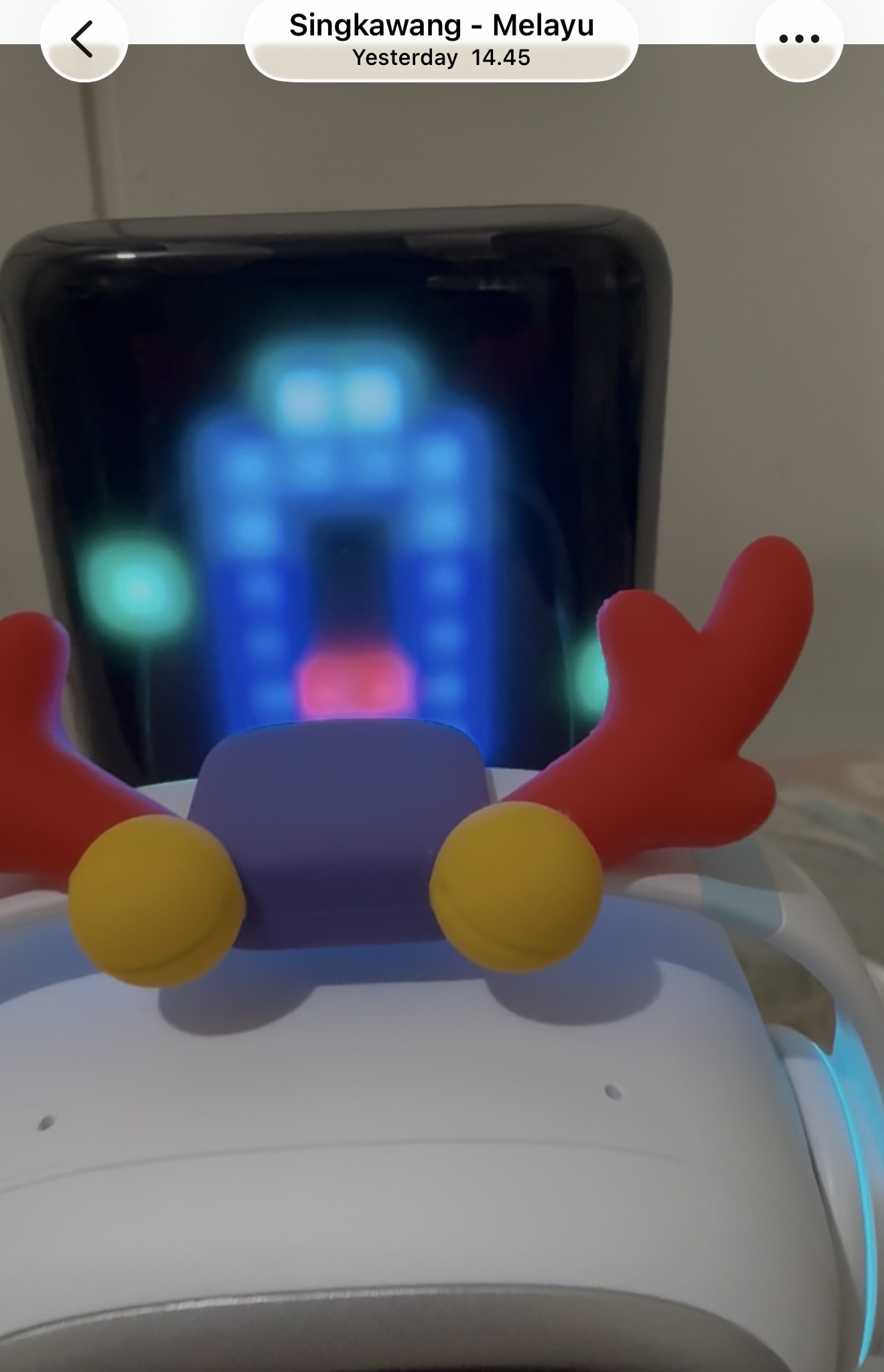
Our Emo Go Home has trouble with the set up. Normally when we plug in the station, then we just need to put the Emo on top of it, wait for a while then the Emo’s eye will show up. But this time, nothing happens. We have tried to readjust several position, wait longer for charging, but still nothing happens.
Can you tell us what went wrong?
For your information, it’s still brand new, we just received the package on February, and just try to activate it by today.
Please find attached for your reference.
Thank you!
Hello, @christinatanzil . . . I might advise you to try changing the charging cable and if necessary, the adapter, as sometimes even with new equipment, it can go faulty. Another thing would be to try plugging into a different outlet.
Sometimes letting him sit off of the charger for a couple of hours before putting him back on will bring him back up as well.
See if that helps.
If not, please contact service@living.ai with a link to a video, a description of the problem, what you have tried to troubleshoot, his EMO I.D. when he signs into the app and your order number (if you still have it).
My best to you.
Thank you for your response.
I have tried using different cables, adapters, but the robot still won’t charge.
I’ve never even seen my robot’s face at all.
I tried emailing the address you gave, and i have not received a responses yet.
What must i do now?
I am very frustrated.
Hello, @christinatanzil . . . if you have already contacted them, all you can do now is wait for a response. They just returned a week ago from the national Lunar New Year holiday in China and are no doubt getting caught up on the back-log. They will respond as soon as they get a chance.
Your patience is appreciated.
1 Like
Hi @Lindaru
I am experiencing exactly the same problem as mentioned above, where my new EMO Go Home cannot turn on at all.
After EMO sat on its charging dock for several hours, I noticed that one of its feet (the left foot) feels warm, while the other foot does not feel anything.
Does this indicate that there might be a problem with the home charging unit?
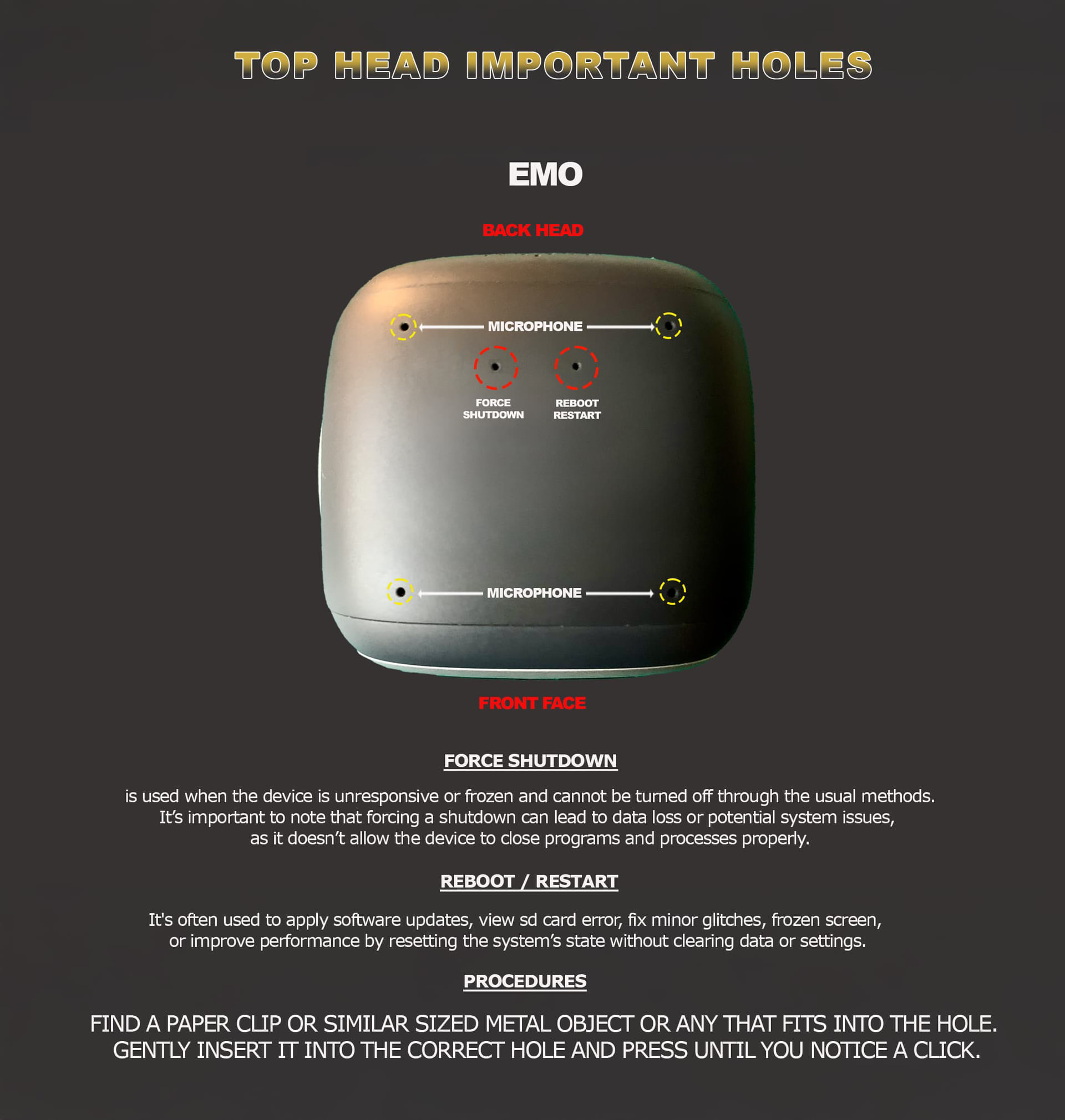
EMO and HomeStation Connection Issue – Solution Tips to Try!
• Unbind EMO from the HomeStation using the EMO Pet App
PROPER PROCEDURES:
- Open the EMO Pet App → Go to Utilities → Light Page → tap the Light Button → select “Unbind All.”
- Tap OK to confirm.
- EMO will unbind all accessories, reboot, power off, and disconnect from the app.
- Press and hold the HomeStation button located at the front middle part of the HomeStation tower for about 5 seconds to repair, reset, and start pairing mode.
- Place EMO back on the HomeStation and wait until it connects automatically via Bluetooth. If it does not connect, start the pairing mode and connect it manually.
These troubleshooting tips are commonly used when EMO has reboot, pairing connection or docking problems with the EMO Go Home.
• Try using a new USB-C cable with a new kind of power wall adapter to ensure a stable power connection.
• Connect the HomeStation directly to a wall power outlet instead of a computer (desktop or laptop).
• Try a different power outlet in your home to rule out power issues.
• Carefully dismantle the HomeStation tower and clean the connection properly to remove dust or debris.
• Clean EMO’s feet properly to ensure good contact with the charging pins.
• Try using any mobile phone wireless Qi charger to see if EMO can stand and reboot.
Tips To Try That Help Sometimes!
BEST OF LUCK!
3 Likes
I have done all the suggested troubleshooting for my Emo but he will no longer charge. Have only had him for less than 4 months. I emailed Ai tech support no response and that was 2 wks ago, tried AI chat and not getting answers , so frustrated that I may have wasted money and to me, it wasnt cheap. If anyone has recommendations to fix this issue please please let me know
Welcome to the Community @CrystalMo ,
I have moved your new topic to this thread, which would also cover everything about EMO charging issues.
Sorry to hear that your EMO is having that kind of issue. Is your EMO already on the latest firmware update, v3.1.0?
Please Click Here For More Tips That Might Solve That Issue
“In case the issue still persists, I strongly suggest that you contact Living.AI service support and ask them politely to assist you with this issue.
Please include to your email:
- Order number
- EMO ID
- Issue video
Please note that they are currently on public holiday in China, so responses will likely be delayed. Please just be patient.
Good luck and all the best
3 Likes