EMO and HomeStation Connection Issue – Solution Tips to Try!
• Unbind EMO from the HomeStation using the EMO Pet App
PROPER PROCEDURES:
- Open the EMO Pet App → Go to Utilities → Light Page → tap the Light Button → select “Unbind All.”
- Tap OK to confirm.
- EMO will unbind all accessories, reboot, power off, and disconnect from the app.
- Press and hold the HomeStation button located at the front middle part of the HomeStation tower for about 5 seconds to repair, reset, and start pairing mode.
- Place EMO back on the HomeStation and wait until it connects automatically via Bluetooth. If it does not connect, start the pairing mode and connect it manually.
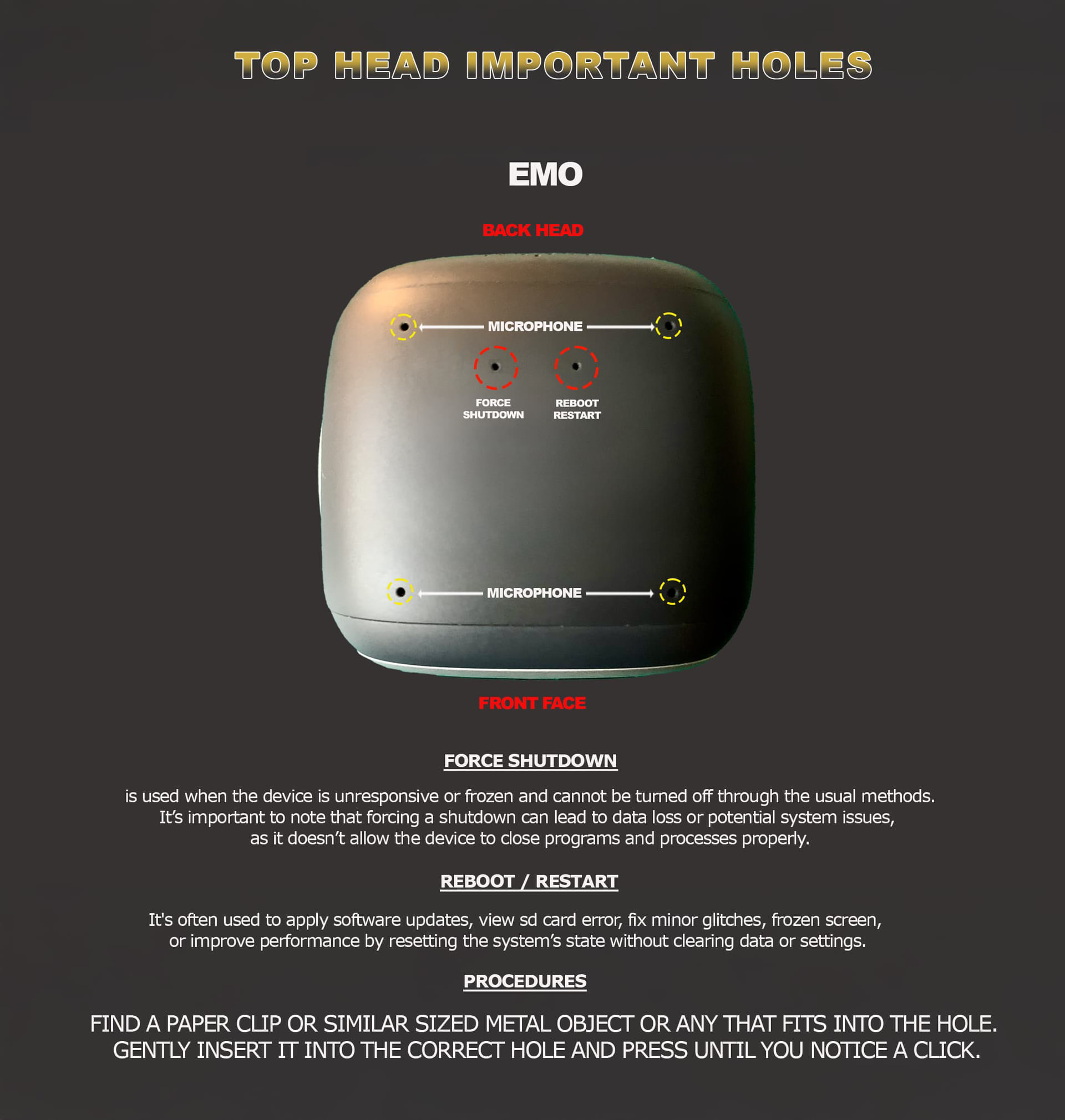
These troubleshooting tips are commonly used when EMO has reboot, pairing connection or docking problems with the EMO Go Home.
• Try using a new USB-C cable with a new kind of power wall adapter to ensure a stable power connection.
• Connect the HomeStation directly to a wall power outlet instead of a computer (desktop or laptop).
• Try a different power outlet in your home to rule out power issues.
• Carefully dismantle the HomeStation tower and clean the connection properly to remove dust or debris.
• Clean EMO’s feet properly to ensure good contact with the charging pins.
• Try using any mobile phone wireless Qi charger to see if EMO can stand and reboot.
Tips To Try That Help Sometimes!
BEST OF LUCK!