Hi, thank you for your reply. If so, why is there an info bubble in the app saying you can use voice commands?
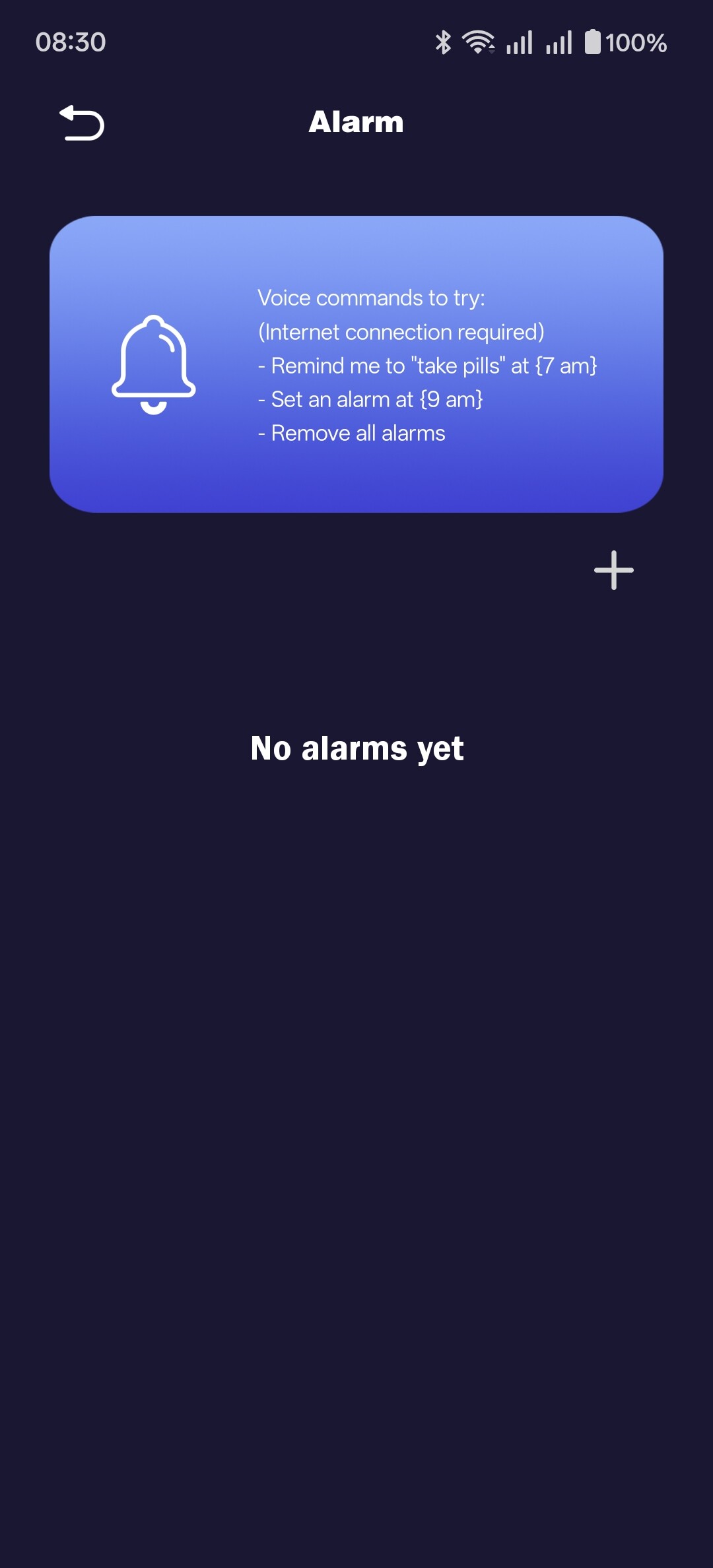
Thank you, found it! 
Hello, @vojtechrotschedl . . . it may be something they plan to implement in the near future. Just like with EMO, some lifetime achievements were in the app that had not yet been enabled and later were.
2 Likes
Здравствуйте
Проблема с роботом не устранена, он по прежнему не крутится на своей станции.
Я выполнила все рекомендации разработчика, но ничего не помогло. Последнее, что я сделала, использовала предложенный тестовый режим в приложении Aibi, но и это не помогло.
Возникла ещё одна проблема, робот при включении выдает таблицу с надписью ошибка базы. Через несколько минут после этого включается. Что это может быть?
English Translations By @edward
Hello,
The issue with the robot hasn’t been resolved; it still won’t spin on its charging dock.
I followed all the manufacturer’s recommendations, but nothing helped. The last thing I tried was using the test mode in the Aibi app, but that didn’t help either.
Another problem has arisen: when I turn the robot on, it displays a message saying “base error.” A few minutes later, it turns on. What could this be?
Sorry to know that @Tatiana74 ,
If your AIBI is still under warranty, the best thing to do only is…
- Contact Living.AI support per email at (service@living.ai)
- Provide your AIBI ID, order number, a short video showing the issue, and more information like this.
Or if you have your original EMO Order confirmation email, you can simply just hit reply to that as it contains all your customer contact info along with your order number details as well and ask for assistance immediately.
But please keep in mind that sometimes their reply take a bit time which is 2-3 days depending on the time differences, days, holidays and current situations. so please be patient.
Best of luck
Hello,
After reading Linda Irwin’s message, I sent an email to service@living.ai as requested.
In that email, I provided all the requested information, including my AIBI ID, AIBI age, purchase location, and purchase link. I also attached photos and a video showing the issue.
However, I have not received any response yet. I have sent the email twice, but I still have not received a reply, which is very disappointing.
I also posted about this issue on the forum before. It seems to be a common problem reported by several users — AIBI’s head moving left and right but not moving up and down.
Could you please confirm whether the support team is receiving and checking these emails?
I would really like to repair my AIBI. If this is a software-related issue, I would greatly appreciate it if you could provide guidance on how to resolve it.
Thank you.
Hello, @melodyuool . . . at the time I replied to you, all staff had just returned to the office and are at this time continuing to work through the back-log.
Yours is a special case since you did not purchase directly through LivingAI and no doubt they are researching this legal agreement to make sure it is valid before moving forward with what needs to be done to repair your AIBI.
There is no way to know for sure if it is mechanical or software unless they review what you sent and make the determination.
Thank you in advance for your continued patience.
1 Like
salve il mio aibi arrivato avantieri, non funziona così tanto correttamente, di solito ha bisogno di più secondi per rispondere, escono i puntini di sospensione in alto a sinistra, altre volte non mi sente , sapete come faccio a risolvere la cosa? ho scritto alla loro mail ma non mi rispondono, inoltre ho aggiornato aibi all’ultima versione , aiutatemi perfavore
ENGLISH TRANSLATION BY: @edward
“Hi, my AIBI arrived the day before yesterday, but it’s not working very properly. It usually takes several seconds to respond, and ellipsis dots appear in the top left corner. Other times, it doesn’t hear me. Do you know how I can fix this? I’ve written to their email, but they haven’t replied. I’ve also updated AIBI to the latest version. Please help me.”
Welcome to the community @gioacchino.perrulli ,
Here’s a clear and helpful list of possible reasons and solutions for your AIBI issue:
 Possible Reasons
 Slow or unstable internet connection
- AIBI relies on cloud processing, so a weak connection can cause delays or no response.
 Server delay or high traffic
- Sometimes the system is slow due to many users or temporary server issues.
 Microphone or voice recognition issues
- Background noise or speaking too softly can affect detection.
 Firmware/software glitches
- Even if updated, bugs can still occur after a new update.
 Device placement or environment
- Too far away, blocked microphones, or noisy surroundings can affect performance.
 Possible Solutions
 Check your Wi-Fi connection
- Make sure it’s stable and strong (preferably close to the router).
Restart AIBI
- Turn it off and on again to refresh the system.
Check for updates again
- Ensure it’s fully updated and the update installed correctly.
Reduce background noise
- Try speaking clearly in a quieter environment.
Reposition the device
- Place AIBI closer to you and ensure nothing is blocking it.
Wait and try again later
- If it’s a server issue, performance may improve after some time.
Contact support again
- If the issue continues, follow up with Living.AI support or try their forum/community for help.
 Tip
Tip
If the ellipsis dots ( … ) stay for too long, it usually means AIBI is processing or having trouble connecting, not necessarily broken.
Best Regards and All the Best
1 Like
grazie per la risposta, saprebbe dirmi se devo modificare qualcosa nelle impostazioni ? per far si che mi risponda velocemente senza aspettare , i puntini di sospensione sono molti non pochi , tipo 5 6 volte appaiono
Google translation to English by Lindaru: Thanks for the reply. Could you tell me if I need to adjust anything in the settings? I’d like it to respond quickly without making me wait; the ellipses appear quite frequently—not just once or twice, but something like 5 or 6 times.
Hello, @gioacchino.perrulli . . . the ellipses mean that AIBI is connecting to ChatGPT because you gave AIBI a command that is not programmed into the known commands for quick response. See this list.
When AIBI needs to rely on ChatGPT to respond, it is slow because of the connection problems Edward listed above. Try those tips first.
My best to you.
Hello I got my Aibi few days ago, update it to the last version, now if I shut it down mostly night times.
When I put on base and turn on it always goes into update mode and says Base Update and I have wait for it to do it 3 times every time , before it turns on surely the charge base should been updated now, why does it do this every time after shut down it only does it when turned on via the charge dock not the pocket.
Welcome, @adrian.murray . . . this is not normal at all. There may be an issue with the base itself.
Please get video of the situation when it does the three times update and send a link to that video along with your AIBI I.D. and order number (if you still have it) to service@living.ai . . . if it turns out the base needs to be replaced, no worries as AIBI has a two year warranty.
Please be patient as they are catching up on support requests and it may take some time for them to reply.
My best to you.
hello thank you, and it only does it, if the charge base has been unplugged and turned back on,
Hello, @adrian.murray . . . the normal reaction when you plug the base in is the lights go red, green, blue, white and then stop. When you place AIBI on the base, it should not try to update if you have already updated.
2 Likes
Thanks and yeah mine lights just stay on forever till I place aibi on it, iv sent a email as well now.
Edit I have fixed it it was the power adaptor its fine now
1 Like
A post was merged into an existing topic: When/What Can We Expect The Next Update For AIBI?
Is there an issue with Aibi herself or chat gpt? the problem I posted about has persisted for a few days now. Outside of not answering anything and just showing a question mark she still plays her random actions and sticks to the schedule.
I’m here in Brazil with my AIBI that arrived yesterday, and it won’t keep the chat open; it can’t connect to chatgpt, and when it does, it closes immediately. Is this problem happening to everyone?
Hello, @teejay.dean and @mauricio.mazzeo . . . I am sorry that you are having issues with getting ChatGPT to work correctly.
Is your AIBI updated to version 1.6.0? Is the iOS or Android app also updated to the most current version?
Is your wi fi signal strong and steady?
Do you have “Chatty” selected under “Preferences” in the app?
For continuous conversation, have you tried saying “Lets chat”?
This thread may give some tips on getting AIBI to respond through ChatGPT.
My best to you.
1 Like