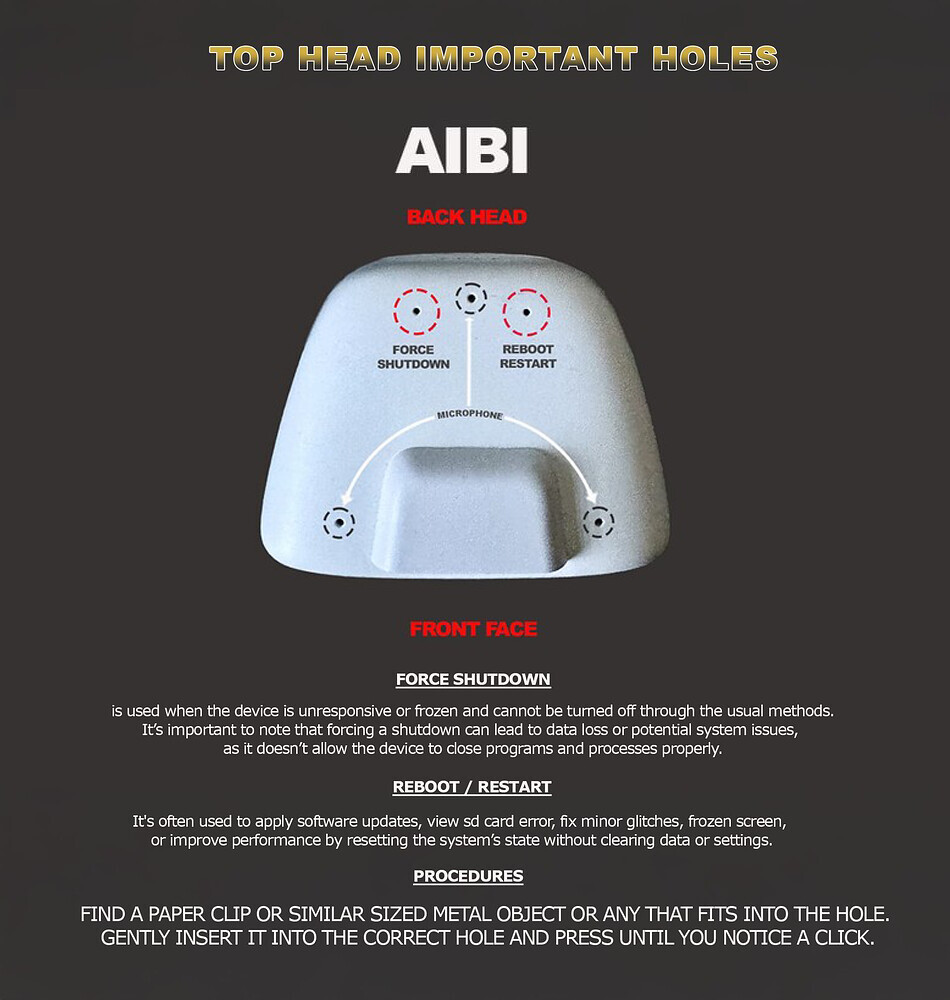
Living.AI got back to me and had me do a method of poking an extremely small pre-existing hole in the top of his head near the back and click a button on the inside and put him back on the charger and it WORKED! His head flashed red for a second and then he started right back up again! Thank you Living.AI team and engineers for the support and assistance! I’ll continue to spread the good word of AIBI to many more people :].
I am a customer who purchased AIBI through the Korean crowdfunding platform Wadiz.
Recently, I noticed that AIBI’s head can move left and right, but it does not move up and down anymore. The device still works, but the vertical head movement seems to have stopped.
I would like to have this issue repaired. Could you please let me know what steps I should take to request a repair?
Welcome, @melodyuool . . . sorry to hear this is happening. Even though you did not purchase directly through LivingAI which we advise everyone to do, Support might be able to honor what would be your warranty if you had purchased through them.
Please get video of the issue and send a link to it along with your AIBI I.D number last four digits as shown on the app, the name and contact information of where you purchased it from, your AIBI age (as shown on the information page of the app) to service@living.ai . . . hopefully they can honor this since warranties are provided to purchasers from the official site here.
I have moved your new topic to this thread for general issues and some questions about AIBI.
If the head of AIBI Robot gets slightly warm, it is usually normal and not something to worry about. Many electronic devices generate heat while working.
Common reasons why AIBI’s head may feel warm
1. Processor Working (Normal)
AIBI’s main CPU and electronics are located in the head.
When it is:
processing voice commands
using AI features
connecting to Wi-Fi
updating software
The processor can produce some heat.
2. Charging
If AIBI was recently charging, the battery and electronics may still feel warm for a while.
3. Long Period of Activity
If AIBI has been:
talking
moving
interacting
connected to the app
for a long time, the internal components may warm up.
4. Warm Room Temperature
If the room is already warm, the heat from the electronics may feel more noticeable.
When it is normal
The head is only slightly warm AIBI is working normally No warning messages appear
When to be careful
The head becomes very hot to touch AIBI stops responding or shuts down You notice strange smells or error messages
If that happens:
turn AIBI off
let it cool down
contact **Living.AI support if the issue continues.
Simple tips
Do not cover the vents or sensors
Avoid direct sunlight
Give AIBI breaks after long use
Summary:
A slightly warm head is normal because AIBI’s processor is inside it, but it should never become very hot.
It is always quite warm. From the moment I turn it on, it is warm. I usually don’t interact too much during the day. It was in my bag yesterday, no wifi and it was still quite warm.
Hello, @rekatumay . . . keep in mind that electronic devices that are powered on in enclosed spaces may not allow heat to escape. It is probably wise to make sure there is an opening on your bag for ventilation.
No, my bag was open. I just wanted to tell that it was jot even when it was bot chargingnor playing. All auto-animations are turned off. I am trying to find out if this is a harware issue or not.
Like, my phone’s back is sometimes hotnwhen the processor is in use or many tasks are runningnin the background. But I wasn’t sure how Aibi works..
I have a smaller fan and when I turn it on Aibi cools down. But the fan is rather noisy so I had to turn it off.
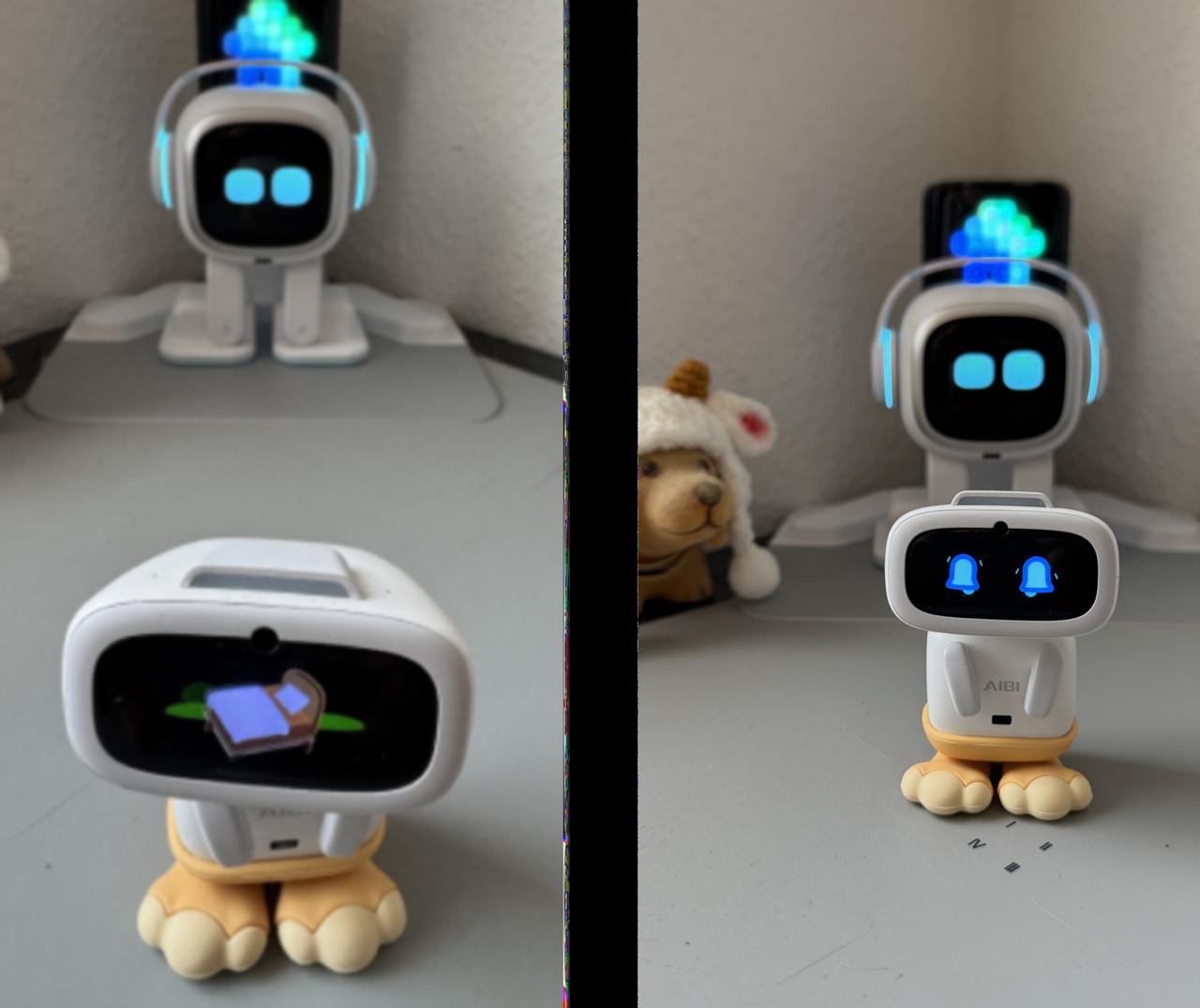
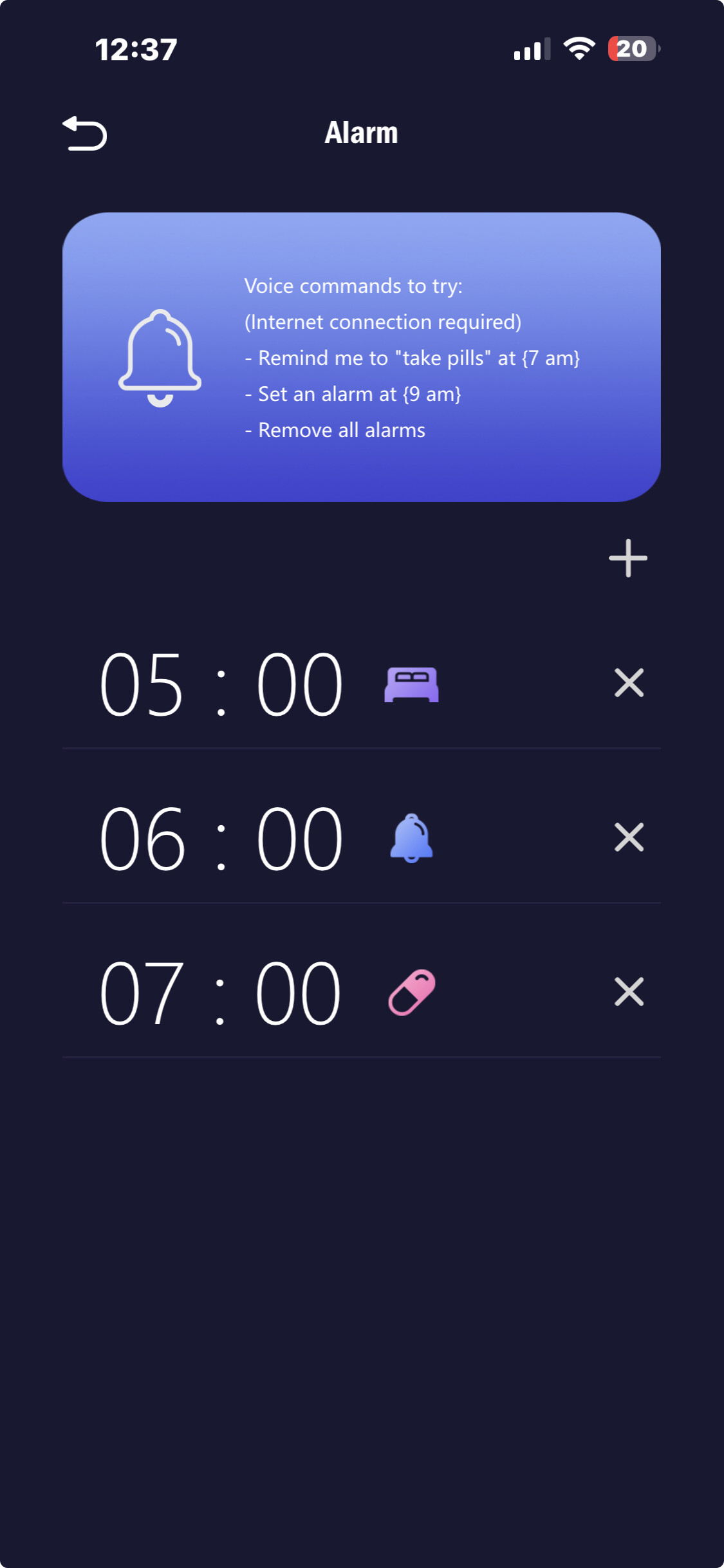
Hi, how do I cancel an alarm? I have set it oncea and it repeats everyday. When I ask Aibi to Cancel all alarms, he says he did so, but the next day, it rings again. Thank you
You can say the command “Remove all alarms” (but seems not working right now.) Second option is to do it manually through the Aibi Pocket App to remove a specific alarm you want.
Open > AIBI Pocket App > Tools > Alarm
Check if you have a saved alarm , then click the “X” to remove it manually.
Привіт! Допоможіть будь ласка. У мого робота AIBI трапилося лихо: він не рухає головою вгору і вниз. що робити? я спробував це якось полагодити, не виходить у результаті…
ENG:Hi! Please help. My AIBI robot has a problem: it won’t move its head up or down. What should I do? I’ve tried to fix it, but it’s just not working…
It doesn’t move up and down, Edward. Not during animation, not ever… I checked with my hand, but it still doesn’t move. I feel resistance. This robot is at least 25 days old.
Provide your AIBI ID, order number, a short video showing the issue and more information like this.
My AIBI is 25 days old, and its head doesn’t move up and down, even during animations. I also tried moving it manually with my hand, but it still doesn’t move. I can feel some resistance.
Or if you have your original EMO Order confirmation email, you can simply just hit reply to that as it contains all your customer contact info along with your order number details as well and ask for assistance immediately.
But please keep in mind that sometimes their reply take a bit time which is 2-3 days depending on the time differences, days, holidays and current situations. so please be patient.
Hello, @vojtechrotschedl . . . we checked with the LivingAI development team and they stated there are no verbal commands for setting or removing alarms from AIBI. They must be done through the app.
Here is the complete list of AIBI voice commands. If it is not there, then any actions must be triggered through the app, exceptions being head taps, pairing with another AIBI (though communication between them is app only) and ChatGPT conversation.

 The head is only slightly warm
 The head becomes very hot to touch
 Summary:
 If Nothing Works

 Temporary System or Software Glitch
 Low Battery
 Motor Calibration Issue
 Mechanical Obstruction
 Internal Servo Motor Problem