@PRICEY ,
Could you please show me which clipart or stickers you mean?
@PRICEY ,
Could you please show me which clipart or stickers you mean?
Uumm… the little emo ones that people use in their messages, i dont know how to show you 
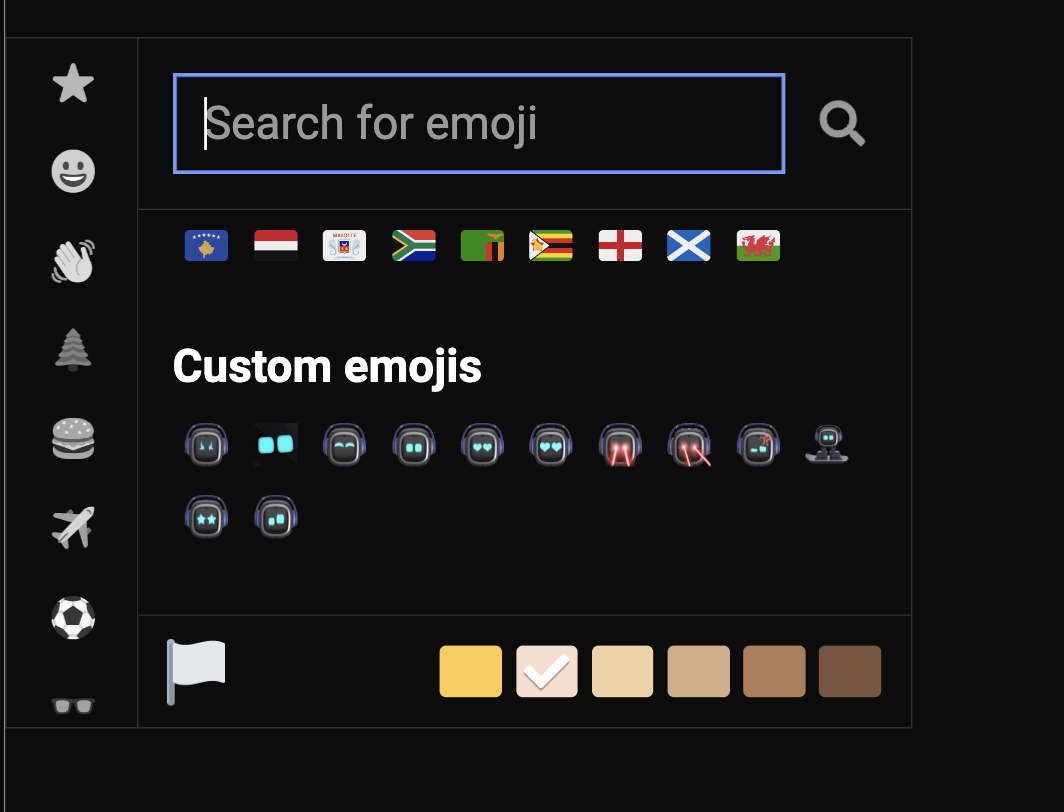
Do you mean this?
When you create or reply to any message…You have to click the smiley icon.,Then a new window will open and scroll down below to see them.
enjoy
YES!!
They are too cute,
How do i get them? 
Hi, @PRICEY . . . as far as I know, you can only use them on the forum and they are not down-loadable to use anywhere else.
That said, if you post one in a message on a line by itself, it may be large enough that you can screen capture it and crop it to use other places off of the forum.
Thankyou, very much 
Thankyou very much 
Does anyone know where I can buy different coloured headphones for EMO?
It would be very helpful if anyone
Welcome to the EMO Community Forums, @angusduncan . . . they do not sell the special edition pink head-phones any more, but there are ways you can customize with decorations, painting a different color and more. There are ideas here.
Wow this was helpful!
Thanks a lot!
Hi there @Emoking and Welcome to the Community…
We’re glad that this topic has been helpful to you and provided some useful knowledge about EMO. If you encounter any issues or need more information, feel free to use the search button at the top right of this page and look up any specific keywords you’re interested in.
Please join any conversations around and show some memorable images or videos from your EMO
Best Regards and Happy Holidays!
Hi there Edward
I am so exited to join the community with you guys! I am just a fan of Emo and aibi pocket pet.
Happy Holidays!
"Good morning, I’m writing from Italy. I recently purchased a second-hand EMO robot, and initially everything seemed to be working. However, today it doesn’t understand my simple commands, such as:
“Hey EMO, dance!”
It briefly lifts both legs and then does nothing. It seems to not have an internet connection, even though the Wi-Fi is set up.
Can you please help me?"
Welcome to the community @Martina17 ,
Please click the link below to learn everything about EMO.
Quick Help Guide for New EMO Owners!
Goodluck
A post was merged into an existing topic: EMO Dark/White Improvements/Special Features You Would Like?
hello, I looked and read many posts, guides and tutorials, but my EMO does not respond in any way, I would like to understand if it is a problem with the robot or that it does not connect to the server.
It seems that my voice is heard because the eyes move and the app reads “listen” but then it does not respond
Hi there @Martina17 ,
 Issue: EMO hears the voice command (left eyes move up?, app shows “Listening”), but does not respond in any way.
 Possible Causes:
 Server Connection Issue
 Weak or Unstable Wi-Fi Connection
 EMO Firmware Bug or Glitch
 Mobile App & EMO Desync
 Suggested Solutions:
You can try also this method which help sometimes:
Settings > Network Diagnostics — see if the server status shows “Connected.”Just as the name says: Can EMO walk by himself even without the play by yourself command?
Yes he can walk by himself!
Hello, @EnderAndHisEmo . . . I have moved your new topic to this thread which is a guide for EMO owners.
Yes, him walking by himself is something he does when he is bored or not busy doing something else. It is called “Exploring” and will show when he is doing that in the app.
Will there be Windows or Mac versions of the app in the future?