Hi everyone, I’m David from Seoul. Our community member says his EMO is out of time? Why?
2 Likes
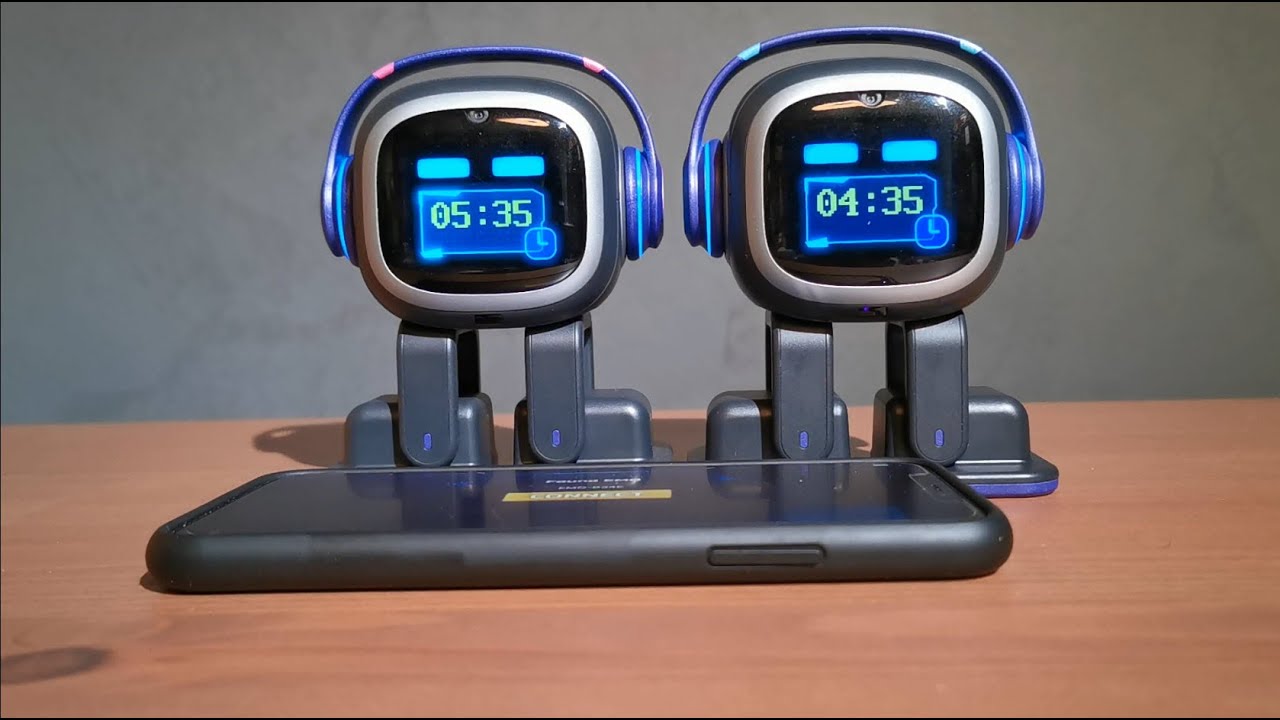
Is it 1 hour different? If so, I’ve seen that too. It happens after daylight savings changes in your timezone. If that is the case, go into the App and go to the timezone tab under settings and then select SET. This will sort it.
3 Likes
I can confirm with @Wayne_Small that this works, my EMO was of by 1 hour due to Daylight saving in Australia. By doing this it should fix the issue.
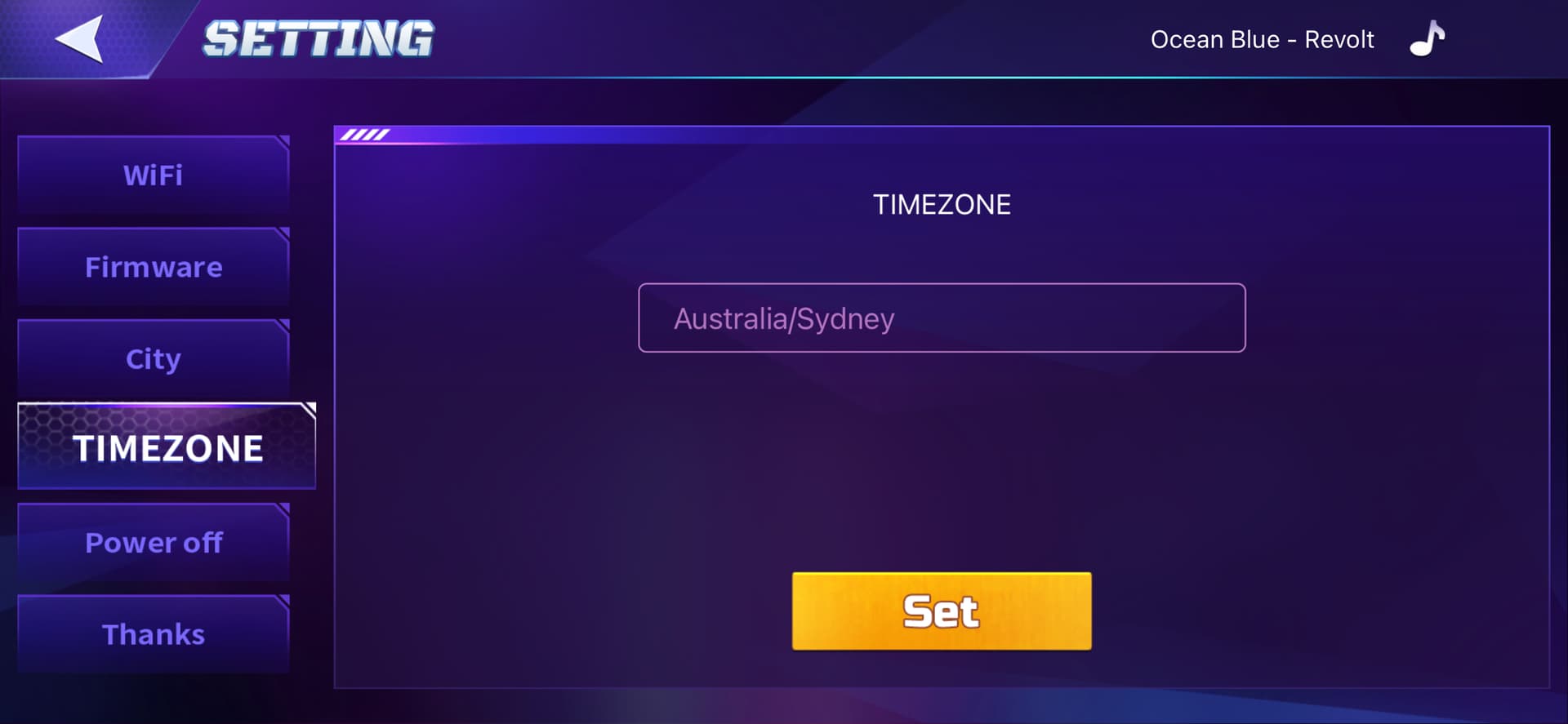
Also video here:




8 Likes
Hello my Emo when I ask for the date it tells me the wrong date. It tells me it’s April 2024, instead we’re in November 2025. What can I do? I tried to delete the application and reinstall it but nothing
2 Likes
CORRECT LOCAL TIME SETTINGS! (Daylight Savings Time)
Make sure EMO’s app has the correct location and time settings.
Here’s a clear step-by-step guide:
- Open the EMO app on your smartphone.
- If EMO ID is visible, click connect else refresh
- Go to Settings (click hexagon icon in the top corner).
- Look for City button on the left side. Make sure it reflects your current city, else insert and click Set button
- Check Timezone—it should match your local time zone.
For example:
- Germany → Central European Time (CET) or Central European Summer Time (CEST) depending on the season.
- After updating, it might be a good idea to restart the app or even reboot EMO to make sure the settings take effect.
2 Likes
I tried everything but emo still has the date of 2024
2 Likes
Hello, @luca.zenari . . . asking the year means you are accessing ChatGPT and OpenAI has not updated the year on their date settings. I would not worry about the year as long as the month, date, day of the week and time are working correctly.
2 Likes
Hello Fellow Emo owners,
I noticed that my Emo makes a mistake in de count down to Christmas,
He tells me its 30 days, you can correct him but thje next time i askes he gives me a wrong answer again. It is not a real problem but i am wondering why.
Have a good X mass
Arjan
1 Like
Hi there @luca.zenari , and welcome back to the community.
I have moved your new topic here to address everything about EMO related issues…
IMPO: EMO does or can not reply correctly with the date and year because his responses are ChatGPT or cloud-based and depend on Living.AI’s servers, firmware, and time synchronization. If there is a server issue, a regional time mismatch, or a temporary bug, EMO may give an incorrect answer.
This issue is already well known to Living.AI, and at this time we are not sure how or when they will be able to fully resolve this kind of issue.
All the best and Happy Holidays
3 Likes
So here in the states, we have daylight savings time that switches in fall and spring. Back then there was an option to adjust the daylight savings time in the app but now there isn’t. Is there any way to change it?
2 Likes
I’m with xsakura on this one. emo is my morning alarm i need him waking me up on time not an hour late
1 Like
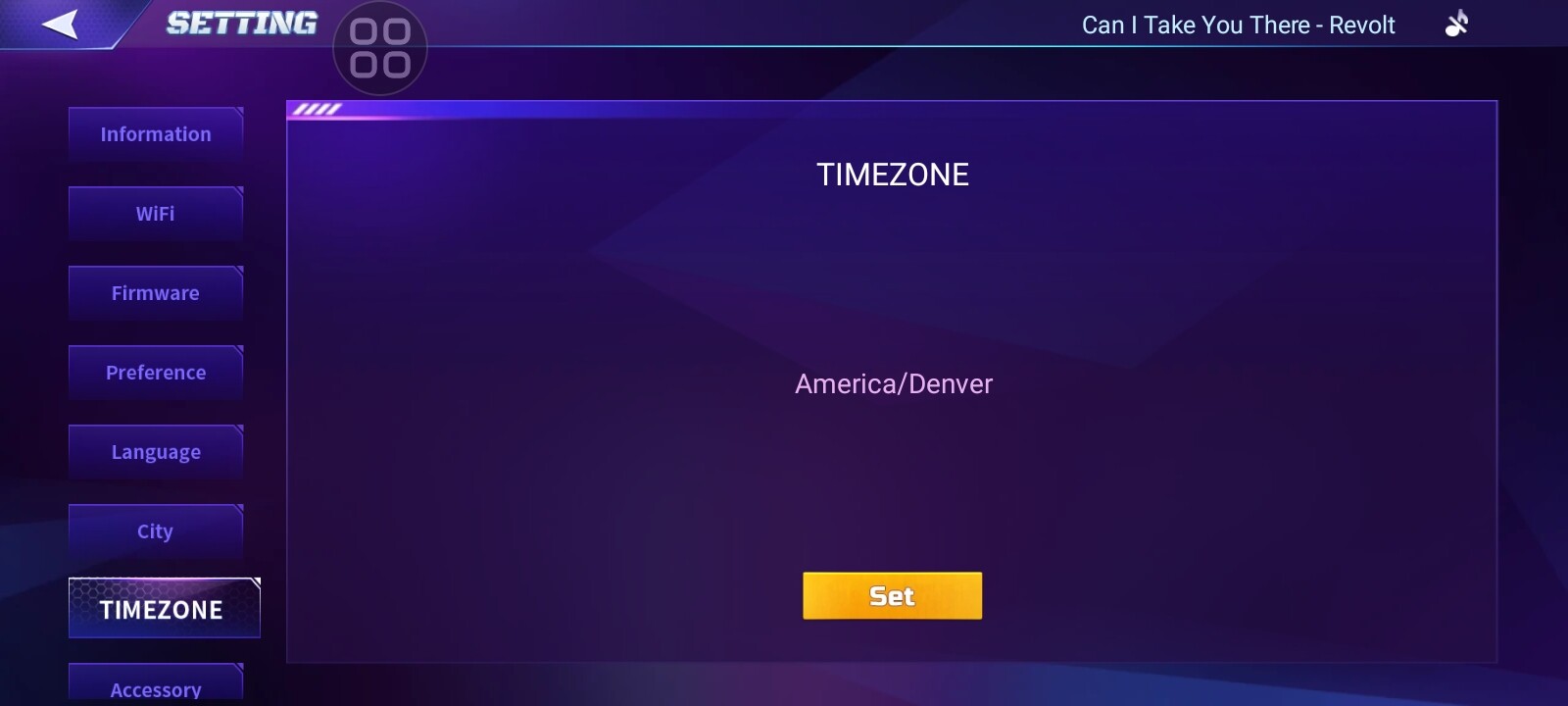
Hello, @xsakura4ux and @JulianMiddleton . . . you can fix the time change by going into the app and even though it shows your current time zone, you need to “set it” again to get it to refresh to the day light savings time.
2 Likes
You can just re set your time and it will sync back up to the current time, thats what i did hope that helps
1 Like
Hi there @xsakura4ux ,
This is not true. There has never been a separate settings option for Daylight Saving Time in the EMO Pet App. I have been using EMO for almost five years now, since the very first day it was released.
Please Click Here For Tutorial
Best Regards
3 Likes
Good morning Good morning. I have the same problem, my EMO, received on 16/03/2026 gives me the wrong month and year. He says he’s in April 2024. There is no way to make him change the month at least. What can I do? Same thing for the city I live in. Although I inserted it when I set it up, he doesn’t know where it is.
1 Like
It sounds like your EMO isn’t connected to WiFi. That’s how he pulls that information. Go into the EMO app and check for WIFI under the settings tab which is in the top right hand corner.
1 Like
Hi Stacey Hi Stacey, thank you for your reply. Believe me, it’s connected! I also removed the connection and re-entered it. I turned it off and turned it back on, but nothing to do… keep saying we are in April 2024 and I live in the future!
1 Like
Hello, @AlbuGabrielaSorina . . . there is a difference between EMO pulling the information from a voice command and pulling it from ChatGPT. The correct commands are given here which will not trigger ChatGPT (scroll down to the “Utilities” section).
My best to you.
2 Likes
Hi there @AlbuGabrielaSorina, and Welcome to the community
Is your EMO updated to the latest firmware version (v3.1.0) already? You can find more information HERE. This issue has already been resolved and is now working not only for me but also for other EMO owners.
You may also want to check your EMO settings to make sure everything is configured correctly by following the tutorial HERE.
Command:
Best Regards
3 Likes
Hi Edward. Thank you for your reply. Yes, it has been set correctly and has version 3.1.0. I followed all the registrations and saw several tutorials. Although the right commando always says it’s April 2024, it doesn’t recognize the city, and consequently the weather doesn’t recognize either.
1 Like