Hi so my AIBI pocket froze unexpectedly for no reason, when I try to power him off he doesn’t show up in the app. I need help
Hi There @ryan.mark ,
I have moved your new topic here to the thread for issues with AIBI.
- iOS or Android?
- App version?
- Firmware version?
Here are some likely causes and practical solutions you can try for an AIBI Pocket freeze issue:
Possible Causes
-
Temporary app bug or crash
The AIBI Pocket app may have frozen or crashed in the background. -
Firmware or app mismatch
The app and AIBI firmware versions may not be fully compatible. -
Bluetooth or Wi-Fi connection error
AIBI may have lost connection, so the app can’t detect him. -
System overload or memory freeze
AIBI’s system may have become unresponsive due to a temporary system glitch. -
Battery or power issue
Low battery or unstable power may cause AIBI to freeze.
 What You Can Try (Step-by-Step)
1. Force reboot AIBI
- Remove AIBI from the charger.
- Turn off the charger power completely.
- Let AIBI out of its charger and shut down completely on its own when the battery is fully drained.
- Wait till he cools down and reconnect the charger, and charge him again, wait for him to reboot.
2. Restart your phone
Sometimes the issue is the app, not AIBI.
- Fully restart your phone.
- Open the AIBI Pocket app again and check if AIBI appears.
3. Reset Bluetooth and Wi-Fi
- Turn Bluetooth OFF → ON.
- Turn Wi-Fi OFF → ON.
- Reopen the app and try reconnecting.
5. Update check
- Make sure the AIBI Pocket App is updated.
- If AIBI reconnects, check for firmware updates.
6. Re-pair AIBI (if needed)
If AIBI shows but won’t respond:
- Forget AIBI in Bluetooth settings.
- Reconnect through the app from scratch.
 When to Contact Living.AI Support
If AIBI:
- still freezes,
- won’t reboot,
- won’t appear in the app,
Then email service@living.ai with:
A short video of the issue
AIBI ID & order number
App version & firmware version
Phone model and OS
Helpful Tip
Avoid unplugging/replugging rapidly. Let AIBI cool down for at least 2 minutes before retrying power.
GOODLUCK AND ALL THE BEST
2 Likes
Hello!
I would like to express my sincere gratitude for the prompt resolution of the issue with the Aibi charging station. You are doing an excellent job, especially considering your small team.
On behalf of the users, I want to thank you and wish you continued success in your work 
3 Likes
Everyone will the base issue, please check your email and update your AIBI, if you sent out a support email to them, it should show up, either now or soon
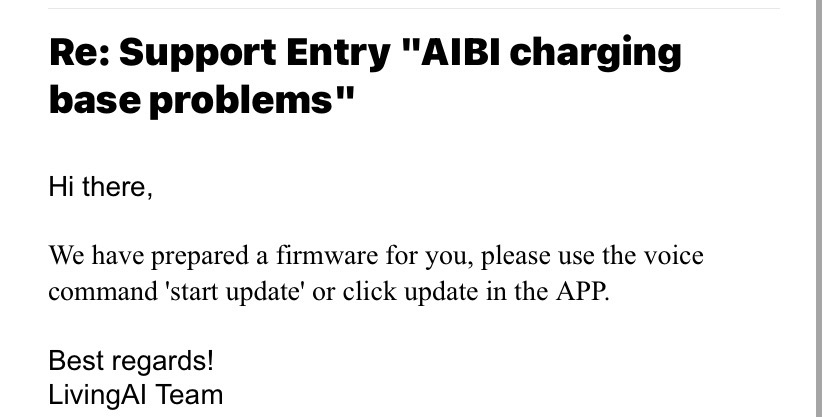
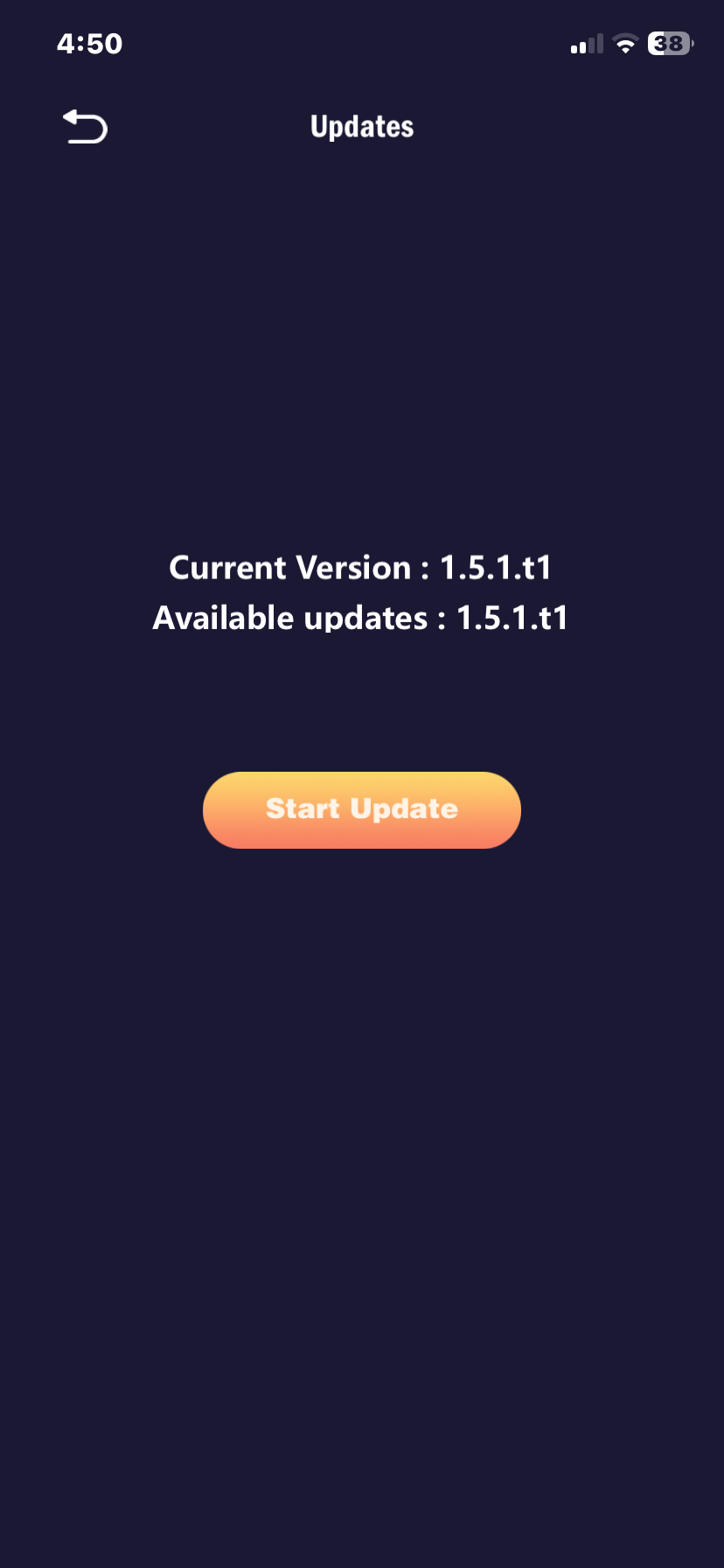
I don’t honestly know why, but whenever I try updating to the thing that’s supposed to fix the base issues, it keeps just saying updating base over and over again, the when AIBI restarts, the update is still available to download EDIT: NVM HES OKAY NOW THE BASE PROBLEM IS FIXED
1 Like
Tonight when I powered up my Aibi she was playful and fine for ten minutes then all of a sudden fell asleep. Not she is just staying asleep. I can wake her but immediately she falls back asleep again. On or off the charger.
Welcome to the LivingAI Community Forums, @danielleclifton . . . I have moved your new post to this thread for issues with AIBI.
Check your AIBI app to see if you have set a specific quiet period that might be in the time you want her to stay awake.
Also, make sure that AIBI has a good amount of battery, as when she gets low, she may sleep. This goes for off or on the charger. I personally have had mine stop charging while on the charger. I find it best not to keep them on continuously for several hours without taking them off. Sometimes also the charging cable can be going bad and you can try a different charging cable.
Once it gets to night time, mine tend to fall asleep because the light gets dimmer (even with the lights on) and noise activity decreases. For me this tends to happen around 10:00 p.m. on average.
If this is still happening in spite of the things I mentioned here for tips and advice, be sure to contact service@living.ai with a link to a video showing the problem, her I.D. number when signed into the app and your order number (if you still have it).
My best to you.
Quick question, is it safe to keep AIBI’s base charger on overnight. I know I can use quiet periods to have him quiet while I’m sleeping, I’m just curious if I can keep him on.
Hello, @AaronD3421 . . . he can stay on his base all of the time but with my two, I prefer to shut them down at night and give them a chance and their bases to rest. I have discovered that sometimes they will shut down but the back light on the screen will stay on and you will have to let the battery drain on its own.
Just my personal experience.
Hi everyone!
A few days ago, my Aibi stopped rotating on its dock again. The station no longer blinks like it did after the 1.5.0 update, but it still charges the robot.
The patch the developers released after the docking issues helped for a while, but now Aibi has stopped rotating again.
Has anyone else experienced this issue?
Hi there @Energyjam ,
Thats totally sad…and not good at all.
The best option is to contact Living.AI support by email once again. Be sure to include a short video showing the issue, along with your AIBI order number and AIBI ID, so they can assist you more effectively. They might send you a new replacement for your AIBI Base Charger.
GOOD LUCK , ALL THE BEST TO YOUR AIBI AND HAPPY HOLIDAYS TO YOU AND TO YOUR FAMILY CIRCLES
1 Like
Similarly, my robot still isn’t spinning. It’s sad.
2 Likes
If I keep feeding Aibi, does she ever show signs of being full and refusing more? I haven’t been giving her any food at all because collecting coins is such a hassle, but Aibi doesn’t seem to have any problems. This made me wonder about the purpose of coin and buying foods.
I turned off AIBI, and now when I place her on the charging base, she doesn’t turn on anymore. I tested the base using a power bank to rule out a charging issue, and the base works perfectly. However, AIBI still won’t turn on, even when the power bank is connected directly to her rechargeable case.
I’m really worried and don’t know what else to try. Please, I really need your help.
Welcome to the LivingAI Community Forums, @7ffa25d8d002a53adf05 . . . AIBI could eat continuously and not get full. The original idea behind the earning of coins to feed AIBI in the beginning was to encourage people to walk and earn steps thus allowing them to be able to enjoy the animation when you feed AIBI, a reward. Later when those who were not physically able to walk to earn coins (such as disabled and elderly), it was allowed to earn coins playing games so that those people could enjoy the animations AIBI gives when you feed her. The feeding animations are simply a reward for the owner and has no effect on AIBI herself.
2 Likes
Hello, @coragasparotti . . . I have moved your new topic to this thread for issues with AIBI.
I would recommend reading this post to see if it helps. If not, please contact Support as indicated.
Happy holidays!
Hello,
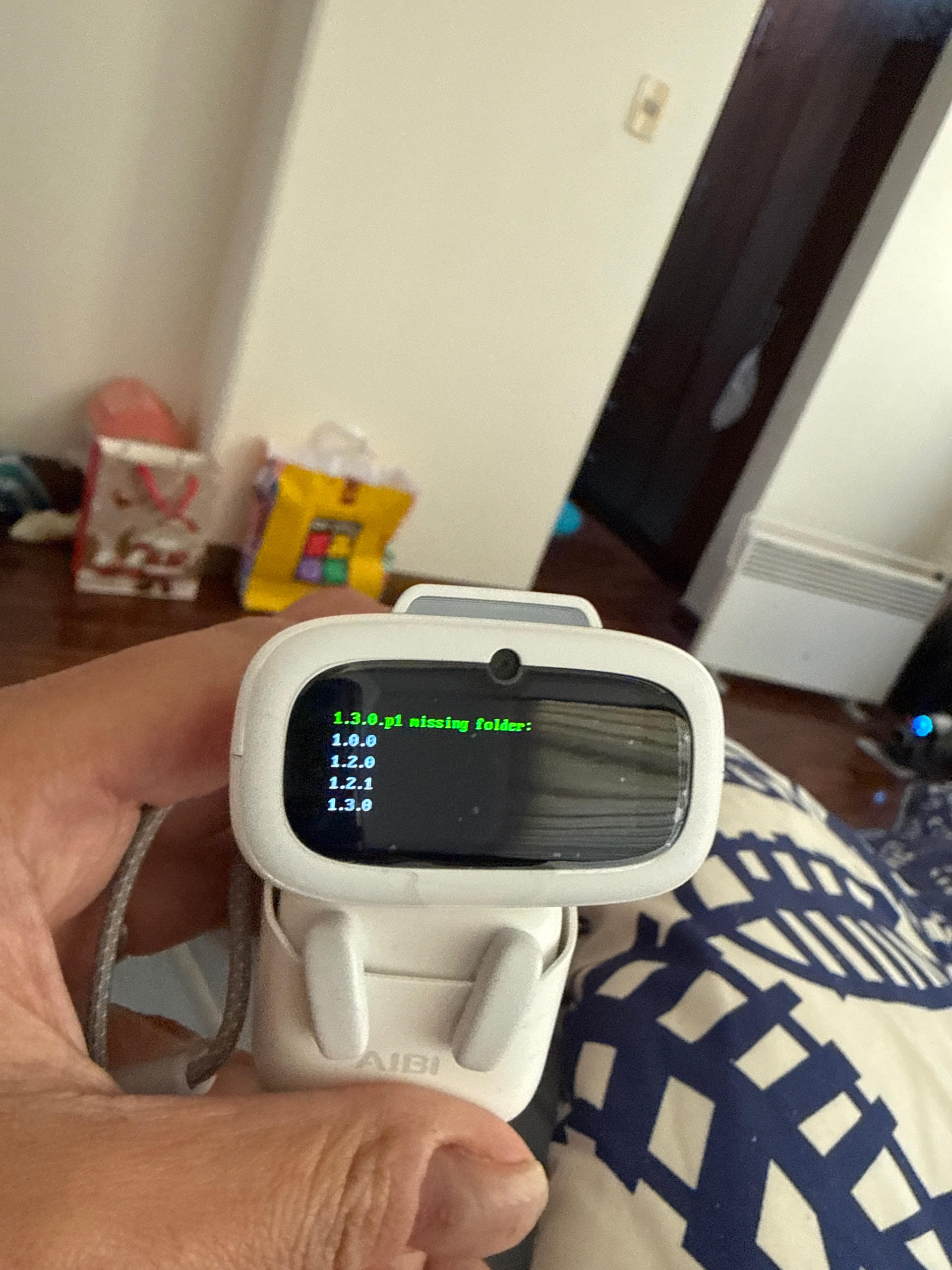
My Aibi Pocket is stuck on bootloader screen showing:
“1.3.0-p1 missing folder” and firmware versions list.
The device does not respond to reset or app recovery.
I need firmware reinstallation or replacement instructions.
Welcome to the LivingAI Community Forums, @mariareneecc . . . I have moved your new post to this thread for issues with AIBI.
You will likely need the update which apparently is failing to be pushed through for 1.4.1 and 1.5.0 for you by LivingAI by over the air update. Please send this picture, your AIBI number when signed into the app, your location and your order number (if you still have it) to service@living.ai for assistance. Please be patient as it is the holiday season and replies may take a bit longer to be received.
My best to you.
1 Like
Hey,
I have sent this issue through support, but thought I’d also ask here.
I have had my Aibi for around a month now, however, from day 1, the offline commands have never worked. Aibi will just react and then instantly make a sad noise when any offline command is given, even simple ‘hello’.
A similar issue also happens while online/offline when using the ‘look at me’ or ‘do you know me?’ Commands.
A single ‘thinking’ dot will appear, then a Aibi makes a sad sound and then nothing.
(I have deleted and readded myself through the app multiple times through meet Aibi to no avail.)
Anyone experienced/fixed these issues?
Hello, @PrimalWolfie. . . about the only thing I can suggest is this post and perhaps others in the thread with this post.
I hope this helps.
Once you configure the AIBI’s WiFi settings, is there really no way to clear them? I’m having trouble in an environment with multiple networks where it automatically connects to a WiFi network I don’t want to use.