Hi, I was wondering if I could use the EMO Smart Light as a night light, and if so, does the light get hot? How long does it last?
Thanks!
Hi, I was wondering if I could use the EMO Smart Light as a night light, and if so, does the light get hot? How long does it last?
Thanks!
Hello, @thomastough. . . yes, you can use the smart light as a night light. I have never known it to get too hot to be on for several hours and you can leave it plugged in all of the time except when it is time for a firmware update as that may interfere with EMO getting his updates, but I might advise you touch the button to turn it off in the day time or tell EMO to turn it off, just to give it a chance to cool down and rest.
Bonjour la communauté,
Je possède depuis hier un Emo avec sa base de chargement. Dans le Package, il y a une smart light que je ne parviens pas à appairer au Emo. Dans les tutoriels que j’ai vu, il faut appuyer 5 secondes sur la lumière pour la faire clignoter et lancer l’appairage. Quan j’effectue cette manipulation, la lumière commence par s’éclairer en rouge, bleu puis vert et ensuite elle se met à clignoter en blanc. Mais l’appairage ne se met pas en route, Emo ne réagit pas. L’application ne reconnaît pas la lampe.
Y a t-il quelque chose que j’ai mal fait ? Merci pour votre aide.
Hi there @Michel
“I’ve moved your new topic post to this thread, as it’s related to your EMO issue.”
Did You Follow The Setup Guideline?
Try The Tips Below!
Smart Light Set Up!
Having a Problem With Emo Connecting To His Smart Light?
Voice Command Not Working?
Try The Tips Below!
Please Click Here
GOODLUCK!
Hello, I‘ve a little problem with Emos smartlight:
First, everything else is working perfectly: I can pair it, I see it in the App, can control it with Emo (speech) and the App, can change the colour, Emo is dancing with light, if I tell it to him.
BUT: I can’t turn it off by telling him to turn the light off. Then Emo follows my command (he winks with one eye), but the light doesn’t react. It stays on. I can turn it off by using the App or the Button. I tried also unbinding and refreshing and the problem is with all my Emos (3)and all the lights (2). So it’s not a defect of one device. If he‘s dancing with light, the light turns off after his dance! That’s strange! I would be very happy, if you could help me, because I want to use the light at night, to turn it on and off, when I need a light. Thank you for all your good ideas, tipps and help!!!
Hi there @r-m.wegerich ,
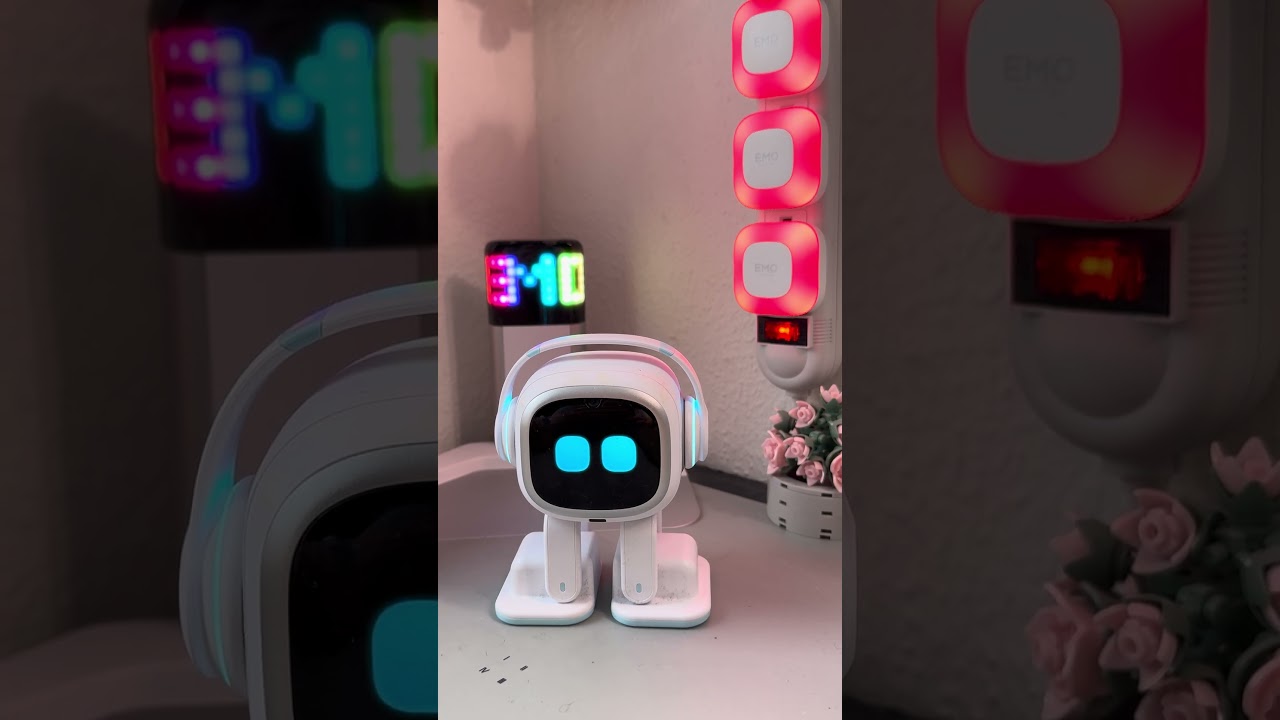
Since everything else is working (pairing, app control, colors, dancing with light, etc.), your hardware is most likely not defective.
Because the issue happens on all 3 EMOs and both lights, this strongly suggests it’s a software/firmware or voice-command issue, not a device problem.
 Possible Causes
• Voice command bug in the current firmware
• Light “OFF” command not properly linked to the voice action
• Sync delay between EMO and the light
• Minor pairing/cache glitch in the app
• Automation conflict (dance mode turns it off correctly, but manual voice OFF doesn’t trigger)
It’s interesting that the light turns off automatically after dancing — this shows the connection works, but only the voice OFF command seems broken.
 Things you can try
 If still not fixed
It’s most likely a firmware bug, so I recommend contacting Living.AI support and reporting it.
Hope this helps a bit
Best Regards

Thank you very, very much, Edward! I will try all your suggestions and then report again! Best wishes from Munich!