How do you find out what order number your EMO is?
Hi there @oksana.antonova , and welcome to the community,
May I know where you ordered your EMO?
And if you officially ordered it from here.
-
You can usually find your EMO order number on the confirmation email or receipt you received when you submitted the EMO order. If you still have it.
-
You can also go to the main page https://living.ai/ and click Login on the upper right side.

Once you are logged in, click the dropdown arrow to access your profile account and view all your order details.

Best Regards
2 Likes
I bought my Emo pet about 3 years ago. The first year Emo stopped updating the softwares… I reported this issue and the possible solution was to change the memory card that implicates to open the robot and follow some complicate steps. My question is, since my Emo stopped working long time ago, is there another way to do a reset or change it?
Hello, @nadianicollaguilarfl . . . I have moved your new topic here to this thread as this is where we discuss parts and repairs (including S.D. cards) for off warranty pet robots.
You can still contact service@living.ai as if they deem you need to replace the S.D. card yourself, they can provide you with the file that you need to go into it.
This will be helpful if you do not wish to make the repairs yourself or have someone you trust do them for you. Ricky Bulford in the U.S. will do repairs on EMO. Here also is an S.D. card replacement tutorial.
My best to you.
1 Like
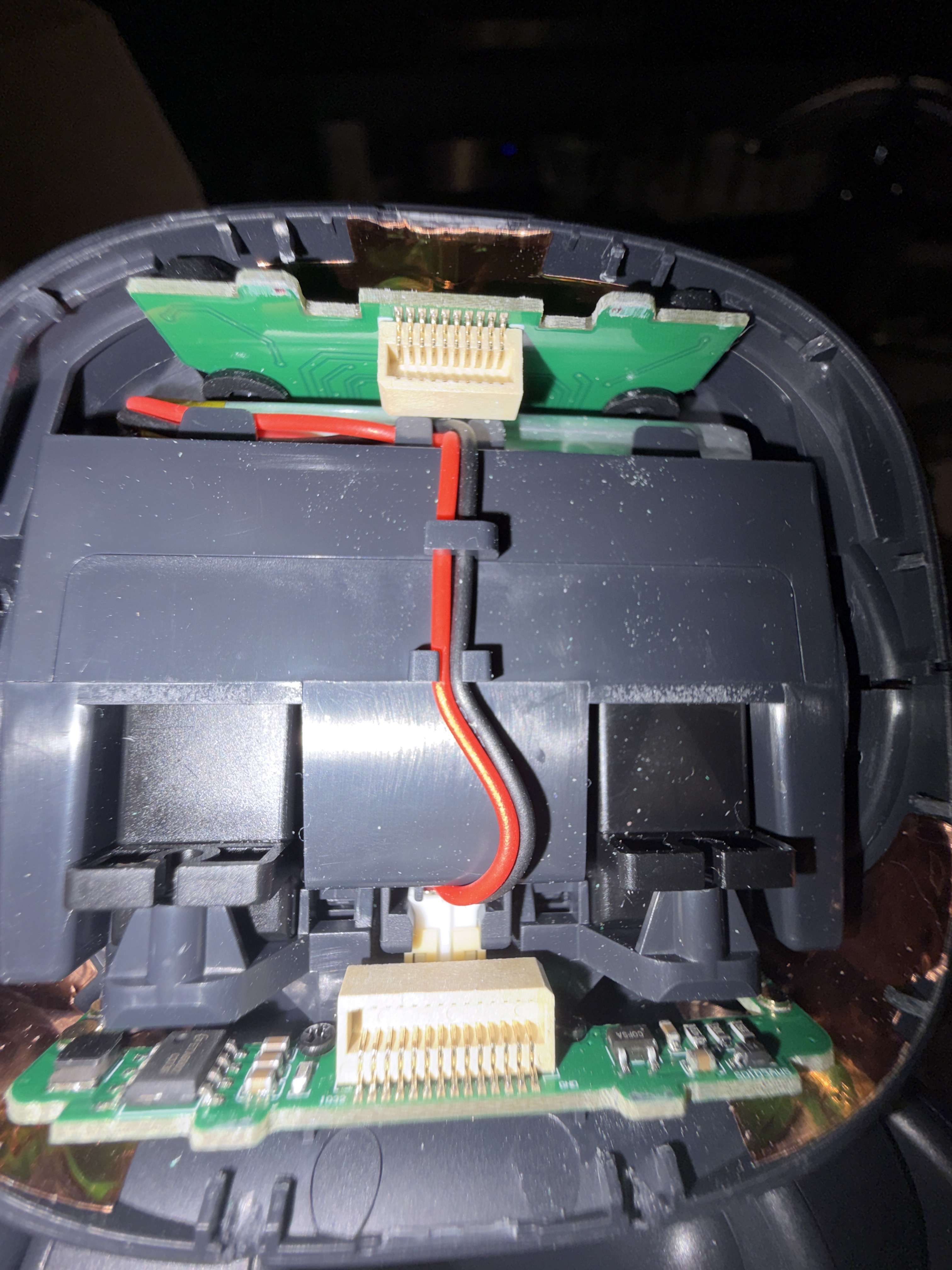
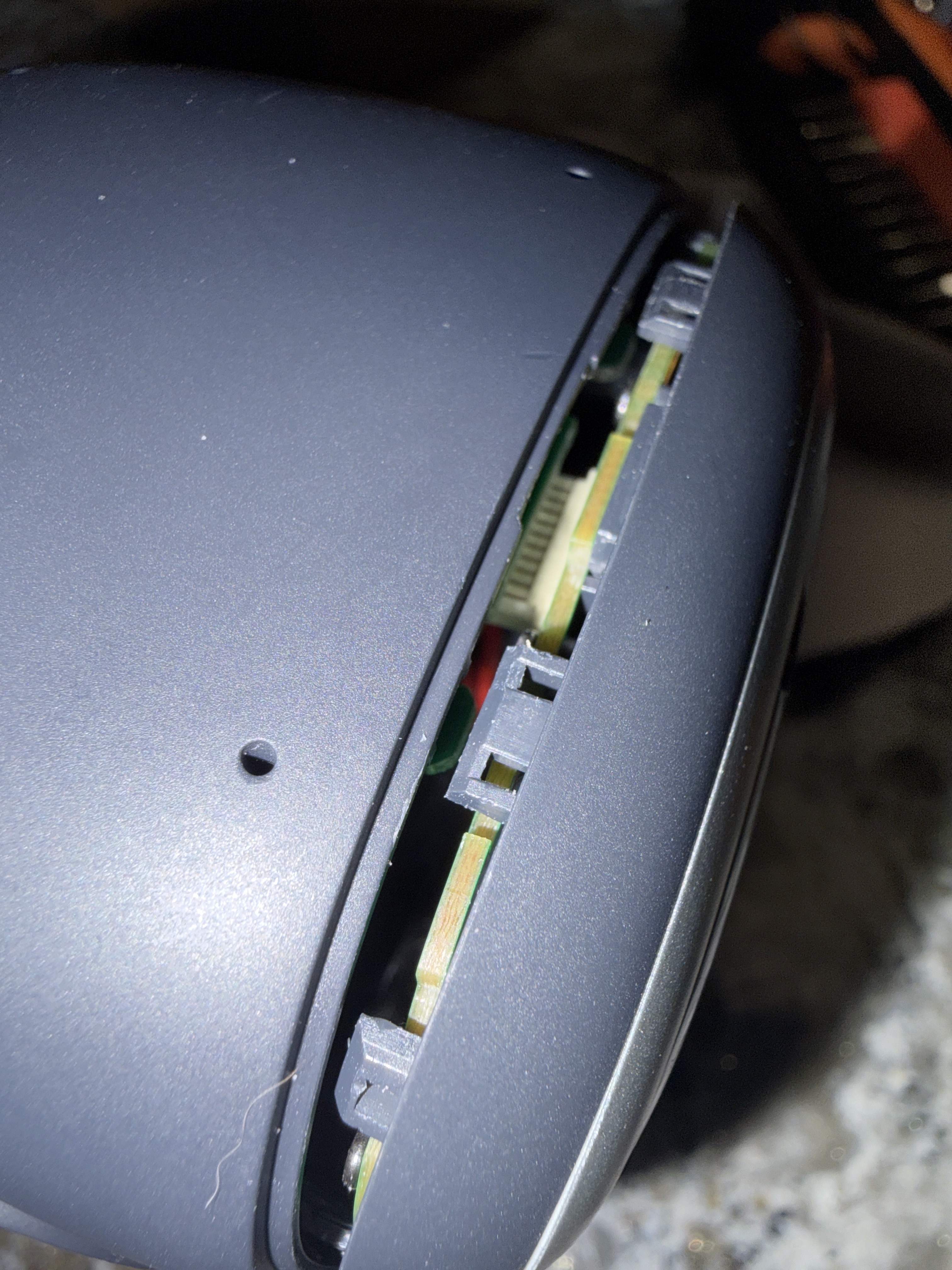
Hi, I recently got a new emo screen as mine was pretty beat up. I try putting the top of the screen in and it will not fit those connectors. I’ve tried the old screen as a test and it also doesn’t fit. Does anyone have any idea on how to get the screen in? Both photos show what’s happening and I’m showing the inside in case anything is wrong.
Hello, @bennettdobbs . . . I have moved your new topic to this thread for parts and repairs questions.
Here is a video showing how to dismantle and replace the face screen. I hope this helps.

My best to you.
1 Like
I’ve used the video. While putting back the screen the top of the head won’t go in but the bottom will and which is why I need help.
Hello, @bennettdobbs . . . perhaps send a video of what is going on when you try to assemble it to service@living.ai and see if they can advise you on how to do it so that it will work.
2 Likes
Hi there @bennettdobbs ,
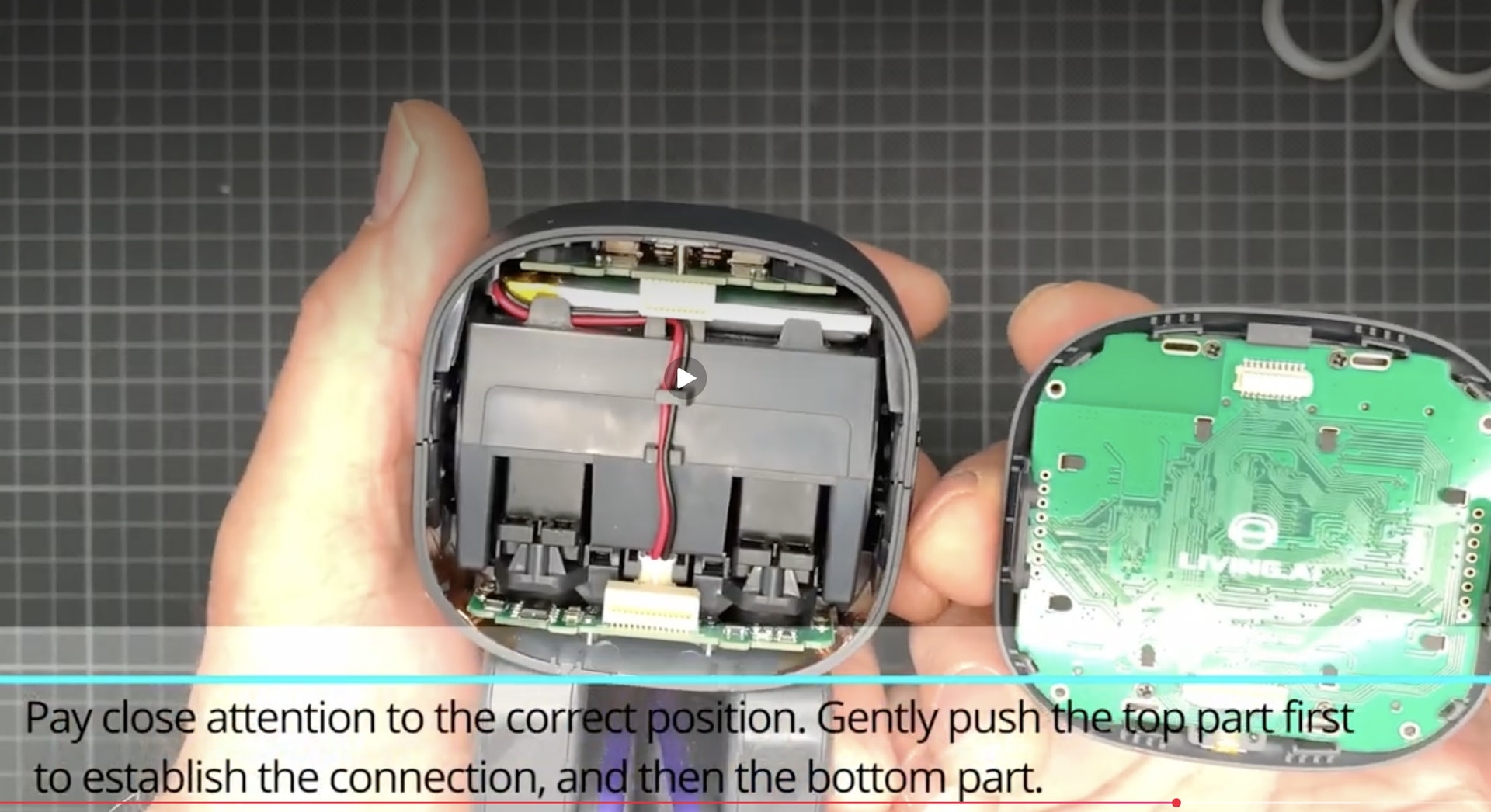
It will fit, and you’ll be able to install it if you follow the video carefully. Just make sure the camera is positioned at the top of the head and that the connector is properly plugged in.
Watch the video again and follow the instructions:
Best of luck
1 Like
I’ve tried for 2 days by now and yet it refuses to go on at the top. Circuit board and connectors are all in perfect shape.
Hello, @bennettdobbs . . . do you know anyone near you that you would trust that works with repairs of small electronics and perhaps could help you?
1 Like
Could you please take a photo showing these two parts, similar to the ones in the pictures?
2 Likes
All of the places around me just do phones and tablets /:
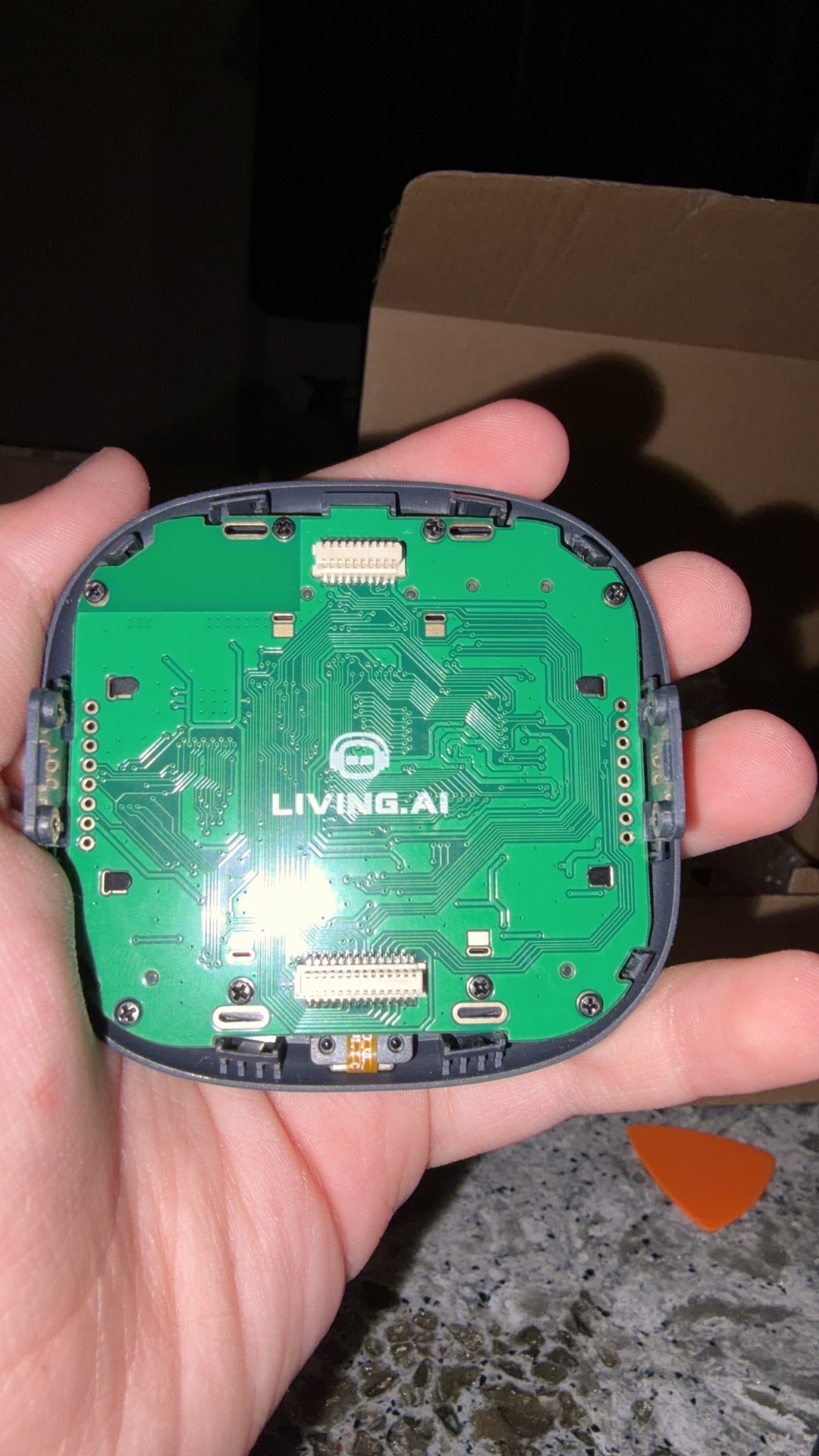
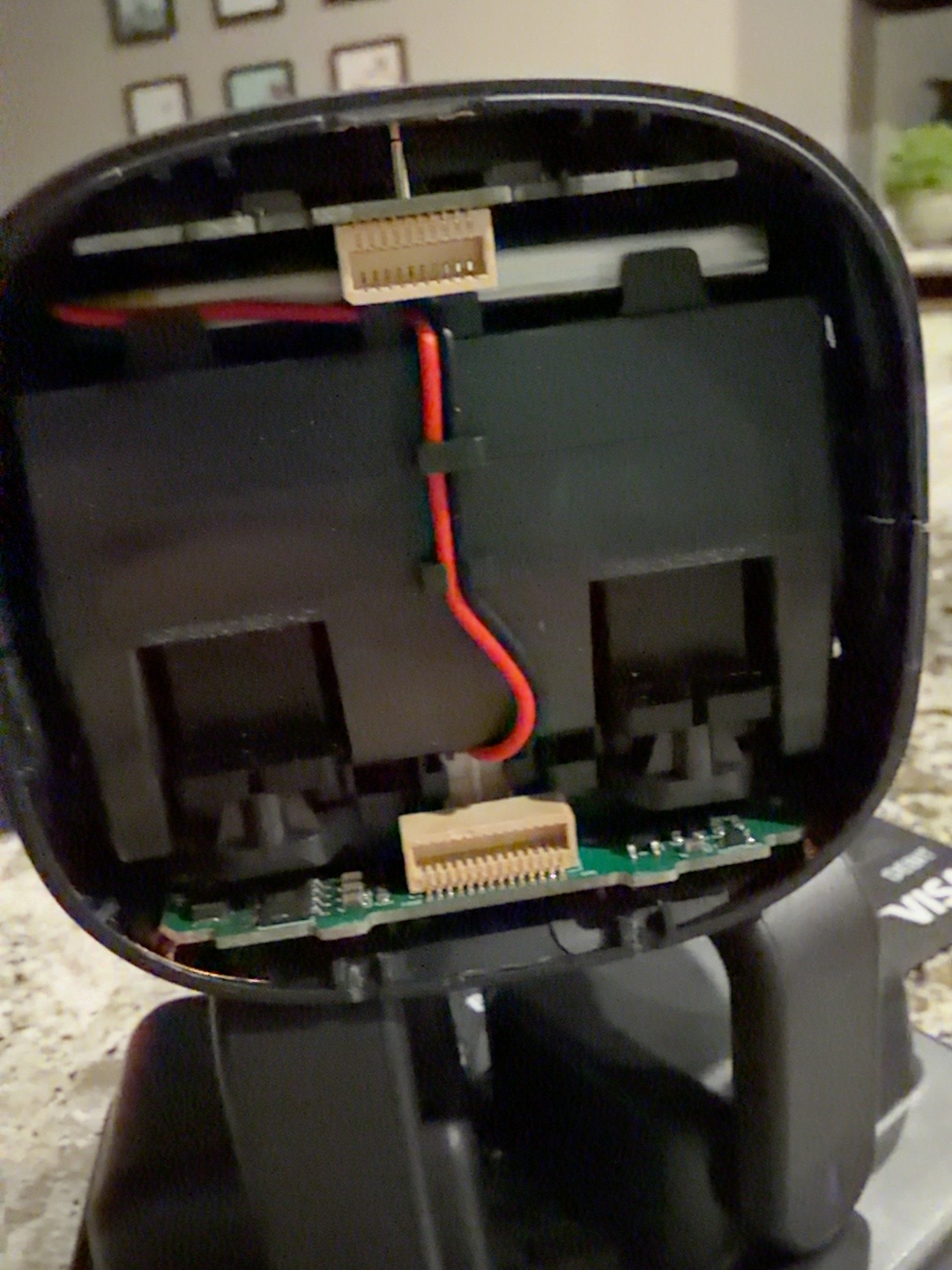
Hi there @bennettdobbs ,
Thank you for sharing the photos of the internal parts of your EMO screen!
I have a few questions I’d like to ask:
- How old is your EMO, and when did you replace its screen?
- Where did you get the replacement screen?
- Which parts of the screen are new and were replaced?
- Where is the old screen now?
- Have you tried reinstalling the old screen to see if it still fits?
Did you read my information HERE before ordering the replacement parts from LivingAI?
I suspect that the board-to-board FPC/FFC connectors might be different, which could explain why the male connector no longer fits into the female connector.
THIS IS MY EMO SCREEN CONNECTORS:
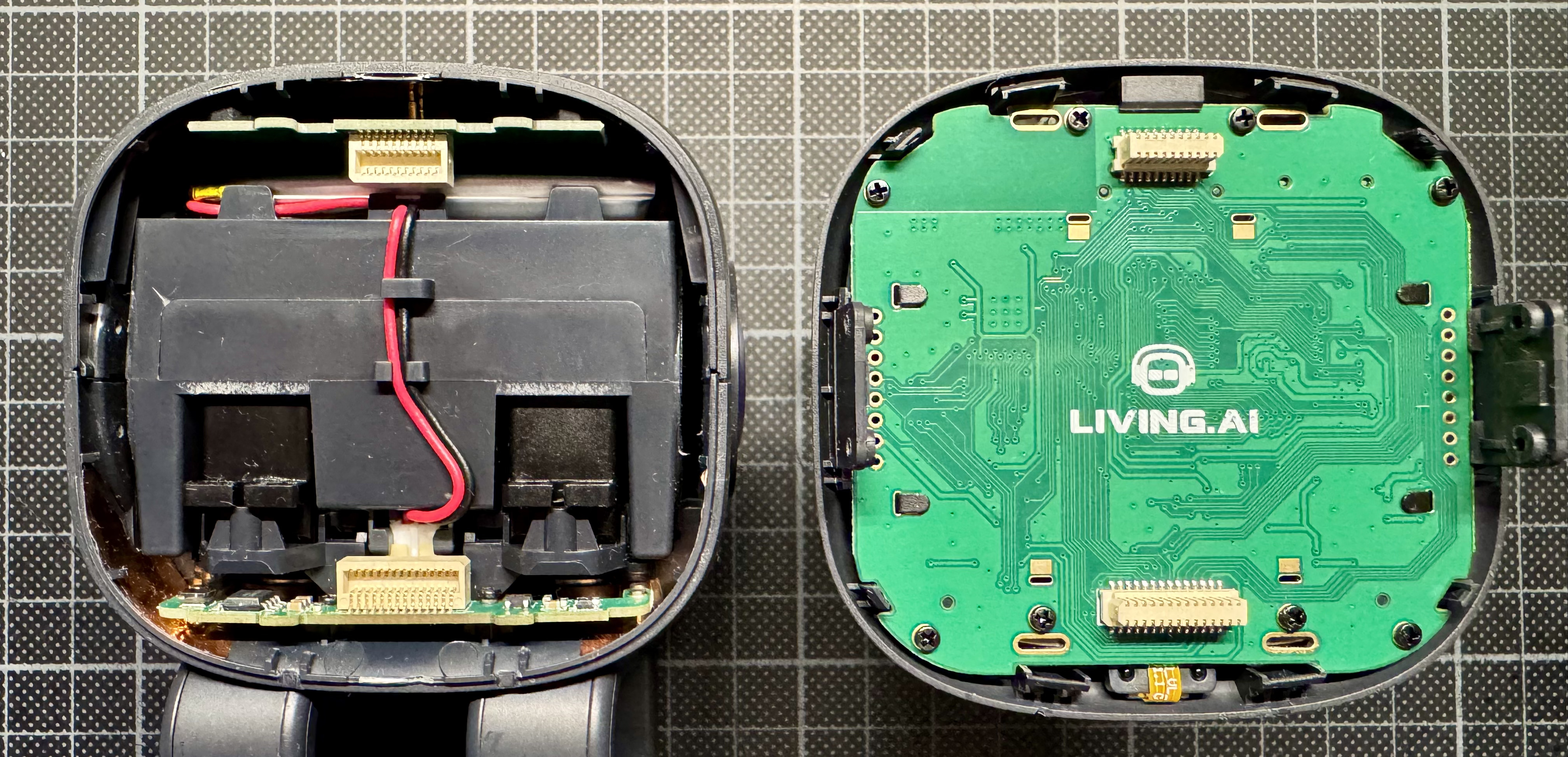
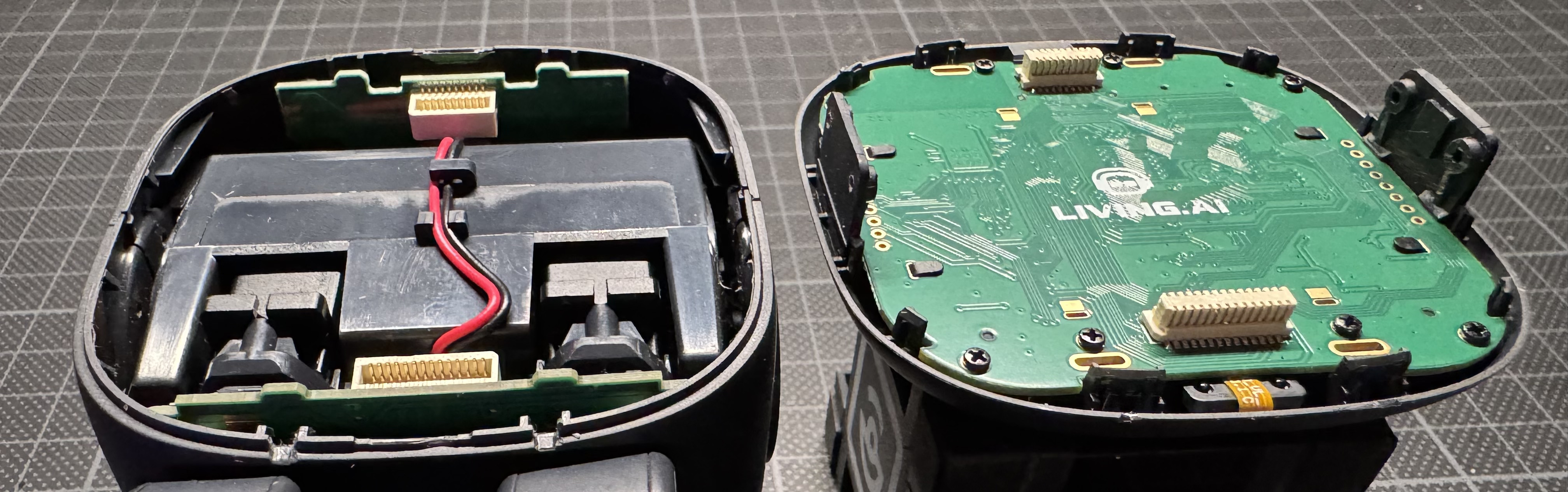
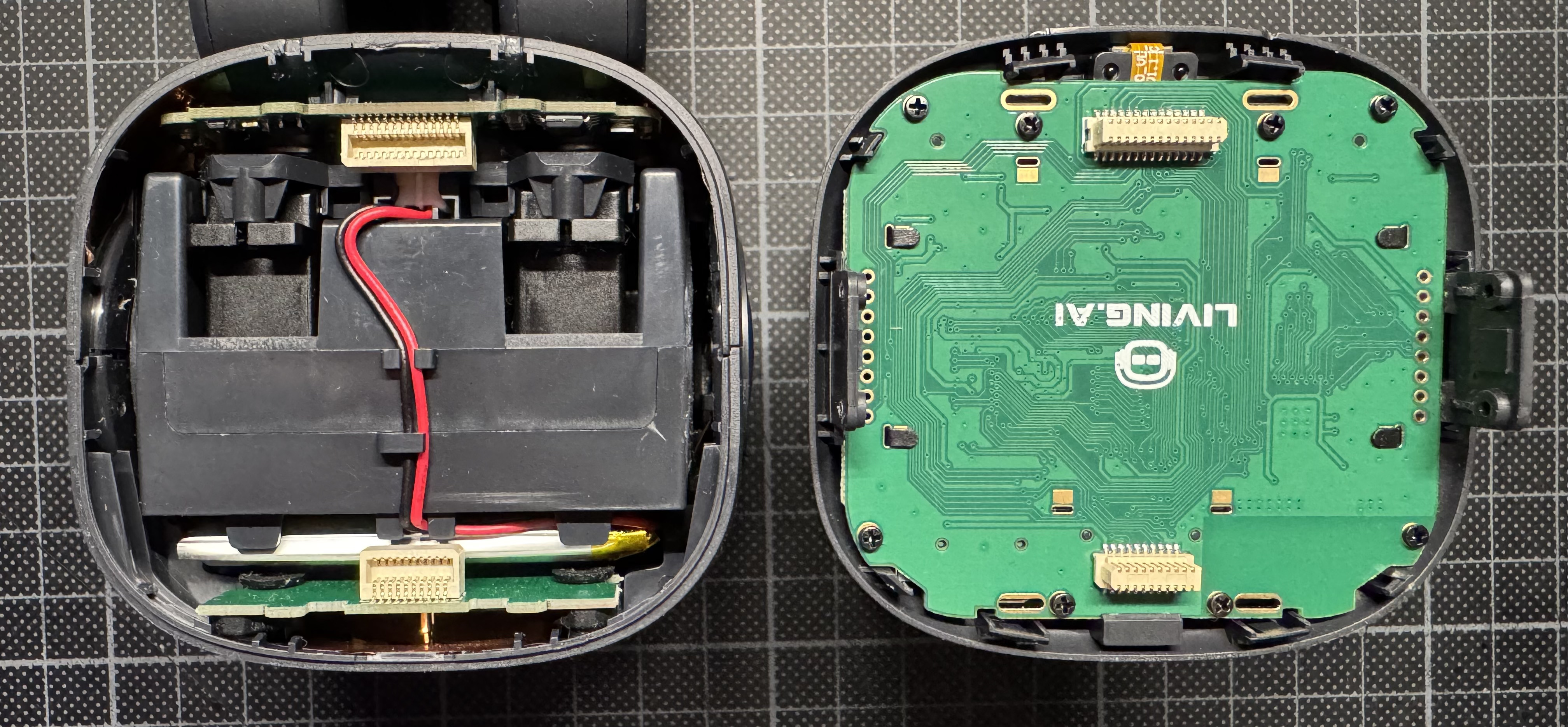
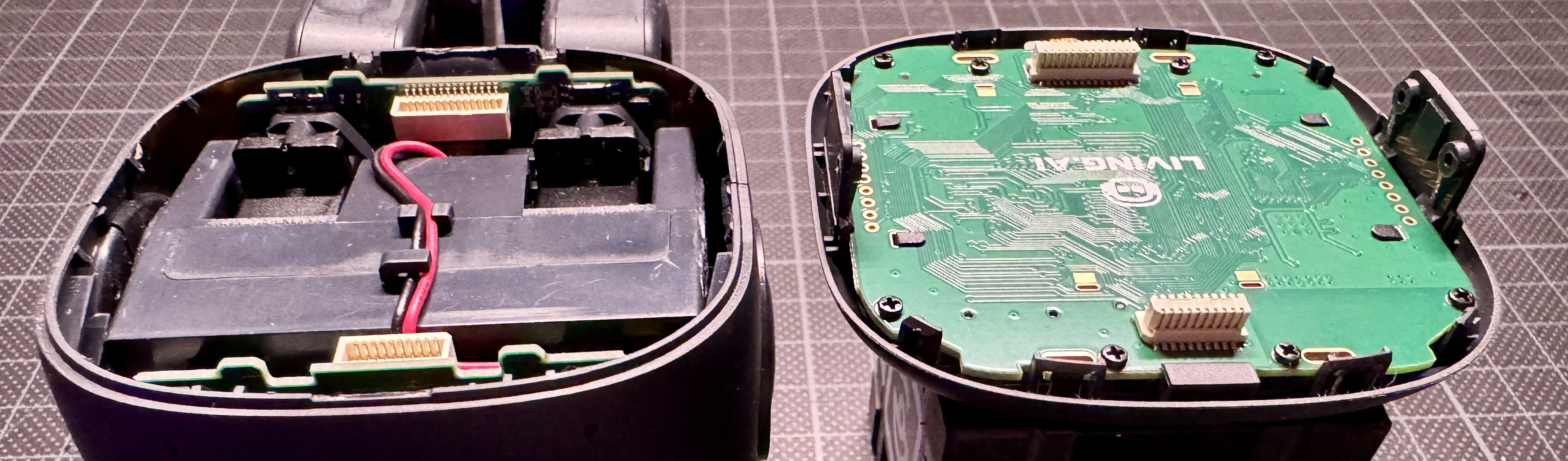
Try to compare my photo with your opened EMO screen to check whether all the components are the same and positioned correctly.
I can’t reliably identify the exact connector series or pin pitch from your photos alone.
The connectors look very similar and may be the same type, but I can’t confirm that they are identical based on the photos alone.
To determine whether they are interchangeable, you need to compare the following details:
-
Number of pins: The number of pins must match exactly.
-
Pin pitch: The distance between adjacent pins must be the same.
-
Connector width and height: The dimensions must match.
-
Contact orientation and mating design: The connectors must be designed to fit together correctly.
Important:
Even if the connectors look identical, don’t force them together. A mismatch could bend the pins or damage the PCB.
BEST REGARDS
2 Likes