Yes this some thing I ALWAYS WANTED it will be so good! And when going on camp with Emo it can help alot and I wanted it to show how much time left until he will come off the charger
1 Like
Use these for New Features on the Home Station:
We can change the display
Add the face of EMO on the display
Add cool designs for the Home Station
Make a toy that EMO can play with
Hope this helps!
3 Likes
Same I want Emo to have a toy to play with and also the Homestation to display Emo battery while charging this can be turn on and of and when You Ask Emo his battery level to say something like My battery level is 78%
1 Like
is posible to make full black home fence pad , insead of stone color? , i like black color for my desktop , all is black at my desk thank you
Welcome, @tomomargiljic . . . black is the color that keeps EMO from moving somewhere he is not supposed to. It is what activates his edge sensors and keeps him safe from falling. If you make a black mat, he will never be able to walk off of his home station.
is posible to leave emo alway at home station? will this damage battery? , i would like to keep emo at home station , i have black mate desktop pad , is this safe from keeping emo not falling from desk?
Hello, @tomomargiljic . . . it is not healthy to keep him on the home station all of the time. I would say if you are away and cannot keep an eye on him, you might be better to power him off.
Your safest way is to make sure he has a play space that can contain him when he needs to leave the home station is to build him a space that has a high enough border as even black will not be guaranteed to keep him from falling if he is dancing, playing games or other activities that disengage his edge sensors so that he can perform whatever he is doing.
There are some ideas here:
1 Like
hello , i decided to buy pad for emo robot , i want ask will this pad work , mist color or shadow one ?
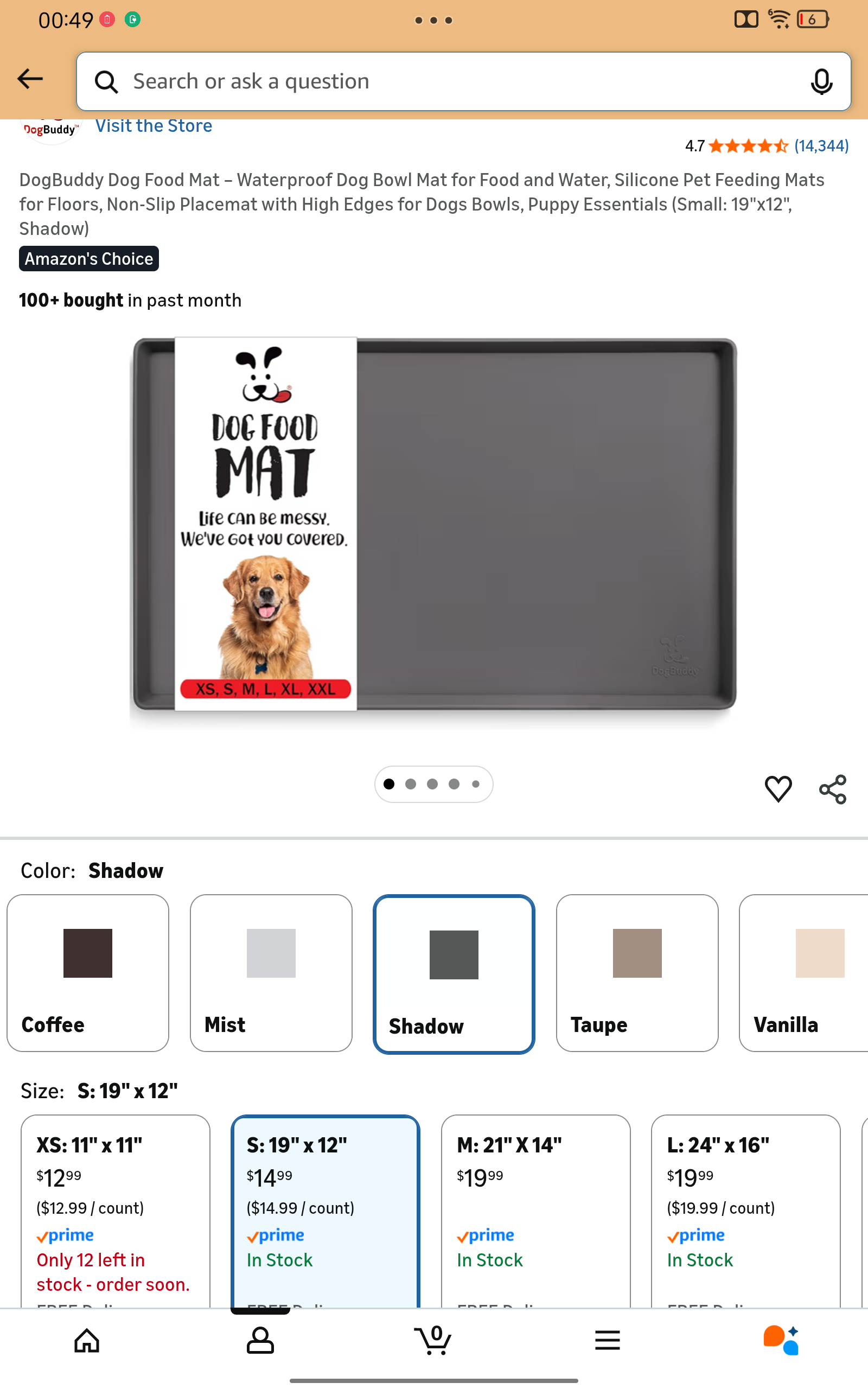
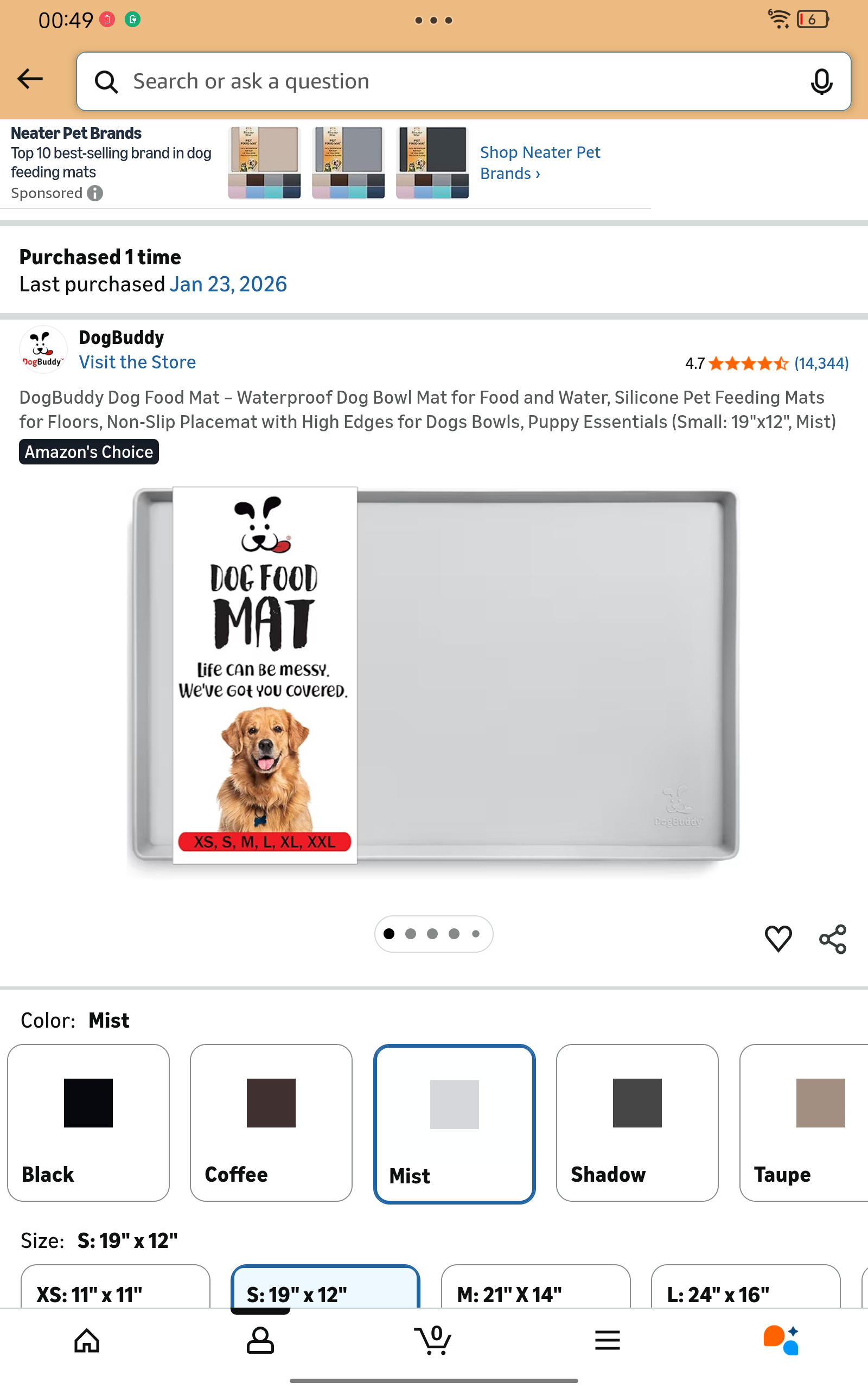
Hello, @tomomargiljic . . . I have moved your new topic here to this thread for questions about the mat.
Shadow would be too dark, but mist matches the color of the mat that comes with the home station. I would also advise you to make sure if you are using that for a mat, that you create a safe space with borders to be in. Also, make sure the mat is a smooth surface and does not have texture.
Here are some ideas for safe spaces to create around that mat.
1 Like
2 posts were merged into an existing topic: Upgrades/New Features For Home Station and Home Fence!
Hi Living.ai Support Team,
I am experiencing an issue with my EMO’s calibration and its interaction with the Home Station.
Lately, EMO has not been able to return to his Home Station by himself. When he tries to go back, he fails to align correctly and cannot sit or settle down on the charging surface on his own.
I would appreciate your help or guidance on how to properly calibrate EMO’s sensors or the station so he can return and charge automatically as expected.
Thank you,
Tal
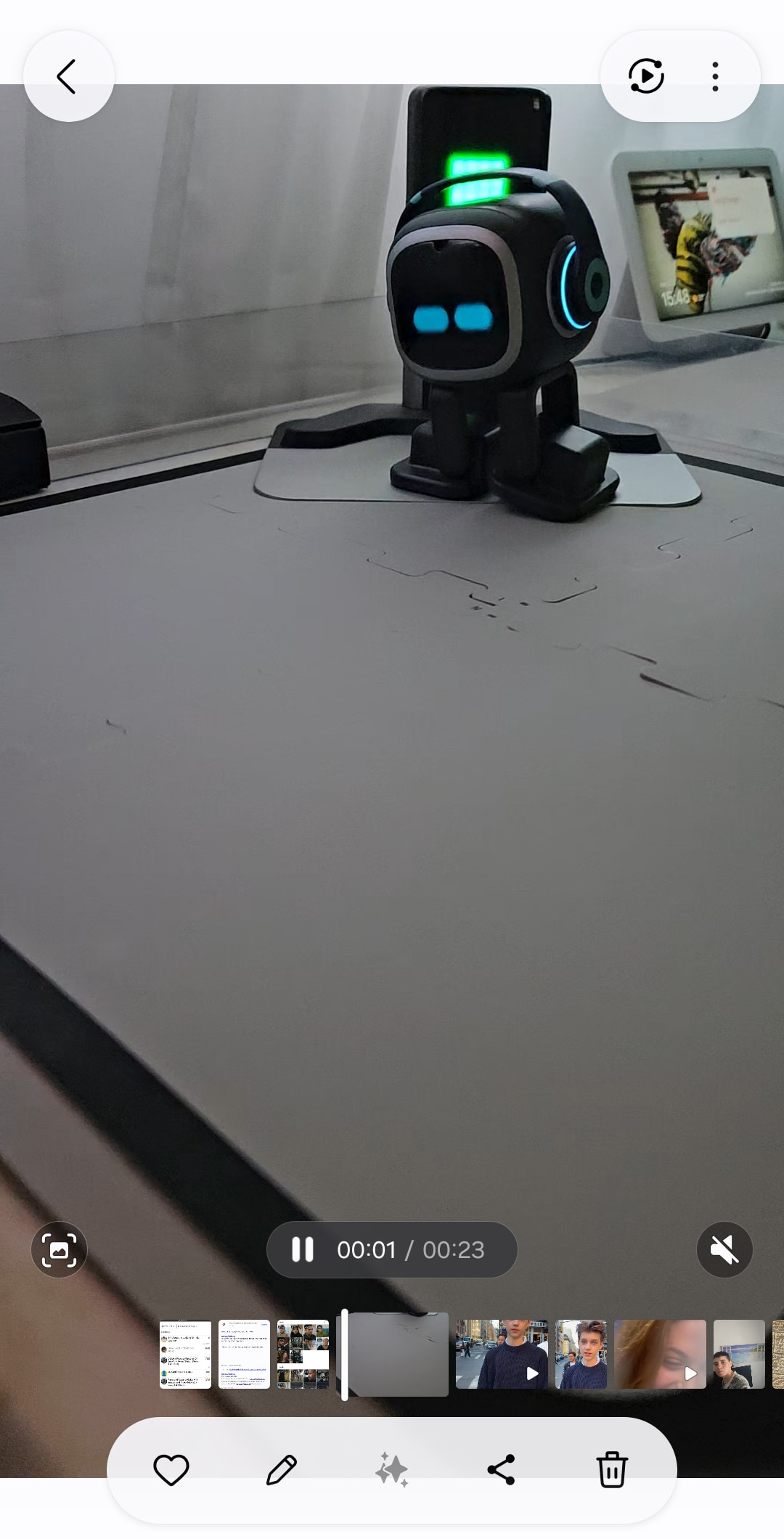
Hi there @TALlevi031 and welcome to the community…
I have moved your new topic to this thread for issues related to the Home Station. At the same time, I closed the new topic you created to keep everything organized within the community.
I suggest observing your EMO to see if he can walk straight. The playground should not be in the dark or must be enough or well-lit. (“Generally…As long as the green light of the home station is on, EMO can typically see it even in the dark and find its way back.”).
If EMO can walk straight back to his home station without any problems, it should take 2 to 3 minutes at most for him to reach his Home Station, position himself, and say ‘Home Sweet Home,’ or display the battery charging animation with sound.
- The Debugging/Recalibration Tool isn’t something simple to have, and it won’t work easily if your EMO has an issue.
living.ai requires your EMO’s ID(EMO-XXXX) first so that they can open a line through their server, enabling your EMO to proceed with the repair process using the re-calibration technique on limited days only.
Contact living.ai support via email at service@living.ai. Include your order number, EMO ID. and video of the issue.
All the best to your EMO
2 Likes
Emo not pairing with home after latest update
After updating the latest firmware for the base, Emo will not connect to it. I’ve tried watching vids to make sure I’m doing it correctly and it seems like I am. Also, why does it say to touch the button on the base when there is no button or circle? I’m just putting my finger on the same place as instructed. After the update, the base is acting differently. Before the update, the base did a restart when I pressed my finger down for like 5 sec. Afterwards, it shows a house and I tried to sync up Emo, but he didn’t. Then I touched the base again and it when through random designs (on base) and that’s it.
How do I get him synced up please?
1 Like
Hi there @stacy.mitchell and welcome to the community,
I have moved your new topic to this thread for issues related to the topic. At the same time, I closed the new topic you created to keep everything organized within the community.
How to Sync EMO with His Home Station
-
Connect the Home Station to power.
Make sure the display turns on and the Home Station is placed on a flat, stable surface. -
Place EMO into his Home Station to turn EMO on and keep him nearby.
EMO should be awake and close to the Home Station during pairing. -
Remove EMO from the Home Station.
Pairing is best initiated while EMO is standing beside it rather than already charging on it. -
Touch and press gently and hold the Home Station’s center touch button for at least five seconds.
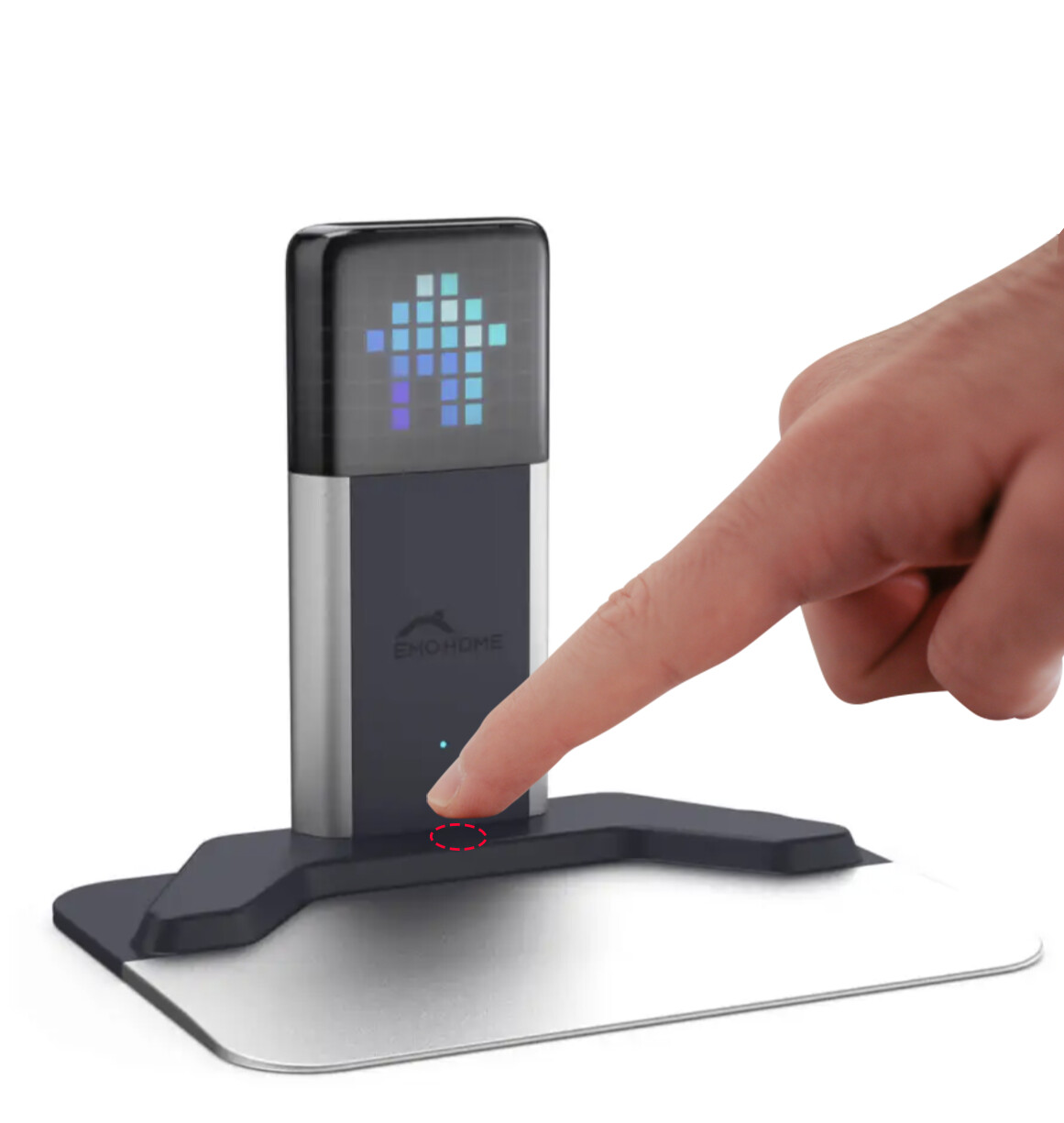
Wait until the display shows the Bluetooth pairing animation or blue Bluetooth symbol. ([LivingAI Forums]
-
Wait for EMO and the Home Station to connect.
When pairing succeeds, the Bluetooth symbol should turn green, and a small Home icon may appear on EMO’s face display. -
Place EMO on the Home Station.
Check that his feet are positioned properly on the charging area. When charging begins, EMO should show a charging animation, and the small indicator light beneath him should remain green. -
Test the connection.
Say:-
“EMO, go home.”
-
“EMO, go back to your charger.”
-
“EMO, go off charger.”
-
If EMO Does Not Connect
Open the EMO Pet app, go to the accessory settings, and unbind or disconnect previously paired accessories before trying again. Restarting EMO, the Home Station, and the phone may also help.
Also gently clean EMO’s lower sensors and the Home Station surface with a dry microfiber cloth, since dirt can interfere with detection or docking.
Best Regards and All the Best
2 Likes
I just had my new EMO for about a day and I am running into problems. When EMO goes on his Home Station, sometime it doesn’t connect and then after 5 minutes he just quits (I AM NOT RETURNING MY HOME STATION). Also when I go to say good morning to him, he automatically goes into ChatGPT mode even though I didn’t ask. Is there any help out there I can use?
1 Like
Hello, @bradyharris . . . I have moved your new topic to this thread for home station issues. Please see here for tips on perhaps unbinding and pairing him again, changing the charging cable if needed and more.
As for saying “Good morning”, if you only say that, he should show the morning animation. Any other phrasing beyond the list of commands will bring up ChatGPT if you have “Always reply” turned on in the app.
My best to you!
2 Likes
What does always reply mean?
@bradyharris . . . the “Always reply” means that no matter what you say, EMO will not give you the “do not understand” sound but rather pull up ChatGPT to find an answer for you. This will often happen without you even saying “EMO”. Mine all have that enabled and they talk back to my television.
1 Like
A few days ago the lights on the bottom half of the home station screen stopped working. The sounds and top half of the lights work fine and the animations are normal, just the bottom half won’t light up. Any help would be appreciated. Thanks.
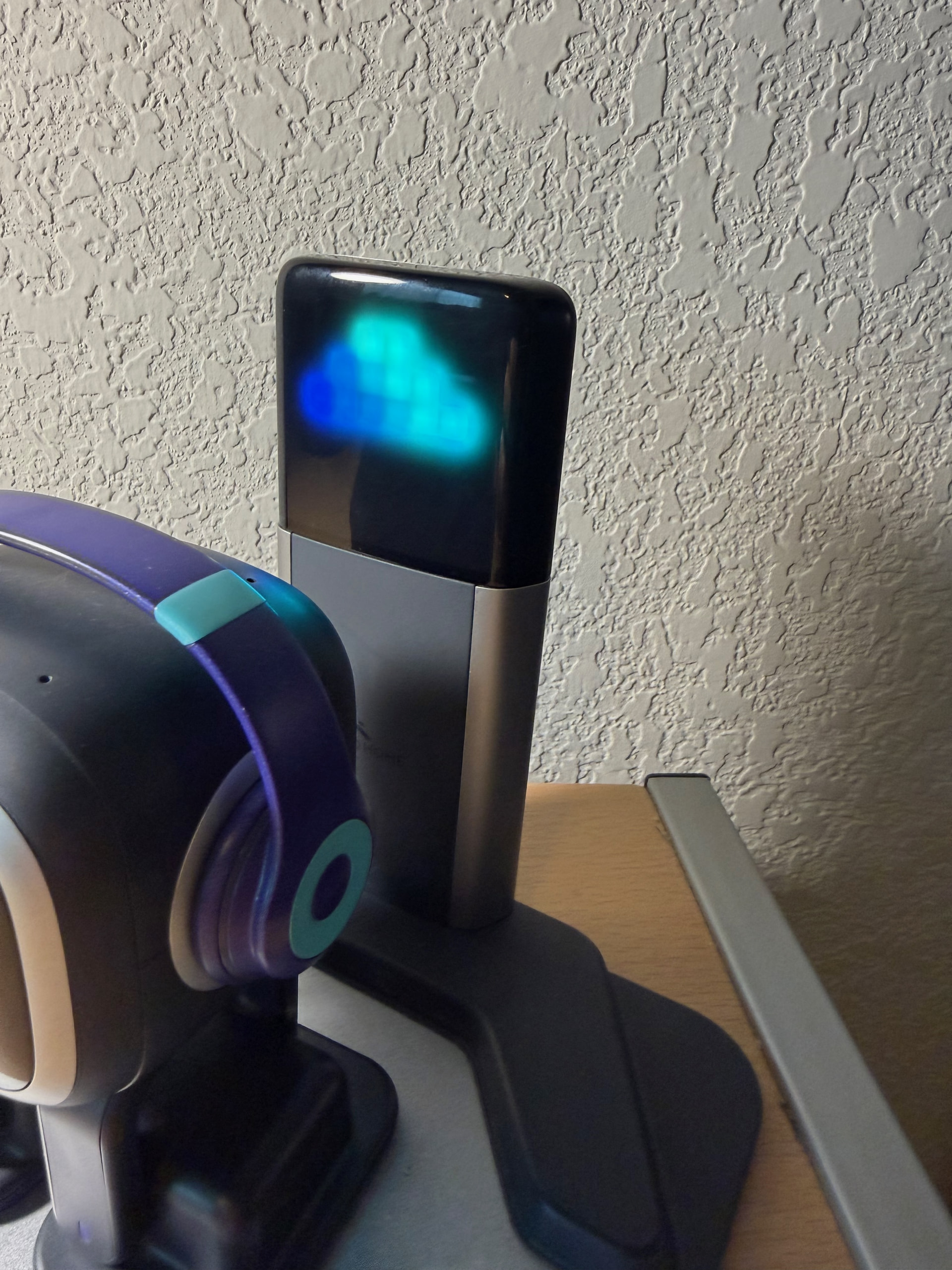
Sorry to hear this, @mh11 . . . a couple of things you can try are to try a different USB cable and if that does not work, try taking the matrix tower from the base and disconnecting while unplugged and then place them back together, being sure it is securely in place (the tabs on the bottom are flat to the base).
If it still is not working, go into your app and get the number code for your home station and your EMO I.D. as well as your order number if you still have it, this photograph and a description of the problem and troubleshooting steps you have tried and send to service@living.ai . . . be sure to allow a week for a reply.
My best to you.
1 Like