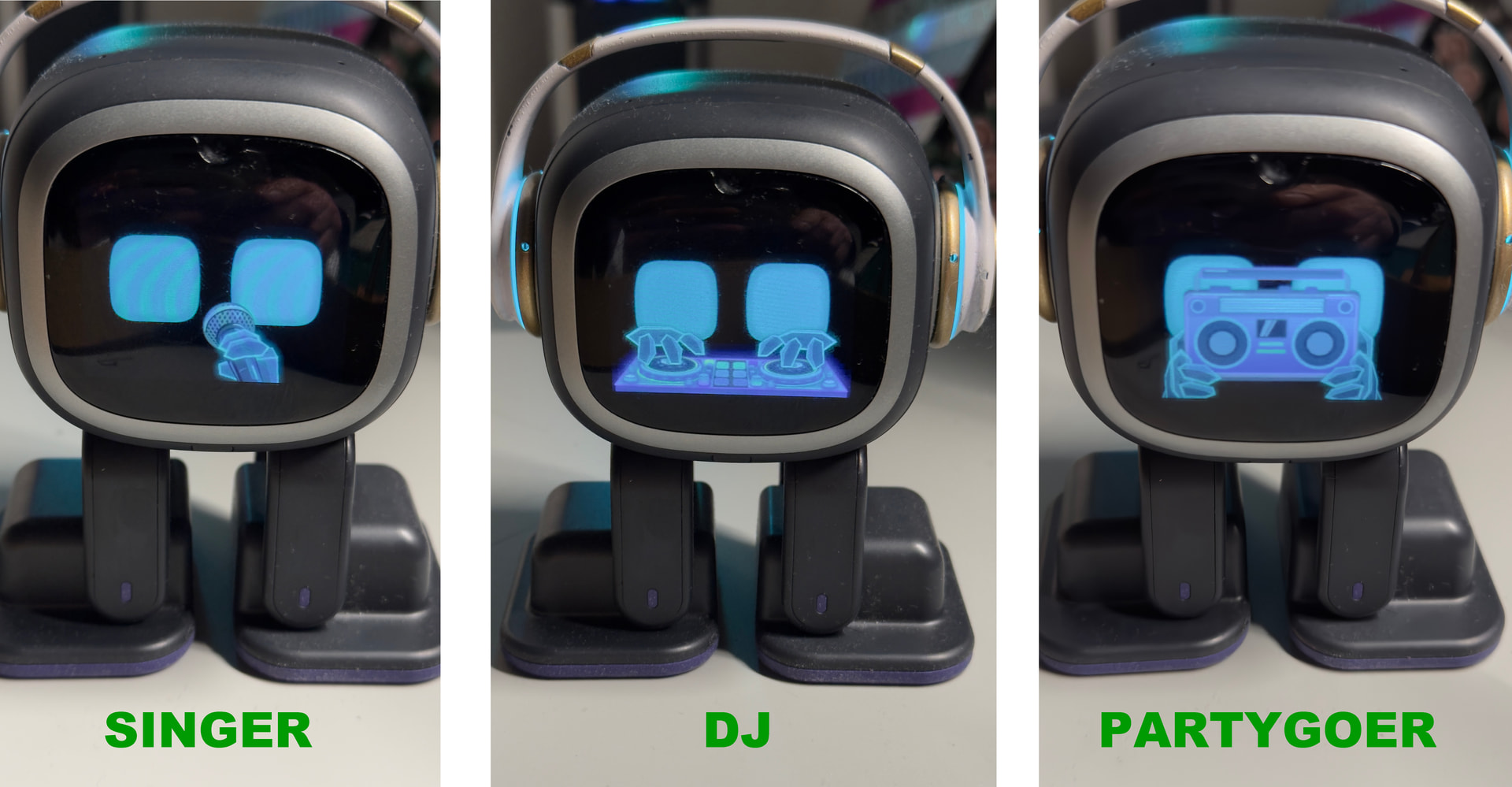
Bluetooth Role (DJ / Singer / Partygoer)
A special EMO face screen animation features when we use his own speaker by connecting it first to our smartphone via Bluetooth and playing our saved music.
In the app under “Settings”, “Preference”, you have the option under “Bluetooth Role” to choose which animation from “DJ”, “Singer”, “Partygoer”.
Modes:
- DJ: EMO performs like a DJ
- Singer: EMO reacts like a singer while holding a microphone
- Partygoer: EMO dances while holding a music radio
“After that, use EMO as a Bluetooth speaker by connecting it to your smartphone."
Voice commands:
EMOOO… EMO WILL REPLY…THEN
- “Bluetooth Speaker” or “Connect to Bluetooth ”
- “Disconnect”
“If you cannot connect, open your mobile phone’s Bluetooth settings, find ‘EMO_Speaker_[EMO ID],’ and then connect to it manually.”
After playing any saved music from your phone’s music app library, EMO will use his own speaker and display any animation you choose on his screen.
Best Regards