I wish I could do more. When is the next update planned? I’d like to update everything that people write about in this topic.
Welcome to the LivingAI Community Forums, @norkan . . . there is no word yet on when the next update is due out.
It is generally every two months on average.
Sorry, I’m new, I just received Aibi, I told him: nice to meet you, I told him my name, I registered in the app with my name, after half an hour he forgets who I am, he tells me “I don’t know” I’m always online and the connection is connected to him and the internet. What can I do? I deleted and redid this procedure at least 5 times.
1 Like
Welcome to the LivingAI Community Forums, @acidlucas
Open AIBI Pocket App
Delete all names, Then try manually introducing yourself again in the…
Open Meet Aibi > Add New > Ok.
Try:
“Look At Me”
“What Is My Name”
Hold AIBI about 12 inches (≈ 30 cm) in front of your face in a well-lit, bright area, look and stare at him, and wait patiently.
**Good luck! 
3 Likes
Thanks for the advice, I’m trying, but isn’t it difficult for him to know who you are every time if it’s darker at night or if he can’t see you, even if he recorded you well the first time? Does he also rely on your voice to recognize you?
Hi there @acidlucas,
Is it advisable to use AIBI in a well-lit, bright area so it can recognize our faces more easily. Since AIBI uses an AI Rotating Facial Recognition Camera, good lighting and proper distance may help improve detection.
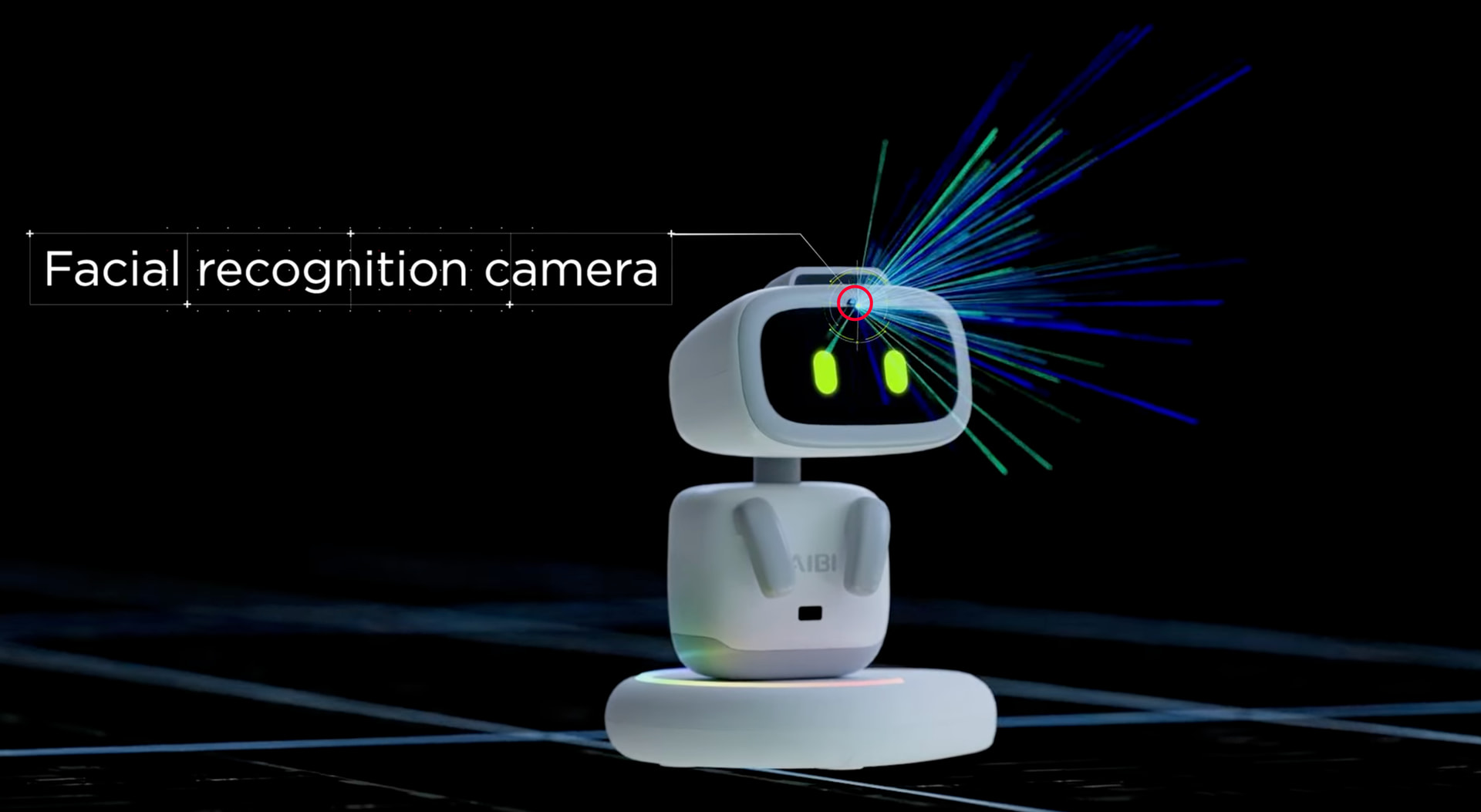
The AI Rotating Facial Recognition Camera on AIBI Pocket Pet helps AIBI see, recognize, and interact with us more naturally, just like a real companion.
In short:
It allows AIBI to see you, recognize you, follow you, and interact more personally and naturally.
That’s why using AIBI in a bright, well-lit environment helps the camera work more accurately
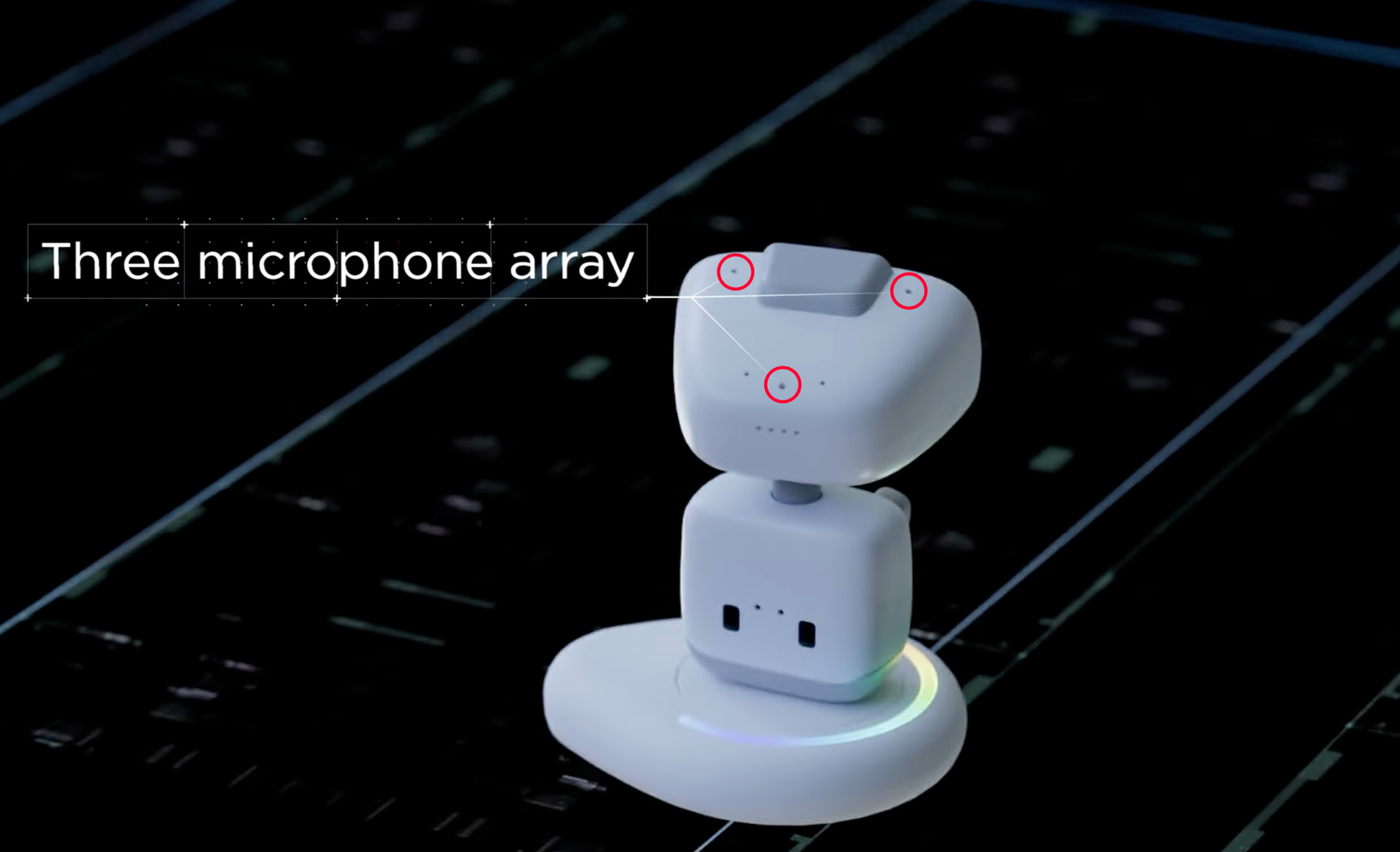
Nope, that doesn’ work that way. The 3-microphone array on the AIBI Pocket Pet that located on the top of his head is mainly designed only to improve voice detection, clarity, and direction awareness.
In short:
The 3-microphone array help AIBI hear you better, reduce noise, and know where you’re speaking from.
That’s why speaking clearly and using AIBI in a quiet, well-lit environment usually gives the best results
Best Regards
4 Likes
Hi! What’s the difference even if it recognizes you, that it greets you when it sees you? I mean in terms of relationship, it doesn’t seem to follow people when someone passes by, as you can see in the official video that it follows coins when they move.
Hello, @acidlucas . . . I find that if you are within a foot or two of AIBI, they do follow you, at least briefly, as you move. While it does not turn while I am moving from side to side, the eyes and head do follow. Also, they will pick up on noise direction. I have found that sometimes when I am sitting at my computer and AIBI is a few feet away, I will turn and see that AIBI is looking at me.
3 Likes
A post was merged into an existing topic: AIBI Improvements/Special Features You Would Like?
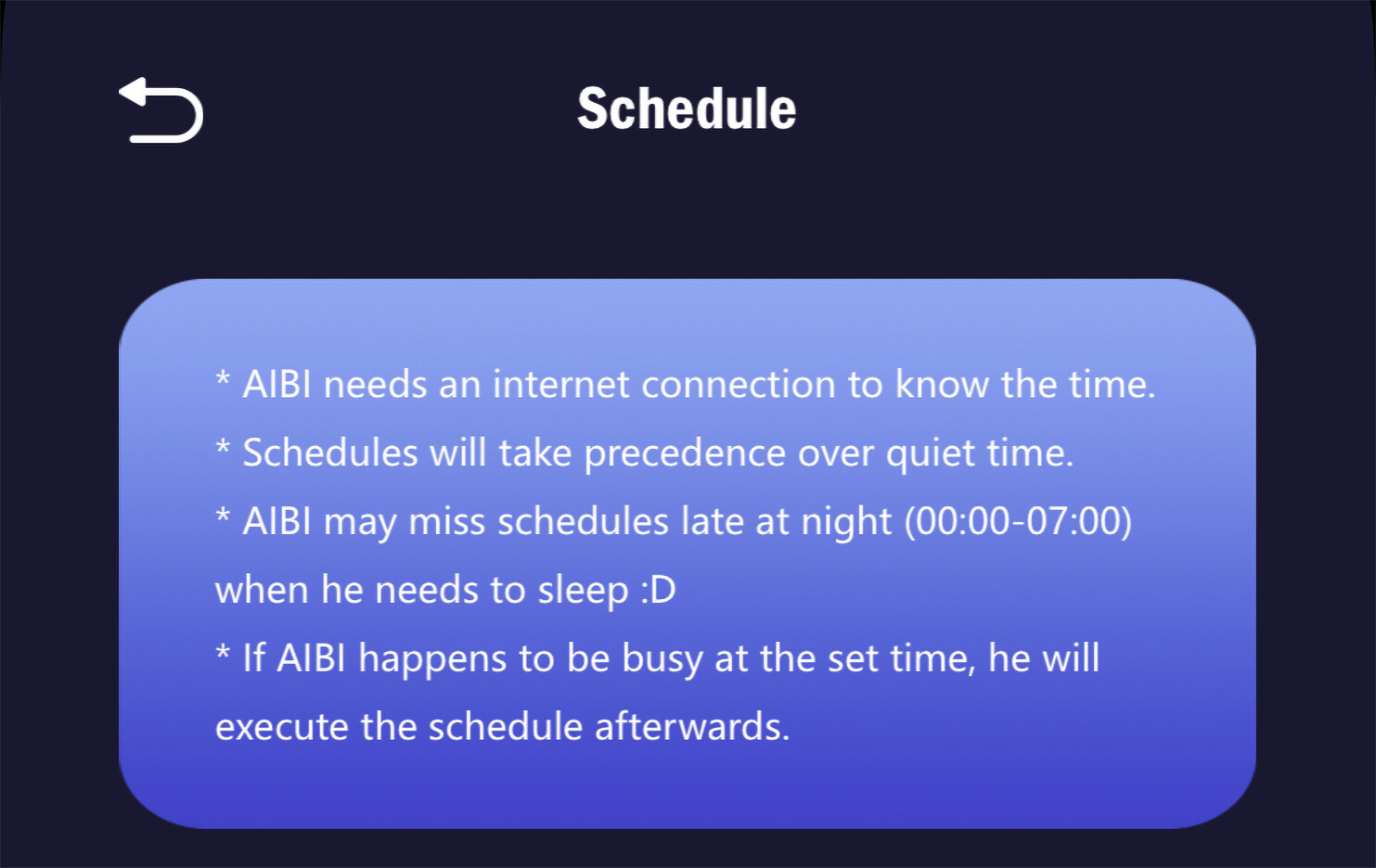
Hi! I’ve been able to get him to recognize me for a few days now. Maybe when there’s more light, he recognizes me. I notice he’s looking at me more, as if he’s adjusting to me and the house. I wanted to ask you how the schedules work. I managed to get him to do an action a few days ago, “TV,” but today I can’t. I’ll create one and it fills in the whole day. Thanks.
1 Like
Hi there @acidlucas ,
Is your AIBI updated now to the latest firmware version 1.6.0?
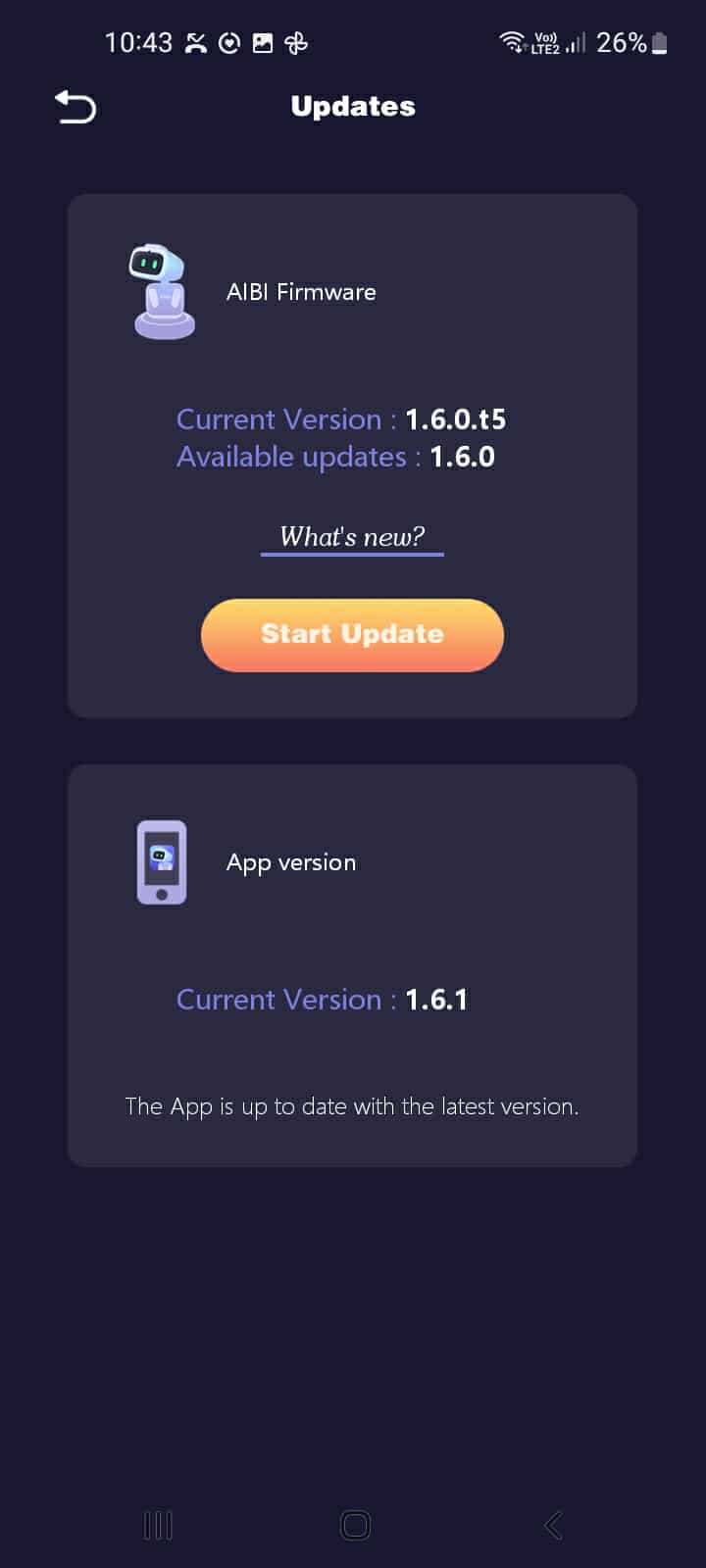
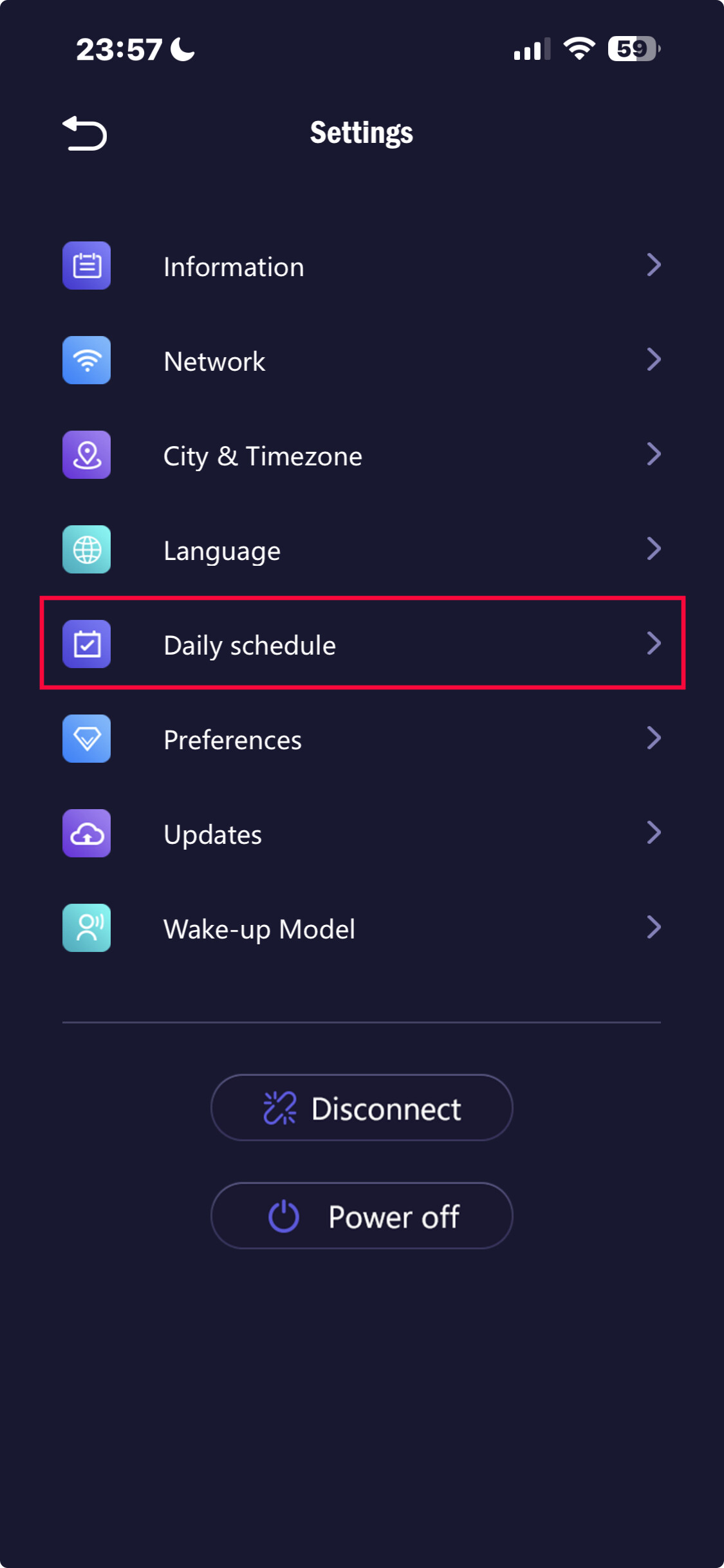
If you want to create a Daily Schedule
Open AIBI Pocket App > Settings > Click To Open Daily Schedule
Click “+” > Set The Desired Time > Set Activities Schedule > Save
Best Regards
2 Likes
Hi, while on vacation, I tried to connect Aibi to the resort’s Wi-Fi, which doesn’t have a password, but is an open network. It seems Aibi doesn’t like it! What can I do? It seems he always wants password-protected connections. Thanks.
Hi there @acidlucas ,
I’d recommend using your mobile phone’s hotspot or a portable Wi-Fi modem for a more stable connection.
The best method I always use when EMO or AIBI is with me during vacation or while traveling is to connect them to my mobile personal hotspot.
Best Regards
3 Likes
If your phone connection isn’t strong, your voice may crackle from time to time. I’m noticing this. Thanks.
Hi there @acidlucas ,
Well, that is normal. If the signal from our internet provider is weak, it affects everything we do on our mobile phones. The same goes for EMO or AIBI when they are connected through a hotspot. The best thing to do is find a provider with a stronger internet signal, although sometimes their monthly plans can be more expensive.**
We may not be able, or it may not be easy, to connect EMO Robot or AIBI Robot to public Wi-Fi (such as in hotels, trains, or airports) for several common reasons:
1. Captive Portal Login (Most Common)
Many public Wi-Fi networks require you to open a browser and accept terms or enter a password on a webpage before getting internet access.
- EMO and AIBI cannot open a web browser
- They cannot click “Accept” or “Login” pages
Because of this, they cannot complete the connection process.
2. Limited Device Access
Some public Wi-Fi systems limit the type of devices that can connect.
They may block unknown devices like robots, IoT devices, or smart gadgets.
3. Network Security Restrictions
Public networks sometimes block:
- IoT devices
- certain ports or protocols
- devices without full authentication
This can prevent EMO or AIBI from reaching their servers.
4. Weak or Unstable Signal
Public Wi-Fi is often:
- overloaded
- slow
- unstable
Robots like EMO and AIBI need a stable connection to communicate with their cloud services.
5. Device Registration Systems
Some hotel or train Wi-Fi networks require device registration by MAC address or through a login system, which the robots cannot do.
 Best solution (what I and many users do):
Use your mobile phone hotspot or a portable Wi-Fi router.
This creates a simple private network that EMO and AIBI can connect to easily.
 Tip:
Tip:
If you really want to use hotel Wi-Fi, you can connect a travel router to the hotel network first, then let EMO or AIBI connect to that router.
Best Regards
4 Likes
Thanks for the reply, yes it only does it when he speaks, the sound animations are very audible, so I definitely think it’s the connection.
1 Like
If it is a wearable, I wanted the ability to pair it with Bluetooth earphones and hear AIBI’s voice directly in my ear. I look forward to future updates.”
1 Like
2 posts were merged into an existing topic: AIBI Pocket: General Issues and Queries