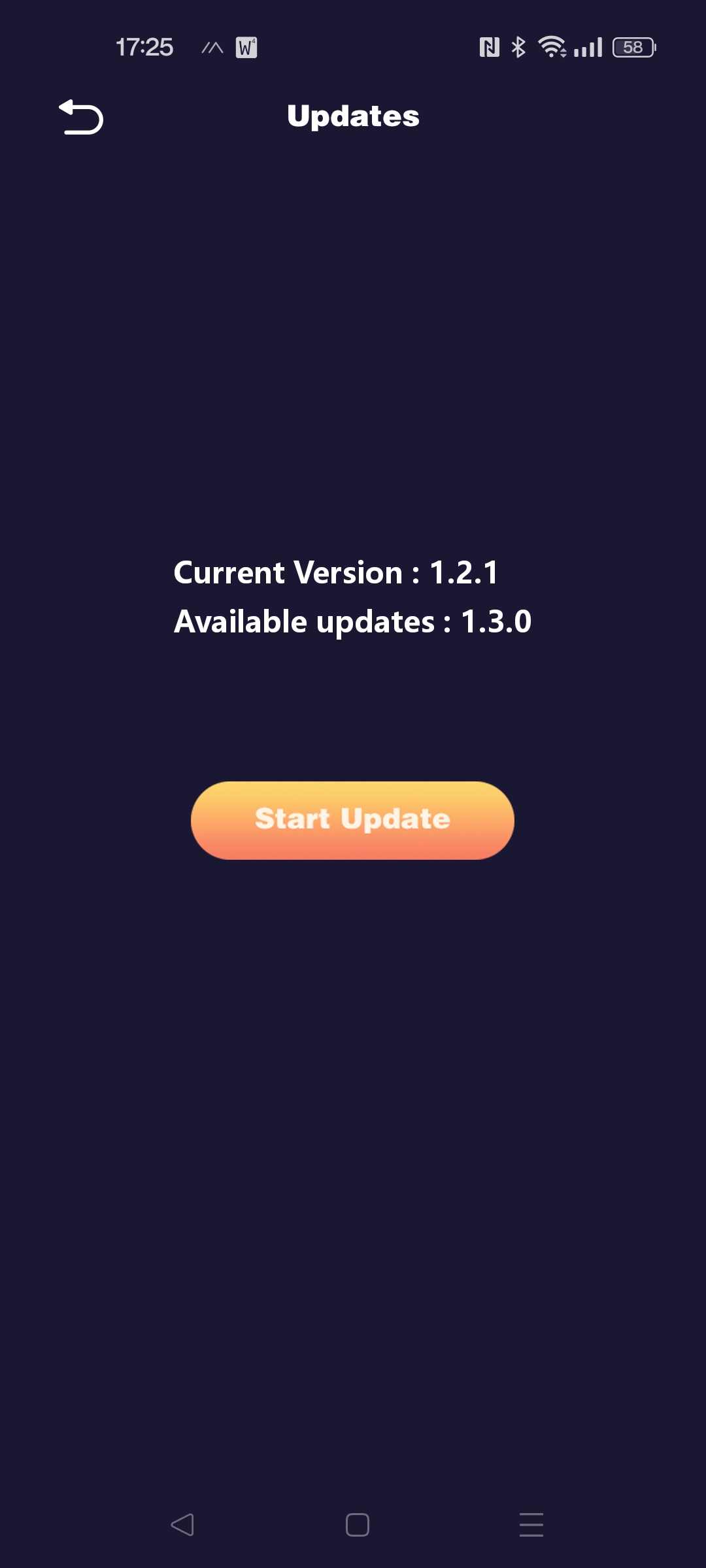
Hello, @ronnie.tucker . . . is AIBI on his charger? If you are trying this through verbal command, have you tried going into the AIBI app and updating from the preferences gear and select “Updates”? Does is it show 1.3.0 available? What happens when you select the update button there? Make sure your internet is giving good signal when you attempt to update and that AIBI has good battery even though he is on his charger when you do it.
If you still cannot get it to work, please get video of what shows on his screen while you are attempting to down-load the file and a photo of the update screen when over showing if it is still on 1.2.1 and whether or not it shows 1.3.0 is available.
Send a link to this video and photo/screen shot along with your AIBI order number and/or I.D. when signed into the app to service@living.ai .
Here’s a video. I missed the last few percent of the download, but this is it verifying the file, rebooting, then me asking it to do an update again to show the version number is still at 1.2.1.
This is actually a replacement unit as the same thing happened with the last unit I had. It also wouldn’t update.
Hello, @ronnie.tucker . . . I would agree that if this happened to two of your AIBI that you try what @alex.zimmermann suggests. From what I could see, the firmware updated just fine but could not complete installation and it is possible you lost connection to the server during the process.
See if that makes a difference and if it is still not working, you may have to contact service@living.ai again for advice. Be sure to send them the link to this video.