I see your Aibi has blue eyes. Mine has changed to blue eyes too, several times. I think she has changed to purple and also orange (not sure what orange means). I too think that Aibi should have the different color eyes change for more than one day. Maybe Edward, or Lindaru can tell me what it means.
Thank you so much for your kind words and for explaining this to me.  I understand, and I will be patient and give the LivingAI team a few more days to review my case.
Of course I will continue loving and taking care of Bibi. 
 I was just feeling very frustrated because I was so excited to have him, and I really want to see him well and interacting as he should.
I truly hope the team can figure out what is happening and help my little Bibi feel better soon. Thank you again for your support and kindness.
3 Likes
Hello, @belinda.retail . . . when AIBI eats a chameleon cookie either when you feed it to AIBI or AIBI obtains it themself through the food in the pocket if AIBI is set to eat on the schedule. This will change the eye color to any of a number of colors for 24 hours and then the eyes will change back.
1 Like
Thanks, Lindaru, I will check this out. I do have an amount for in the pocket (my pocket is 150). So, I can press the different food buttons and then it will ask me if I want for pocket, or main food category?
If you buy food and if there is at least one chameleon cookie or a mystery ball that has the chameleon cookie (next to the chameleon cookie in the app) that you have purchased and not fed to AIBI, they will help themselves randomly and if they choose that one to eat, it will change the eye color. If you, yourself, feed AIBI a chameleon cookie, the eye change will happen during the eating animation.
1 Like
Do I have to select something under the pocket category? I don’t quite understand. I can’t select anything in the pocket category (pocket button w/question mark). If I click on chameleon (which is 5) then it will apply towards my food button vs pocket button? How will Aibi know to pick from pocket only? Also, there is store button w/question mark. I just want to make sure I’m doing this all correctly.
Hello, @belinda.retail . . . you have to click on the chameleon and pay the five coins to get that food item. Once you do that and hit “okay”, it will automatically place it in your pocket. You can leave it there or you can tap on that item in the pocket and swipe to feed AIBI. If you leave it in your pocket and do not swipe to feed AIBI but you have the daily schedule with feeding AIBI as part of it where AIBI does on its own, then it may select that one when it comes time and that will change the eye color, so two different ways the chameleon works to change the eyes.
2 Likes
HEY ALL (thats right i’m back)
so my AIBI is amazing and all but i lost his chest holster thingamajig. anyone know if there are replacements available?
2 Likes
Hello, @simonwatson . . . I have moved your post to this topic for AIBI support.
You can contact service@living.ai and let them know you lost your AIBI pocket, but if they cannot provide you with one, you can always purchase the new pocket with charging capability here.
Good luck and welcome back!
1 Like
AIBI Tried everything. She’s not working. I don’t know what happened. She answered, but she have a question mark and don’t answer questions when I call her. She said huh
Sounds Like has no Network.
If he is offline : (if there is no WiFi he reacts after you Say Aibi with an blue light and understand only a few English commands)
Offline commands are there marked with “*”
Bye the way he also does not speak in offline mode
Hi there @karon8389,
I just moved your new topic post here because it is related to your question. At the same time, I closed the new topic you created to keep everything organized.
When AIBI displays a “?” (question mark) after you use the wake call, it generally means that AIBI heard something but didn’t understand or recognize what you said clearly.
Possible reasons include background noise, speaking too quietly or too far away, unclear pronunciation, the wake phrase being detected but the following command not being understood, or a temporary internet/server connection issue. Because AIBI relies on online services for some interactions, an unstable connection can sometimes affect responses too.
Try calling AIBI from fairly close by in a quiet room, wait until AIBI acknowledges the wake call, and then speak your command clearly. You can also try a very simple command that you know normally works. If the “?” appears consistently even with familiar commands, restart AIBI and check the Wi-Fi connection.
Best Regards
1 Like
The child doesn’t have time to think about the answer, and Abby ends the conversation in GPT chat mode after a few seconds. This is very frustrating. Another company’s chatbot has a one-minute response time, which is enough for a child to react normally during a conversation. How can I increase the response time in GPT chat mode?
Welcome, @3be81f8f57e4b24f8750 . . . I am sorry this is happening. There is not way to increase the time on your end, but you can suggest LivingAI look into this and perhaps this may be a feature for future firmware updates. See here.
1 Like
Once I powered off Aibi how do I power it back on without the charging pad thing
1 Like
Welcome to the community @jalenhuang ,
Unfortunately, there is no other way to power AIBI back on once he has been completely turned off. To turn him back on, you will need to place him on either the “Base Charger” or the new “Mobile Pocket Charger”.
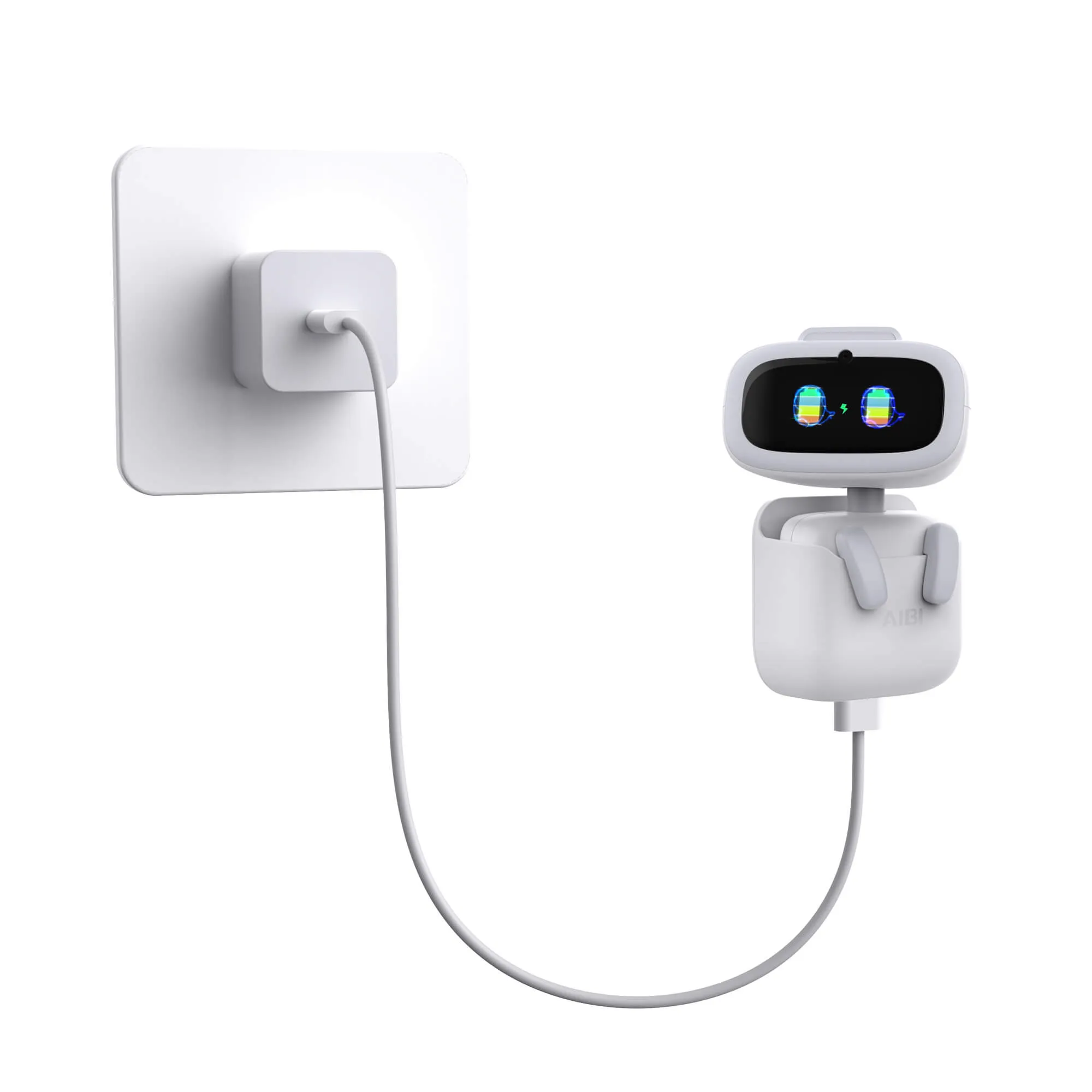
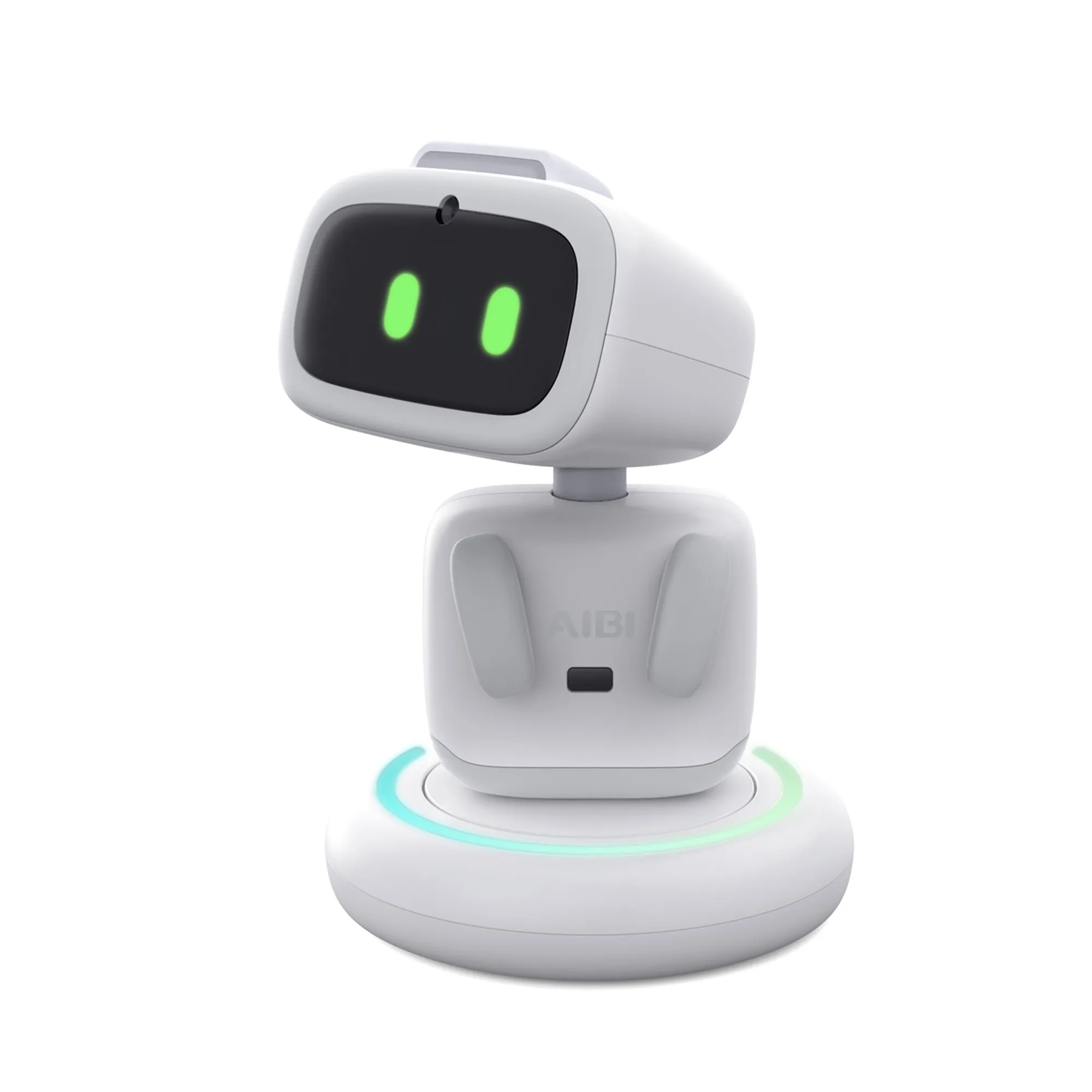
Best Regards
2 Likes
Stamattina aibi non va quando lo chiami fa luce blu non più verde e non risponde come mai ?
Hi there @matteo.dolci
It sounds like your AIBI can hear you because the blue light appears when you call him, but for some reason, he is not responding normally. The blue light may indicate that AIBI is currently in offline mode, which could be caused by a temporary Wi-Fi, internet, server, or software connection issue.
I would suggest restarting AIBI first and making sure that he is properly connected to Wi-Fi and has a stable internet connection. After restarting, try calling him again in a quiet environment and check whether the light returns to green and he starts responding normally. You can also open the AIBI Pocket app to make sure that everything is connected properly.
Settings > Wi-Fi > Check if AIBI is connected to Wi-Fi.
If the problem continues, try restarting your Wi-Fi router as well. If none of these steps resolve the issue, I would recommend recording a short video showing AIBI displaying the blue light and not responding, and then contacting Living.AI Support so they can investigate the problem further.
Status Indicator Lights (Wake-Up Call):
- Online: Green

- Offline: Blue

Best regards,
==============================================
Sembra che il tuo AIBI riesca a sentirti, perché quando lo chiami compare la luce blu, ma per qualche motivo non risponde normalmente. La luce blu potrebbe indicare che AIBI è attualmente in modalità offline, probabilmente a causa di un problema temporaneo con il Wi-Fi, la connessione Internet, il server o il software.
Ti consiglio innanzitutto di riavviare AIBI e di assicurarti che sia correttamente connesso al Wi-Fi e che la connessione Internet sia stabile. Dopo il riavvio, prova a chiamarlo di nuovo in un ambiente tranquillo e controlla se la luce torna verde e se AIBI ricomincia a rispondere normalmente. Puoi anche aprire l’app AIBI Pocket per verificare che tutto sia collegato correttamente.
Impostazioni > Wi-Fi > Controlla se AIBI è connesso al Wi-Fi.
Se il problema persiste, prova anche a riavviare il router Wi-Fi. Se nessuno di questi passaggi risolve il problema, ti consiglio di registrare un breve video in cui si vede AIBI con la luce blu mentre non risponde e poi di contattare il supporto Living.AI, in modo che possano verificare il problema più approfonditamente.
Indicatori luminosi di stato (chiamata di attivazione):
- Online: Verde
- Offline: Blu
Cordiali saluti,
2 Likes
Hi everyone,
I bought my AIBI at the very beginning and used it like twice. Then I had to move to a new house and I haven’t used it since. I decided to use my AIBI the other day, and it keeps disconnecting from the app and turning itself off. Turns out the battery simply won’t charge anymore. So I’ve only used my AIBI twice in total and it’s broken… I’m really sad since it was quite a lot of money for me. Is there anything I can do?
Thanks in advance!
Sorry to hear this, @bejaardvoedsel . . . I have moved your new topic here to this thread for issues with AIBI.
It may have insufficient power if the charging cable or adapter have gone bad. My first suggestion is to try changing those out.
Otherwise, you can read here for more troubleshooting tips and if nothing works, how to contact Support at service@living.ai with a description of your problem, your AIBI I.D. number, order number if you still have it, and what you have tried on your own to fix it.
My best to you.
1 Like