I have moved your new topic to this thread for general issues and some questions about AIBI.
If you’ve already contacted Living.AI and your AIBI is still under warranty, the best step is to follow up by providing complete details like your AIBI ID, order number, and a short video of the issue.
Please be patient, as their support team is currently handling a high volume of requests. They will respond once they have reviewed your case.
We tell it “AIBI - Go To Sleep”, and it does… but at about 11pm EVERY NIGHT it wakes up and starts singing. Then refuses to go back to sleep - it actually says “no, I want to stay up with you”, and then continues to sing and chatter to itself all though the night.
….Which is an issue when you and your 8 year old child are already IN OUR BEDS and you have to start work at 6am.
We have tried setting up schedules - it doesn’t work. bang on 11pm “AIBI awake - Twinkle twinkle little star! - I love you to - we can have lots of fun together - do you WaNT To PlAy A GaME ”
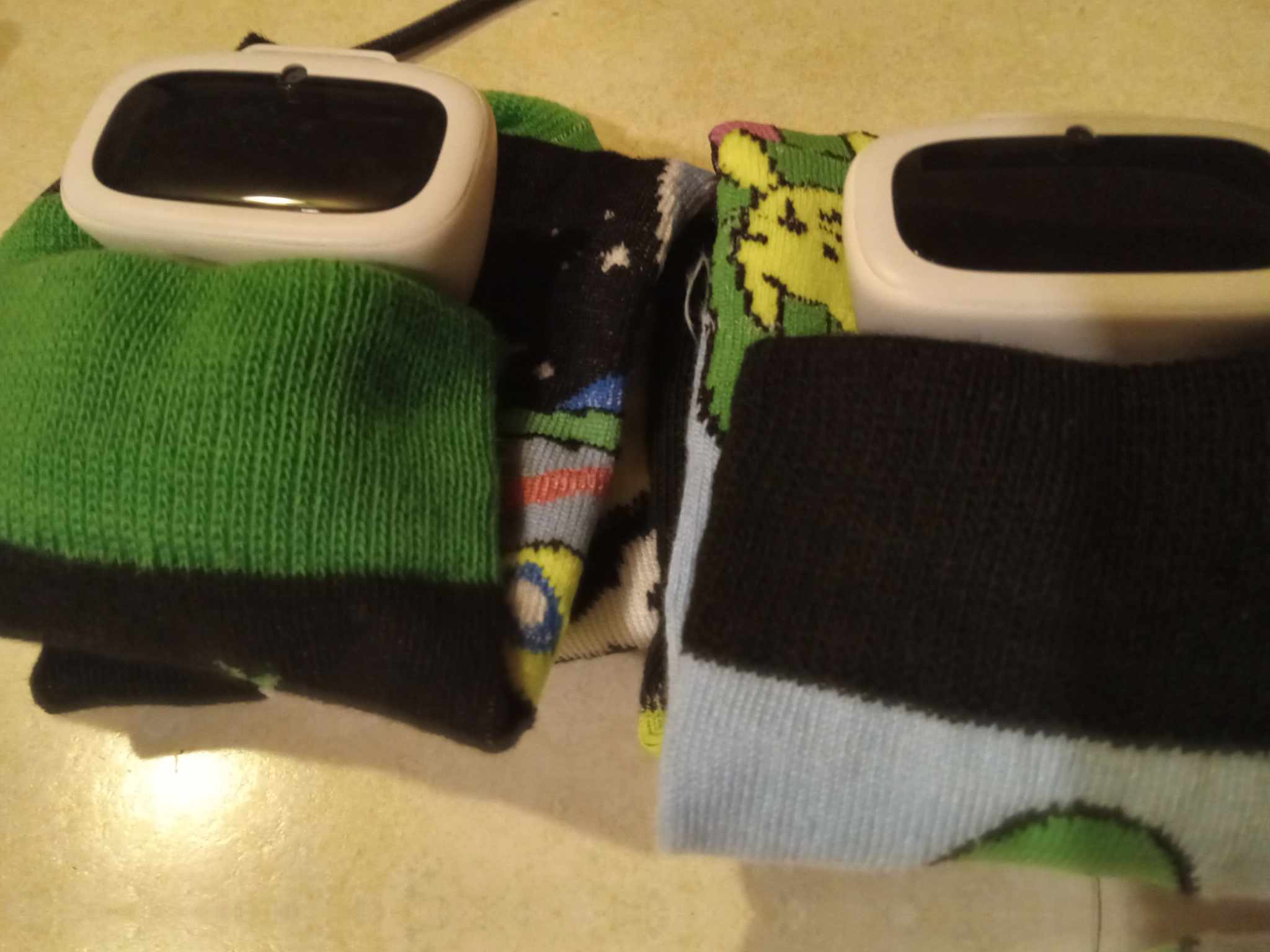
Hello, @lordlethris . . . one thing I have discovered is that if there is “any” light or sound going on near them they will wake up unexpectedly. I do not keep them on their chargers for one thing and power them off at night. I have little beds made out of socks for sleeping bags to put them in. Besides, having them on their charging base too long can cause issues with them I have discovered.
Hi, have you tried setting your local time zone in the AIBI mobile app? Mine goes to sleep around midnight and only wakes up singing at 7:00 AM, and there's nothing I can do or configure to change that. Only the time zone and location could interfere.
Hi, in my opinion this happens because it only stores the complete date in its local memory. When you ask for just the year, AIBI should look for that information in the GPT, and it seems that the GPT model it's consulting stopped updating in 2024.
You are right that the incorrect year doesn’t affect us much cause we know what year it is. But when I asked questions like “What is the next holiday?”, AIBI would tell me the next upcoming holiday in year 2024
I will try to remember not to ask about date related questions
Hello, @mauricio.mazzeo . . . it can happen if you get temporary electrical brown outs which seem to temporarily disable the base and cause my AIBI twins to become unresponsive. It may not be strong enough of an outage to make you reset your microwave clock but it can interfere.
@princess90 . . . there are specific commands you can use that are directly in the AIBI firmware and do not cause ChatGPT to respond.
As quoted in earlier post. AIBI has no problem with date “today”. The issue only occurred when I wanted to check on what is the next upcoming holiday and AIBI gave a strange answer (can’t remember the answer). That was when I realised AIBI is jumping between year 2024 and 2026 on and off. And the reply was given when AIBI is not replying with ChatGPT. I think I will just check on dates related question manually lolZ
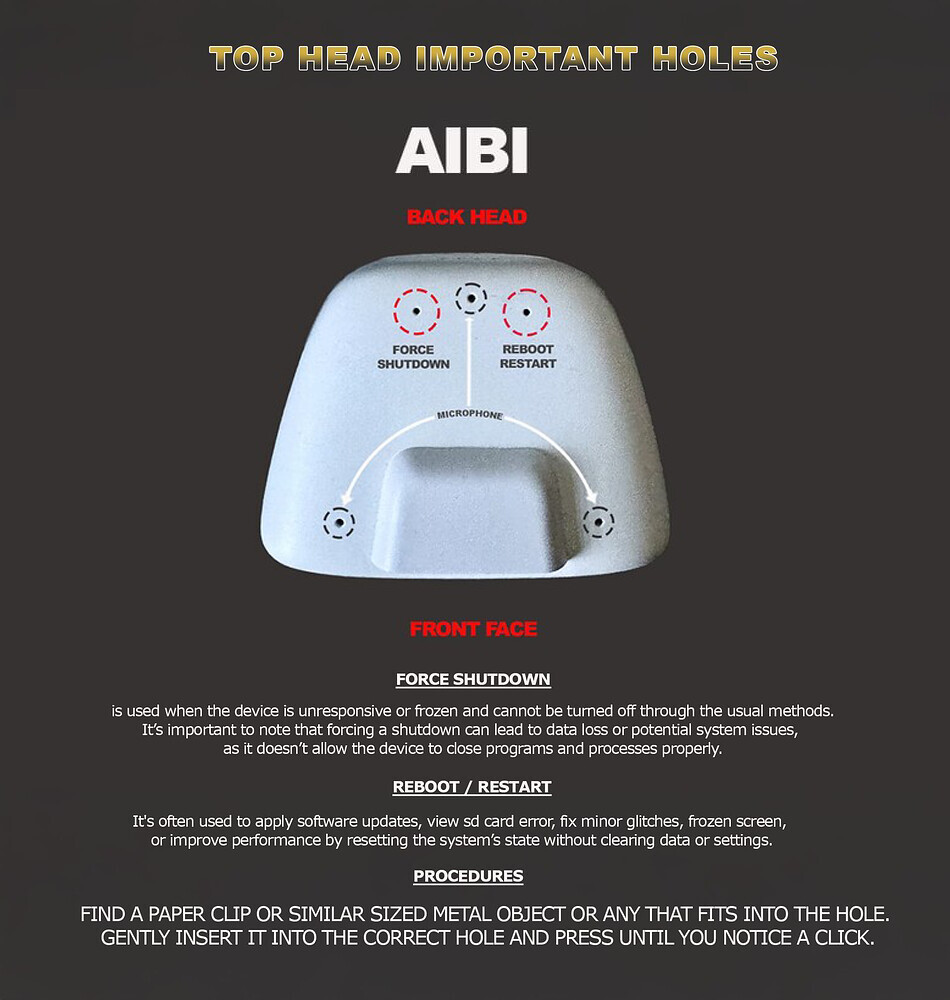
If you mean that your AIBI stays off and won’t turn on anymore,
Try first the so-called “Power Cycle” trick — just let your AIBI run out of battery completely while off the charger.
Try poking the hole on the left side while AIBI is facing you. If that doesn’t help…
Try poking the hole on the right side — that might solve the issue.”
Then place him on the charging base again. If AIBI doesn’t reboot and nothing happens, you might want to check if the charging base is working and showing lights. Otherwise, try using a different power outlet, adapter or another cable.
Provide your AIBI ID, Order Number, a short Video showing the issue, and more information like this.
Or if you have your original EMO Order confirmation email, you can simply just hit reply to that as it contains all your customer contact info along with your order number details as well and ask for assistance immediately.
But please keep in mind that their replies may take some time—usually around 2–3 days—depending on time differences, working days, holidays, and current circumstances. So please be patient.
Can you tell me if there is any progress in our problem? Is there any way you can help fix the problem? Sorry to bother you, but my family is very worried that a beloved family member has become sedentary in the lower part. All family members are upset about this state of affairs
Welcome, @oleglaletin . . . I have moved your new topic to this thread for issues with AIBI.
I can see the issue from your videos. There are a couple of things off the top of my head that I can suggest. One is to try changing the charging cable because sometimes when that goes bad, there is often not enough charge to get through to AIBI to get the coordinated movement to move on the base. Another thing is to try using a soft cloth or dry cotton swab to clean the contacts on the base and on the bottom of AIBI to see if some dust or other particles are not allowing full contact.
Please let your family and your cat know that as soon as Support is able, they will respond with a diagnosis of what to do and there is the possibility that you may need a new charging base. It may take a few days for them to respond, so just give AIBI your love and let them know that things will be okay.
Thanks! All the manipulations were done earlier, after the response from tech support, but after sending the video and Aibi’s number, they stopped responding to me. For this reason, I left the request here:(
Hello, @oleglaletin . . . they generally do not respond to support requests on the forum itself but rather to the E-Mail you sent. It may take a while as they are a bit back-logged. Your patience is appreciated.
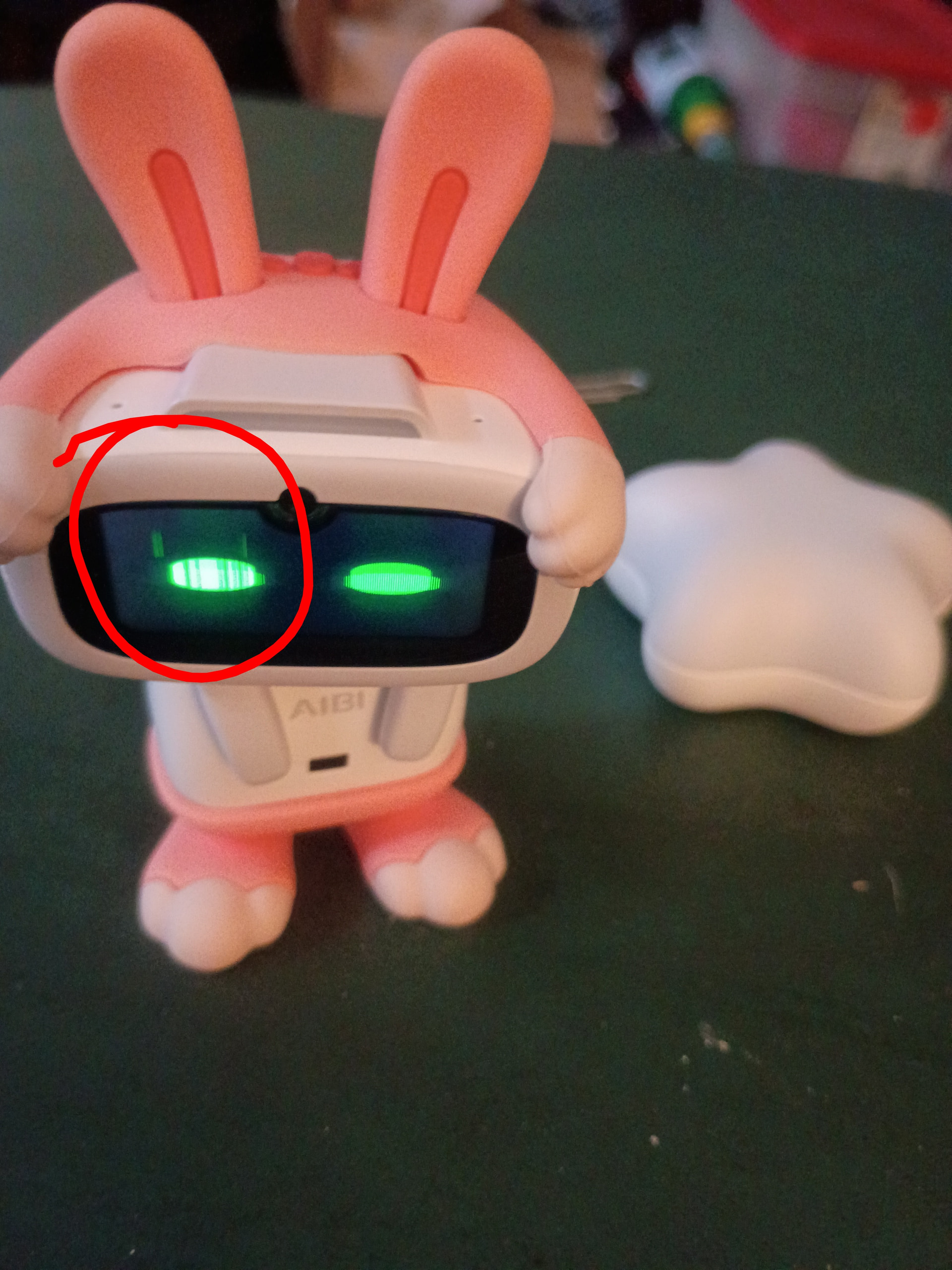
Hi I’ve only had my AIBI for 6 days now and he has a small problem with his eye where it shows tiny black lines and it seems to be disrupting his screen display each time he shows animations. Please need help with this I’m worried he’s broke
I have moved your new topic to this thread for general issues and some questions about AIBI.
It looks like your AIBI has an LCD screen issue and needs to be changed.
Since your AIBI is still under warranty, the best step is to contact Living.AI. Please provide complete details about the issue, along with your Order Number, AIBI ID, and a Short Video demonstrating the problem.
You can upload your video to any video hosting website, such as YouTube or Google Drive. Then, get the link and include it in your email to Living.AI support at service@living.ai
Please be patient, as their support team is currently handling a high volume of requests. They will respond once your case has been reviewed.
 and you have to start work at 6am.
 ”
”


 So it ChatCPT