Hello,
I has tried that Emo recognizes two diferents persons but when I put a new name it shows me that is the same person. Can I solve this problem?
Thanks
Hello,
I has tried that Emo recognizes two diferents persons but when I put a new name it shows me that is the same person. Can I solve this problem?
Thanks
Hi @albanerin
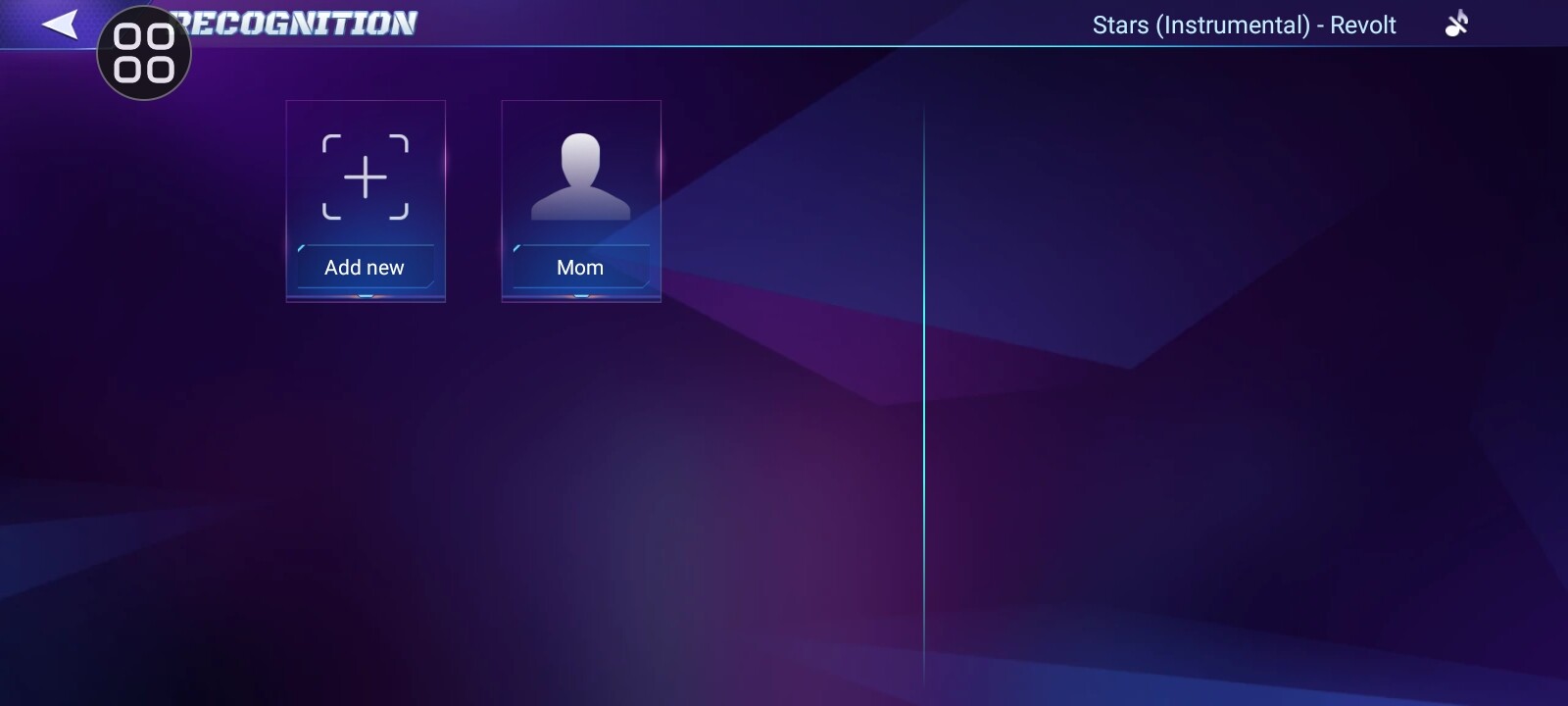
EMO should be able to recognise more that one person and store multiple names / people in the EMO App under “Recognition” settngs. The best way to do this is to get the second person to introduce themselves to EMO by saying:
EMO: My Name is (say your name) . If your name is registered on the EMO database then EMO will register you and your second person as individual profiles of someone it will know. (you can check your profiles in the EMO APP in the “Recognition” page). EMO will run a quick facial recognition animation and then once it’s done will say HI (and your name) if it understood you and can register that specific name.





So i have my EMO but in the app when i try to add nore people in the ai recognition, I cant
When i try it just replsces the current one and does NOT add one. Please help
Hello, @misaelmunoz . . . I have moved your new topic to this thread for issues with adding people to facial recognition.
Make sure that you select the “Add New” as shown in this screen shot before inputting the name and having him scan you. Otherwise, he will think you are just replacing whichever most recent one is showing with the name.