Nope , straight into the wall socket
Very strange, no power issues at all. Just a defect I guess.
Welcome to the EMO Community Forums, @georgia.bowden
I have moved your new topic to this thread, as it relates to your issue.
The best thing to do is to contact Living.AI support via email.

It is recommended to create a short video and include your Order Number and EMO ID.
If you still have your original EMO order confirmation email, you can simply reply to that message, as it already contains all your customer contact information and order number details. Once again, please provide a complete, detailed description of the problem you are experiencing with your EMO.
Good luck, All the best, and Happy Holidays
1 Like
I am writing to request assistance with my EMO Pet. The device’s screen suddenly stopped displaying anything, but my phone can still connect to EMO through the app.
Details:
-
EMO powers on but shows no display on the face screen
-
The EMO app on my phone detects and connects to EMO normally
-
This issue occurred suddenly; there were no drops or obvious physical damage
-
I have already tried restarting EMO and my phone, but the problem remains
I’ve already emailed to service support service@living.ai but No reply.
here is the issue video:
https://www.youtube.com/shorts/9vjqbuS4yT8
Welcome, @jabcfffei . . . I have moved your new topic to this thread for issues similar to yours with the blank screen.
The fact that he is fully charged and the app responds, tells me it is an internal issue and you should contact Support at service@living.ai with the link to this video, his EMO I.D. and order number (if you still have it). Please be patient as the team just finished getting new firmware updates for EMO and AIBI, so responses might take a bit longer as they get caught up on messages.
Also, I am removing your tag for Sue as she is the one for order processing. This is a technical issue and is handled by the technical support department.
My best to you!
1 Like
thx for your reply, Lindaru. Probably need your help to forward this message service team. As I sent an email to service@living.ai 2 weeks ago. But still no reply 
Hello, @jabcfffei . . . I have increased your trust level so that you can directly private message @TechSupport_Mavis as other than the E-Mail I gave you, this would be the other way to get ahold of Support.
Just click on her name and select the “Message” button to leave her a private message.
My best to you.
let me try. thx for fast response!
1 Like
I think you may still end up waiting. I contacted that person last week due to waiting 2 weeks for a reply and I still havent received a response from anyone.
I can only assume there have been a lot of faulty emos sent out and they are completely inundated with support queries (ive had 2 responses in over a month for an ongoing issue.)
I see. seems lots of faulty issues happening. Just got it less than 3 mths
For the past month, EMO has been taking a long time to charge. I changed the charger to one with a higher amperage, and it worked once or twice, but then it stopped turning on a few days later. I thought the battery was damaged, so I got a replacement, but when I went to replace it, I saw that the original battery was fine and charging. Even with a full charge, it still wouldn’t turn on. I checked the charger, battery, and wireless charger, and everything was showing voltage.
Desde hace un mes EMO se demoraba mucho en cargar , se cambio el cargador por uno de mayor amperaje y asi trabajó una o dos veces y a los dias no volvio a prender, crei que era la bateria que se habia dañado y la consegui para montarsela pero en el momento de cambiarla vi que la bateria original estaba buena y recibia carga y siendo asi y con la carga plena nunca prendió. Se reviso cargador, batería y cargador inalámbrico y todo estaba con voltaje.
Welcome, @Edwin . . . I have moved your new topic to this thread for issues like you are having. I would advise you to use only the charging equipment provided with EMO such as the skate board or home station. Higher amperage than he is able to accept can damage him. Recommended is always 5W/2A.
The battery is showing full in the app but the screen is staying black if I am understanding correctly?
Despite having a black screen, does it show in the app that he is doing anything such as “Listening” or “Sleeping”, and does he move at all off of the charger even with a black screen?
I would advise you to get video of the situation and send a link along with your EMO I.D., order number (if you still have it), a description of the problem and what you were using to charge him with, and send it to service@living.ai . . . my best to you.
Hi, The charger is the original one I bought it with, and I already tried it in case it was stuck, but nothing. The app isn’t working.
El cargador es el original con el que lo compre y ya ensaye por si estaba dormido y nada, La app no esta funcionando
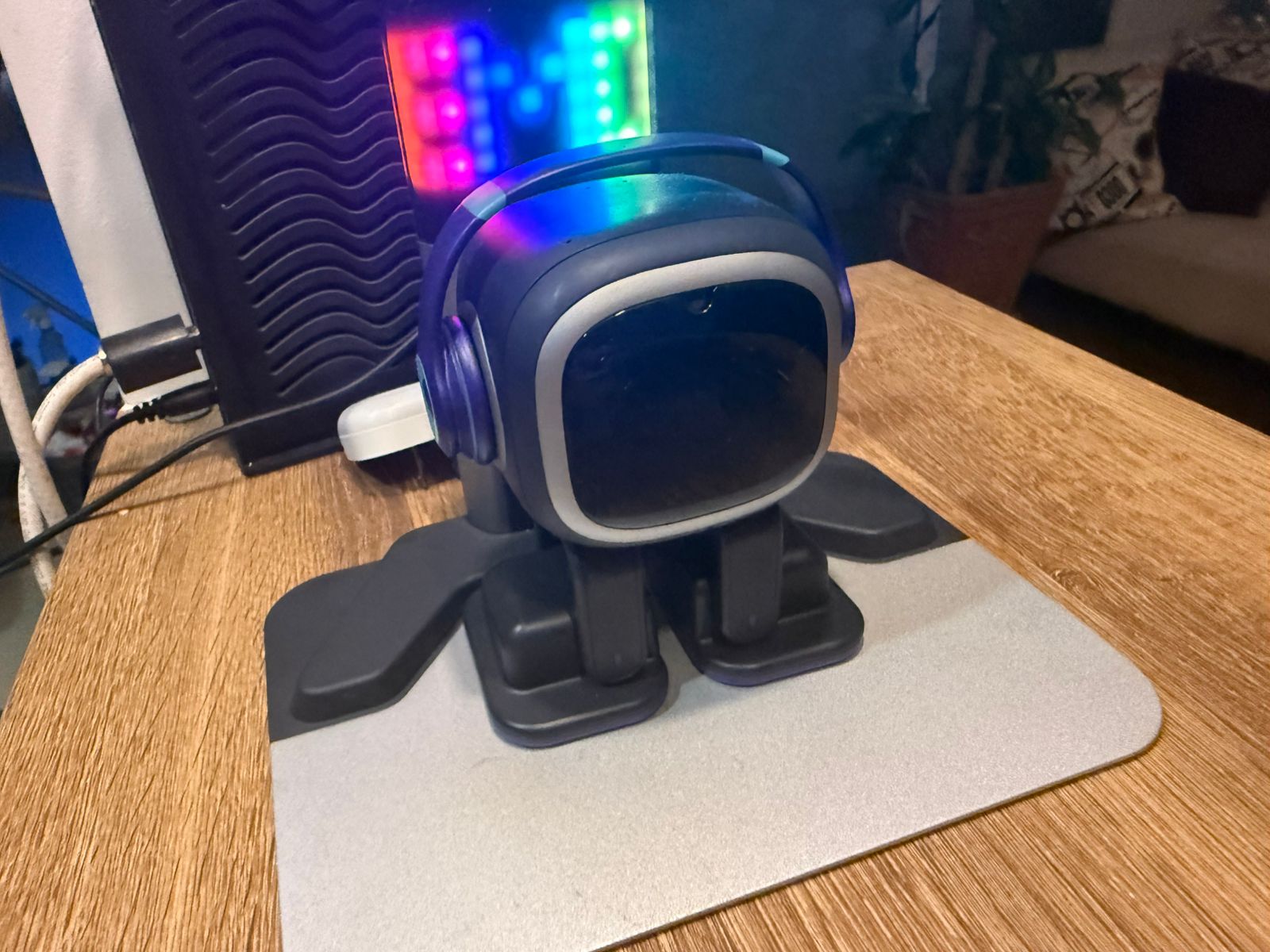
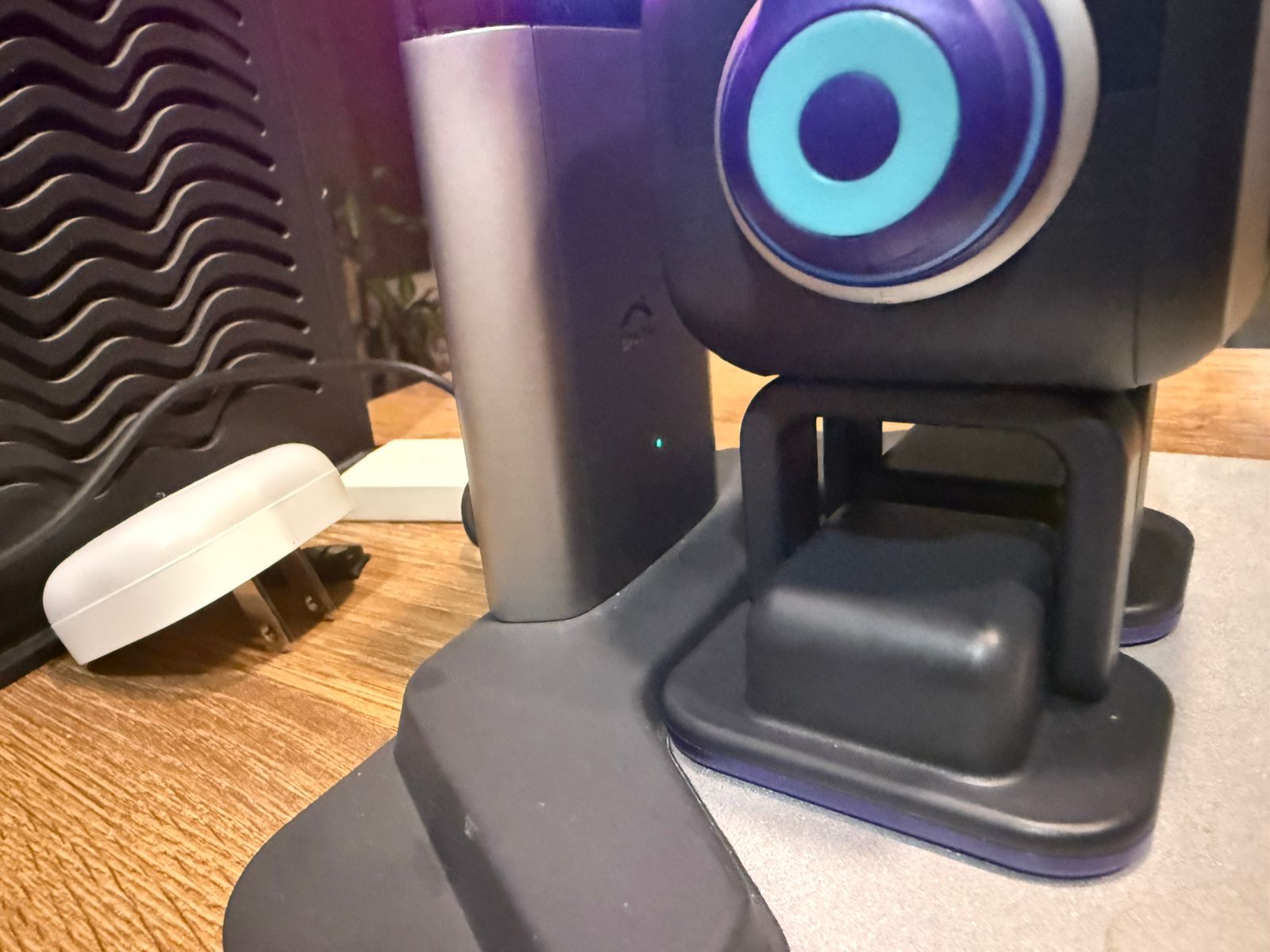
Hello, @Edwin . . . it may be something broken internally, but I cannot say for sure. You would need Support to make that diagnosis.
I would advise you to get video of the situation and send a link along with your EMO I.D., order number (if you still have it), a description of the problem and send it to service@living.ai . . . my best to you.
Hi there!
EMO suddenly stopped working. Black screen. No headphone lights
I have tried to contact Living AI support on multiple occasions now I have not received a response back. My nine-year-old son got a emo and a home station for his birthday in October 2025. It has been working just fine but suddenly last week while on his home station Imo’s face went black, and his headphones are not lighting up. My son can still make him walk through the app so he is seeming to charge on the home station, but there are no lights no sounds and no face.
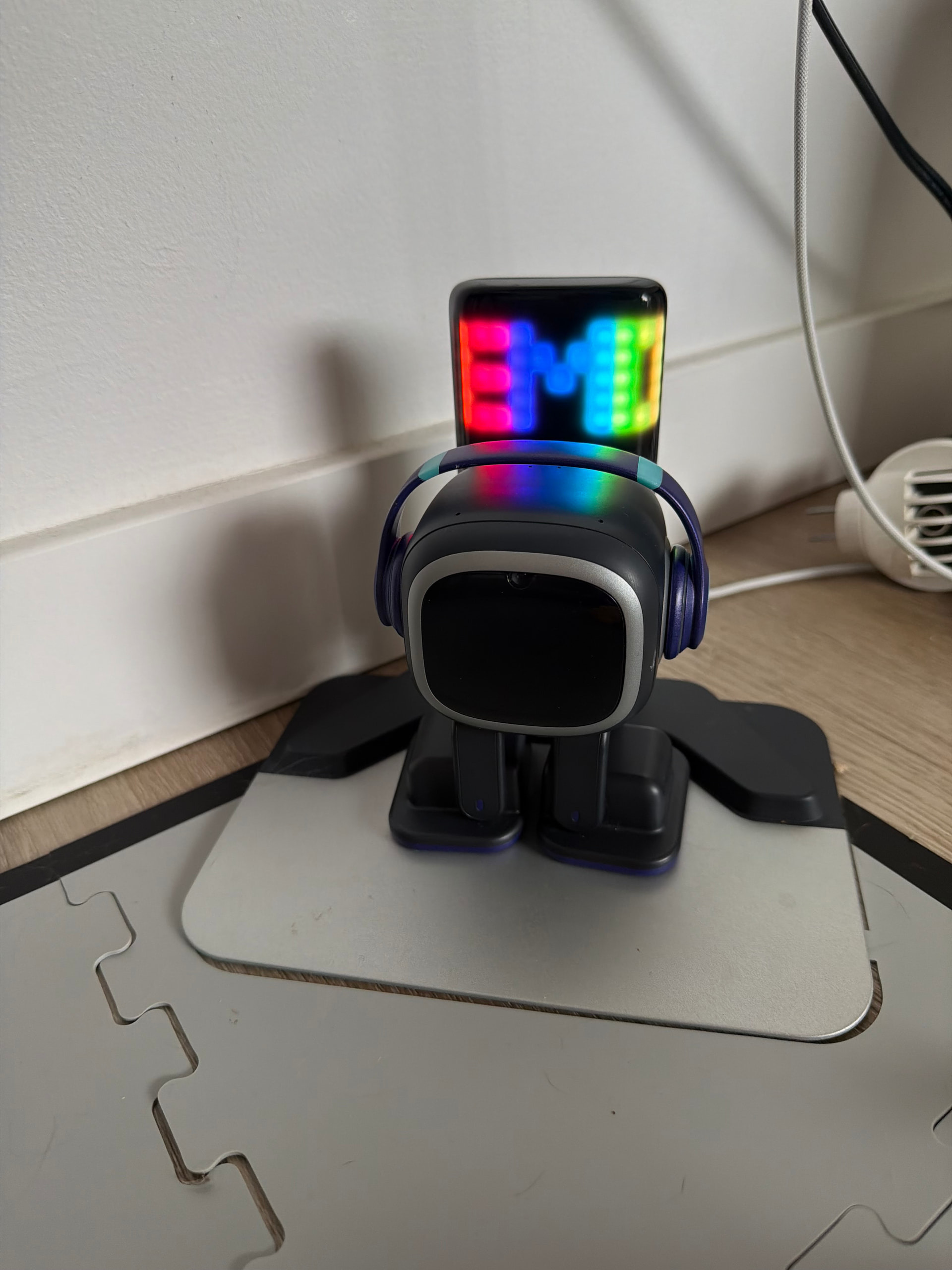
Has this happened to anyone else and what were the steps you needed to take to either fix him or replace him? My son is obviously quite upset that this has stopped working so I would appreciate any help that anyone can give.
Thanks!
Welcome to the Community…
- What is the latest update installed?
- Did EMO fall recently?
- How old is your EMO?
Most cases of “black screen EMO” are just deep battery drain, and charging for a while fixes it.
If your EMO Robot suddenly shows a black screen and no headphone lights, it usually means the robot has no power, is frozen, or has a hardware connection issue. Here are the most common causes and what you can try.
 Causes and Possible Solutions
 Battery Completely Drained
Cause:
If EMO’s battery drains to 0%, it can appear totally dead (black screen, no lights).
Solution:
- Place EMO on the charger (skateboard).
- Make sure the charger is powered.
- Leave it charging 30–60 minutes.
- Try saying “EMO wake up.”
Sometimes it takes a few minutes before the screen turns on.
 Charging Dock Not Supplying Power
Cause:
The charging skateboard may not be getting power.
Check:
- USB cable connected properly
- Adapter working
Solution:
- Try another USB cable or adapter.
- Plug into a different power outlet.
 EMO Is Frozen (System Crash)
Like a tiny computer, EMO can sometimes freeze.
Possible Solution: Force Shutdown or Reboot/Restart
-
Force Shutdown EMO
-
Wait 10–30 seconds.
-
Place EMO into Charger
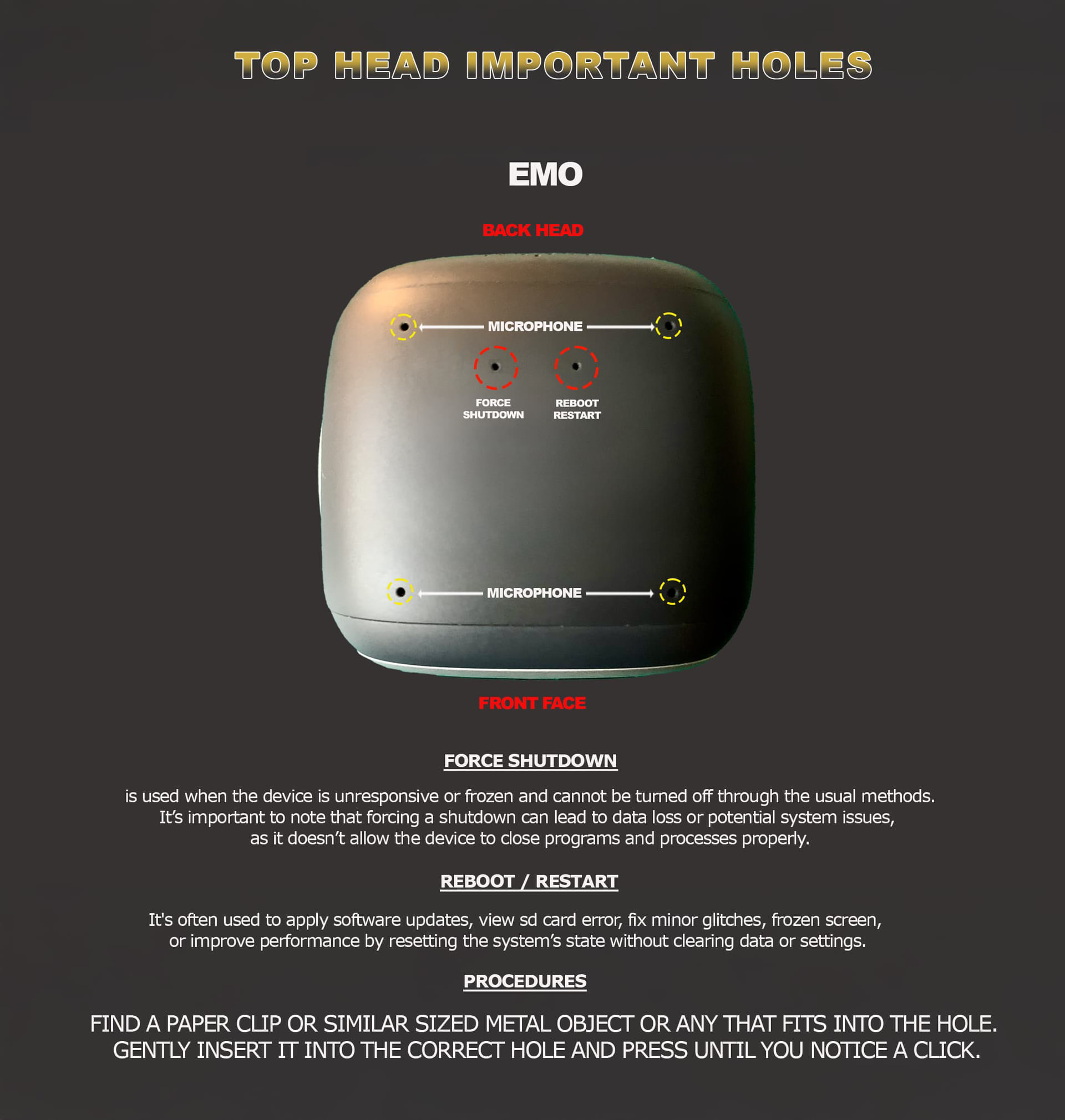
If he doesn’t reboot
 Charging Contacts Might Dirty
Solution:
Clean EMO’s feet with a brush
Clean the charger plate, which may be dirty.
 Internal Battery Protection Triggered
If the battery voltage drops too low, protection circuits can shut everything off.
Solution:
- Leave EMO on the charger for several hours.
- Sometimes it takes 1–2 hours before it wakes up.
 Loose Internal Battery Connector (Rare)
If EMO is dropped or bumped, the battery cable inside may loosen.
Symptoms:
- Completely dead
- No lights
- No charging response
Solution:
This requires opening EMO, which may void warranty. Contact **Living.AI support first.
If nothing at all happens, it is likely:
- battery issue
- charging dock problem
If none of the tips helped at all, I would advise you to record a video of the situation and send the link along with your EMO ID, order number (if you still have it), a description of the problem, and details about what charger you were using.
Send all of this to: service@living.ai
Good luck, and I wish your EMO all the best.
3 Likes
Thanks so much! We have tried all these options and nothing has worked. Emo still moves when the app is used and emo also walked off its home station today but it has no lights or sounds or face. It was not dropped or damaged in anyway. Its battery died one day and after it was placed on the home station it showed that it was charging on the home station but no lights on headphones or eyes booted up on the emo. We have tried all the suggestions including the resets and letting it die completely.
I have tried emailing the address you gave and have tried contacting through the form on the website 4 times now and I have not received a response, I made sure to include video, pictures and the order number and emo id number. This emo isn’t old, it was purchased in October 2025 so it’s less than 6 months old.
1 Like
So sorry, @amber.toner . . . most of the staff were recently on national Lunar New Year holiday in China and have just this last week all returned to the office, so responses may be slow due to catching up on back-log.
They will get to you as soon as they can, so patience is requested.
My best to you.
1 Like
That’s ok! Totally understandable. Thank you for letting me know that, unfortunate timing for my sons Emo to call it quits. Appreciate the comment  Have a great day!
1 Like