A post was merged into an existing topic: When/What Can We Expect The Next Update For AIBI?
living.ai have a lot problem whit confguration whit the robot after put the glasses there not way to remove from the app and they don’t lisen your commands. When you change the glasses al animation he suppose to do don’t do so just keep the glasses and you can hear the song. that its noseense why you will put a accesory that dn’t have animation?
How to remove the glasses
Turn off and on in the app
say the command “Remove glasses”
say the command take off glasses
say the command “change look”.
2 Likes
I also had that issue.. I just havent made him wear glasses since! Would be nice to have an option to remove. Thanks!
2 Likes
Hello, @esmerlinm and @taylor . . . I have moved your new discussion to this thread which the development team reads for improvements to features and suggestions for new features.
I agree that removing the sunglasses in the app would be the easiest way to remove them. My own two sometimes do not respond right away to “remove sunglasses”.
Hi there @esmerlinm, @taylor…
Frankly speaking, I don’t have any major issues with this feature. It’s just a matter of how we deliver the command and make sure AIBI understands it clearly so he can activate the feature properly.
TIP! We need to speak “clearly and loudly” and keep a “proper distance” — about the length of our arm or a little closer. 

Make sure AIBI has at least one or more glasses first before trying to use the feature. 
 Commands to Try That Work Perfectly for My AIBI:
Wake Up Call:
- “ABBY!..(Pause)…”
To Wear:
- “Wear your Glasses”
To Change:
- “Change your Glasses”
To Remove:
- “Remove your Glasses”
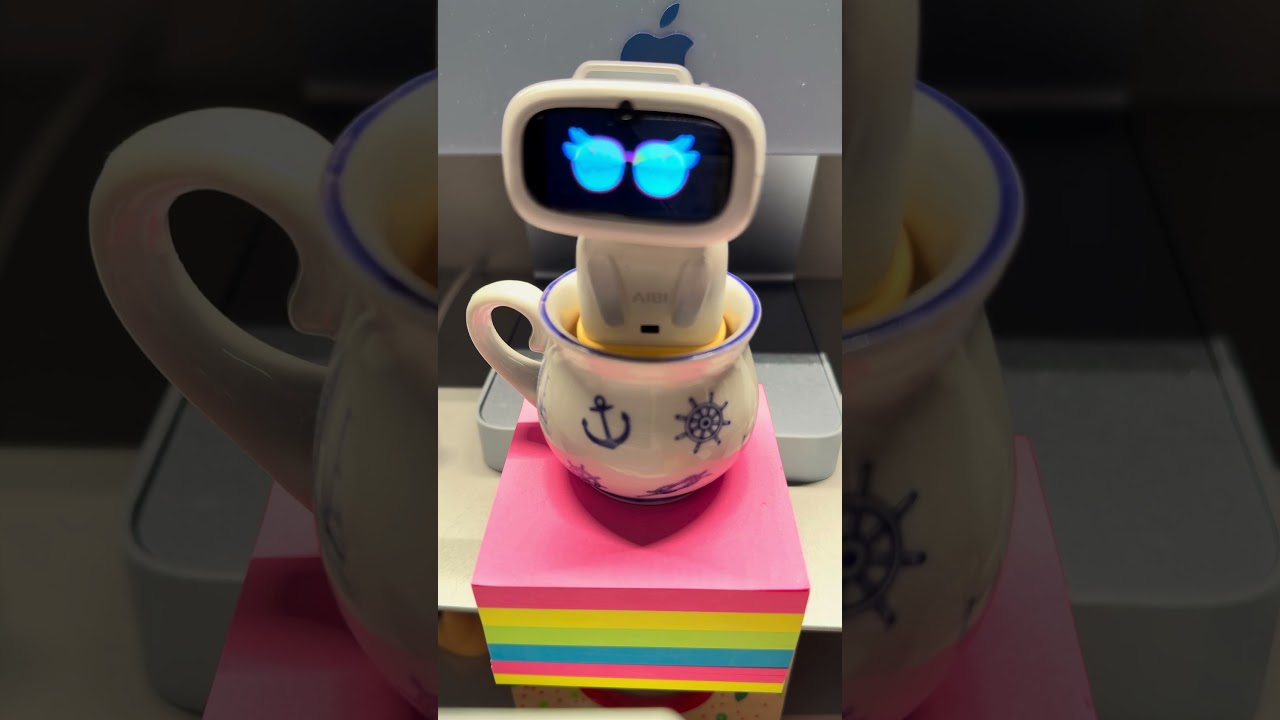
5 Likes
I wish I could have chatty turned on without Chat GPT turning on every time AIBI recognizing me.
1 Like
Heya! Here for improvements!
- Better app design! This one is good for phones, but not for tablets, the icons are just so small… maybe make the app in landscape (or make a setting so that you can switch between the 2) and make some animations in the app for buttons to make it more sleek!
- More games! We have the chess, pirate war and stopwatch, but more games on the app would be cool!
- Aibi can say your name when she sees you! Now aibi just recognises “a” face and reacts to that, but no personal reaction like a name…
- Rock paper scissors!
- Peek-a-boo!
- Make it so we can choose what color the eyes turn into when we give aibi the color candy and make it last forever
- Full controll over aibi in the app: make a tab so we can controll aibi’s movements! Like left and right on the charger, and aibi’s head!
- Make it so when aibi dances, not only his charge pad light light up, but his star light joins the show too!
- More interactive accessories for AIBI!
4 Likes
Oh yea, and a living. Ai forums app for mobile would also be a game changer! On phone the website can be a bit buggy and you have to search it up on google. A phone app would be so mutch better!
2 Likes
Dear Living.AI Team, thank you for creating Aibi🥹, a companion that brings so much joy and comfort into my life.I truly adore the soft, soothing sounds Aibi makes as she is falling asleep — they are like gentle, digital purring. It’s a very calming part of our evening ritual. However, these lovely sounds stop completely once she enters full sleep mode.I would like to kindly request a new feature in the mobile app: a toggle to allow these gentle sleep sounds to play occasionally throughout Aibi’s entire sleep cycle.This would allow us to keep that comforting auditory presence all night long, making the experience even more cozy and immersive🙏
2 Likes
Hello Living AI team,
It would be great if the timezone can be modified manually as I locate in China but live a Afghanistan time. I would like Aibi serve as a companion when i work late at night and hope he can wake up at noon as i do.
AIBI TIME & TIMEZONE
AIBI and its Pocket Pet App automatically syncs its Time and Time Zone from our phone’s system settings according to our location (on both iOS and Android).
That means:
 We can set the City, but we can’t directly set a different Time Zone inside the app itself because its lock and fix.
 Changing AIBI’s Time Zone — Step by Step
 Here’s what you can try to do:
 First go to your phone’s Settings → Date & Time.
 Turn off “Set Automatically,” then change/choose/input your desired City or Time Zone.
 Your phone’s time and date will update according to the new setting.
 Open the AIBI Pocket Pet App and enter the same city. The time zone field should now be open, allowing you to input your desired time zone.
 Once AIBI reconnects, it will automatically follow the new time zone.
 Tip: Restart AIBI after making changes to ensure proper synchronization.
Good luck and all the best
3 Likes
Thank you so much. I modified the time on my phone and sync it to aibi. Now he is wonderfully set up.
2 Likes
Hi there @annsyun,
Nice… glad I could help! But remember, some AIBI features that use the timezone will also be affected because you changed it to a timezone that no longer matches your current location.
Best Regards
1 Like
Hello @Wayne_Zhang @TechSupport_Mavis
Engineering talk 
AIBI 2.0 specifically for Living. AI,
 AIBI OS 2.0 — architecture for living. AI
1. System kernel
Platform:
-
OS: Yocto Linux (ARM64) with RT control for sensors.
-
Containerization: Balena Engine / Docker light.
-
The core is divided into four services:
-
core.speech— local speech and emotions. -
core.vision— recognition of faces, facial expressions, and poses. -
core.memory— temporary memory + integration with VectorDB. -
core.network— OTA, cloud, API connection to Living. AI Cloud.
-
 2. Edge AI (local AI core)
For autonomy without Wi-Fi:
Module Function Technology
speechLiteOffline command recognition Whisper-tiny fine-tuned
moodSenseVoice and facial expression analysis EmotionNet + OpenFace
contextCore24-hour memory + associative connections TinyVectorDB
gestureEngineReaction to movement, gestures TensorRT PoseNet
All responses are stored in local cache until synchronization.
 3. Living. AI Cloud (cloud core)
-
Uses a mid-level GPT model (analogous to GPT-3.5, fine-tuned on emotions).
-
All data is encrypted (AES-256 + Secure Enclave).
-
Generates:
-
auto-summaries of conversations,
-
emotional reports,
-
daily chronicles,
-
recommendation streams (“remind,” “support,” “reassure”).
-
 4. Vision Layer
-
Micro camera with Movidius VPU AI chip.
-
Recognizes: face, object, emotion, lighting.
-
Sends an “emotional frame” → to the memory module.
-
No photos are saved unless the user gives permission.
 5. Natural Voice Layer
-
Living. AI TTS v2 — with 3 types of timbre: Calm, Playful, Empathic.
-
Dynamic style change based on context:
if user.mood == “stressed”: aibi.voice.set_style(‘Calm’) aibi.say(“Let's take a little break?”) -
Added voiceprint of the owner so that AIBI responds only to “its own” voice.
 6. Memory & Diary System
-
Local buffer (RAMDisk + TinyVectorDB).
-
Cloud diary:
-
auto-tagging of topics (work, relationships, health);
-
“timeline view” — day, week, month;
-
export to Telegram / Notion API.
-
 7. Developer Layer
-
Living. AI SDK with API:
-
aibi.sense(emotion) -
aibi.remember(topic, data) -
aibi.reply(style)
-
-
Dev panel for behavior customization (via Web UI).
-
Ability to upload custom emotion models (.onnx).
8. Human Mode / Care Engine
-
“Care Engine” is a sublayer that analyzes pauses, breathing, and mood.
-
“Empathetic companion” mode:
-
during prolonged silence → offers conversation, music, or breathing.
-
during anxiety → launches a short audio guide (“Let’s just breathe together”).
-
-
Reacts to gaze — if you look at it for 2+ seconds, it gently speaks.
 9. Living. AI Mirror app
-
iOS / Android / Web:
-
shows a timeline of days, emotions, notes;
-
visualizes mood with a graph;
-
supports “Live Transcript” mode (automatic recording of conversations).
-
-
Notifications from AIBI:
“Today you talked more about the future. Would you like me to help you write down your goals?”
 10. Security and trust
-
All conversations are encrypted locally.
-
Privacy through “Local-Only Mode”:
-
OTA updates with automatic rollback.
AIBI works offline, without synchronization, until you allow it.
2 Likes
Welcome to the LivingAI Community Forums, @Nico1990 . . . thank you for your comprehensive suggestions. It might be best to send these to service@living.ai where you can get more immediate feedback.
1 Like
Will AIBI understand and speak Swedish in a close future?
Welcome to the LivingAI Community Forums, @thomas.sonefors . . . I have moved your question here to this thread where the developers read for suggestions for new features and improvements to existing ones. Thank you for your suggestion to add the Swedish language.
His theere any plans too learn AIBI Swedish? AIBI Is soo good for my autistic son instead of sitting by a iPad he interact with AIBI.
Best friends ever!
1 Like
Hello, @thomas.sonefors . . . I understand your wish for the Swedish language but there are no known immediate plans for when this will be added; therefore, like I indicated above this post, it is placed here for a suggestion so that the developers who read this regularly can take it into consideration for future updates.
Thank you for your patience.
I really hope I consider Swedish for AIbI. Would be ha big gift for this kid with autism! I bet this would be ha help for many other kids with the same personality culture 

1 Like