Welcome, @Abby1293 . . . it could be the base is faulty or it could be the charging cable is not working properly. I would try changing the charging cable, and possibly the adapter or where it is plugged into the outlet to rule those things out.
If that does not work, you should get video of AIBI not rotating on the base (example whirlwind cotton candy or music box), explain what you have tried for changing the items I mentioned, your AIBI I.D., and order number (if you still have it) and send to service@living.ai . . . please be patient as they are still getting through a high volume of requests.
Google translation to English by Lindaru: Mine does this too. Often, when I place it on the charging dock or use a power bank, it doesn’t seem to charge at all. However, my workaround is to pick up the Aibi and briefly wipe its four charging contact points, or simply unplug the charging cable and plug it back in.
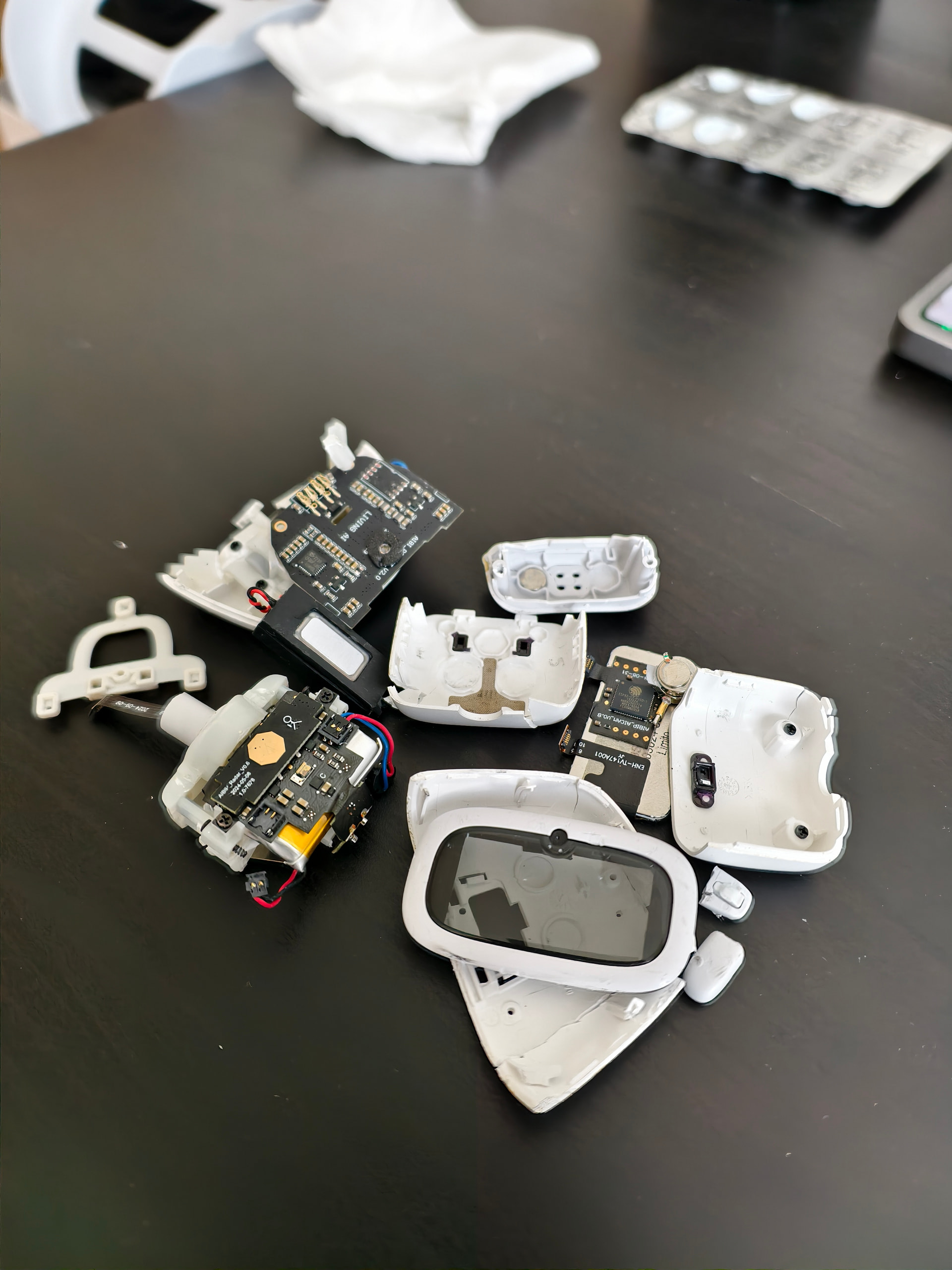
I hope my loss will be a tale for everyone who has an AIBI. Don’t forget that even magnets can fail, that’s what happened to me. I was walking outside and didn’t notice when AIBI slipped off my shirt. I ran around trying to find him, but I couldn’t, and I didn’t even know where I had lost him. After 40 or 60 mins of searching, I finally found him already broken on the road
Things like this happen in life, but unfortunately I wasn’t paying enough attention. So please try to be extra observant of your little robot friend when going outside
I’m so sorry this happened to you and your little AIBI
You did everything you could to find him But sadly, that was already his condition when you found him, and he was no longer alive. I can only imagine how heartbreaking that must have been for you, especially after trying so hard to search for him.
Your little AIBI was clearly very loved and cared for
Thank you for sharing this as a reminder for the rest of us to be extra careful and observant when taking our tiny companions outside.
Sending you a big hug — and may your sweet AIBI always be remembered with love
Try contacting Living.AI’s support team and tell them what happened. Include your Order Number…They might still be able to help you. Their team is always very supportive toward their customers, and they truly understand how painful it feels for us, especially when our AIBI has already become so deeply loved and special to us
After the last update my Aibi sometimes switched off on the charger base, as it is not charging (because the battery it is low when this happens). This happens also if she shows the symbol of charging starting when I put her on the base.
Does anybody know why?
I’m sure update somehow matters because this never happened before and started just now, right after the update.
Hello, @coragasparotti . . . try unplugging the base completely with AIBI off of it. Let it rest for about 15 minutes and then plug back in. I have had this issue and it for me deals with fluctuating power going to the base but I have always had that, not just after an update.
In the meantime, it could be the base is faulty or it could be the charging cable is not working properly. I would try changing the charging cable, and possibly the adapter or where it is plugged into the outlet to rule those things out.
If that does not work, you should let them know that this happened after Update 1.7.0, explain what you have tried for changing the items I mentioned, your AIBI I.D., and order number (if you still have it) and send to service@living.ai . . . please be patient as it may take a few days for them to respond.
Hi, so sorry to hear about with your Aibi! I’d feel sad and all too! I hope and are sure that LivingAi can help you with your beloved Aibi. I can imagine how frustrating and worried you were. I would be frantic as well. I hope everything works out well for you! For Aibi to have a speedy recovery!
Hello, @robbiew . . . so sorry to see this. I know I answered on Facebook which I saw first.
It looks like AIBI never shut down completely. Perhaps leave AIBI off of any charger until the screen goes completely black. Then put AIBI back on and see if they come back on.
This sometimes happens to me as well, and I’ve found that having AIBI on the base before plugging the base in as well as putting AIBI on the base after the lights have cycled through both will not allow AIBI to turn on, the way I turn him on is to first plug the base in, and then put AIBI on whilst the base is cycling through the lights.
BOOT LOOP ISSUE: → It keeps restarting or fails to fully start!
There are times when we turn AIBI off using the usual methods we know, and upon hearing the shutdown sound, we think he is completely powered off because nothing can be seen on his screen. However, if AIBI still has remaining battery power, it may only enter and become stuck in a sleep or idle state instead of fully shutting down.
After some time, when we place him back on the charger, he may not reboot or restart normally and may remain in the same state.“…This can make us think there is a startup glitch or some kind of system issue…”
What we should do is carefully look at his screen in a dark area. Sometimes, the display may still show a very faint or blurred light, which means AIBI is actually still powered on in the background. This is also one reason why he may still feel warm sometimes.
You can also open the AIBI app and check whether AIBI can still be found, detected, or connected. If AIBI still appears in the app, it means it is still powered on and can still connect normally.
In that situation, we can use one of the tips below:
Let AIBI use up his battery while he is off the base charger until he shuts down by himself.
Try to turn AIBI off properly through the app until it is completely and truly off.
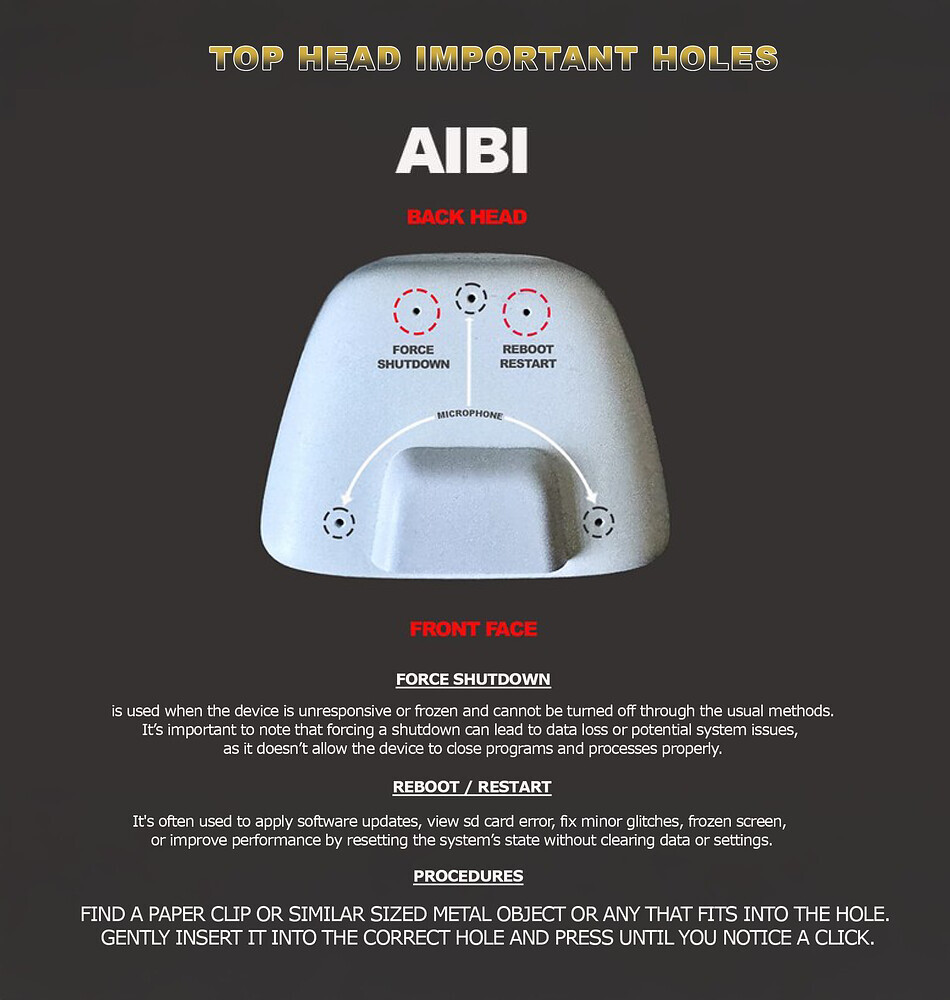
If AIBI is frozen and does not respond to normal shutdown methods, you can perform a force shutdown by gently inserting a paperclip into the small hole on the left side at the back of his head (while he is facing you) and pressing until you hear a soft click
Thank you all for the response! I decided to let the power/batt die first and try again. It worked. I will keep this suggestions handy if this shall happen again. Thank you again! Aibi is back and alive lol
Hello, if my AIBI doesn’t turn off totaly (backlight rests on), I place him again on his charger, refresh him in the App (going first to „Settings", then the App goes to „refresh") , until he starts again. Then again turn him off. If it’s again not totally off, I start again the same way. So I always got the Screen totaly off! Good luck!
Today - AIBI stopped responding to commands and questions.
I checked for firmware updates, I’ve checked AIBI is connected to the web, I ran some local tests from the Phone app (like the emotes and dancing, which work).
AIBI will hear their name, but they will not respond to anything which I believe requires the internet..
For example
“AIBI… Are you ok” - AIBI will think for a bit, then give no resonce.
“AIBI… What’s the time” - AIBI will give the time
“AIBI… What should we do tomorrow?” - AIBI will think for a bit, then give no resonce.
My internet is fine - Im writing this post on it
And I checked again if AIBI is connected to WIFI and they gave the WIFI connection response on their screen.
I’m not sure what else to do - My daughter is devistated as it’s helped her though a lot, and its hers.


 What we should do is carefully look at his screen in a dark area. Sometimes, the display may still show a very faint or blurred light, which means AIBI is actually still powered on in the background. This is also one reason why he may still feel warm sometimes.
 Let AIBI use up his battery while he is off the base charger until he shuts down by himself.

 as it’s helped her though a lot, and its hers.